


- Bottom line
- Compare the systems by deployment type
- TP-Link Deco BE63: a flexible value mesh
- eero Max 7: premium mesh with fast ports
- Two different UniFi paths
- Backhaul and speed: measure the house
- Wi-Fi 7 vs. Wi-Fi 6E: Is the Upgrade Worth It in 2026?
- Power, Heat, and Physical Placement
- Common placement scenarios
- Which Backhaul Strategy Actually Helps?
- Management and Visibility
- Which System Fits Which Buyer?
- FAQs
- References
Bottom line
Choose a Wi-Fi 7 system by the house and the ownership model, not a combined wireless-speed number. The TP-Link Deco BE63 is a practical value choice when you want a tri-band mesh kit and four 2.5 GbE ports per node. The eero Max 7 is a premium app-managed option with faster wired ports and built-in smart-home support. A wired UniFi U7 Pro deployment gives the most network control, but the U7 Pro is an access point, not a consumer mesh router. Ubiquiti now also sells the UniFi Express 7 as a true whole-home mesh kit, so UniFi buyers should decide which of those two architectures they mean before comparing prices.
This guide is a buying framework based on manufacturer specifications, our installation criteria, and the linked product guides. It does not present controlled head-to-head throughput measurements. Check the current checkout price and hardware revision before buying; promotional prices change.
- Choose Deco BE63 when four 2.5 GbE ports per node and a simple mesh setup matter more than controller-level controls.
- Choose eero Max 7 when you want an app-managed mesh system with two 10GbE and two 2.5GbE ports per node and Thread support.
- Compare UniFi Express 7 for an actual UniFi mesh kit; choose U7 Pro APs when you can provide PoE and wired locations.
- Map Ethernet or usable coax before paying for a higher radio tier. A weak backhaul can erase the benefit of faster hardware.
- Deco BE63 review
- eero Max 7 review
- UniFi U7 Pro setup guide
- Best Wi-Fi 7 system by home size
- Wi-Fi 7 speed tests and placement method
Compare the systems by deployment type
| System | What it is | Wired connection | Best fit | Main buying check |
|---|---|---|---|---|
| TP-Link Deco BE63 | Tri-band consumer mesh | Four 2.5 GbE ports per node | Home that wants flexible wired backhaul and simple management | Check pack size, hardware version, and current price |
| eero Max 7 | Tri-band consumer mesh | Two 10GbE and two 2.5GbE ports per node | Home prioritizing easy ownership and smart-home support | Check physical placement and optional subscription features |
| UniFi Express 7 whole-home kit | Tri-band UniFi mesh gateway and nodes | 10G-capable gateway; confirm each node's port plan | UniFi buyer who wants a compact mesh kit | Check gateway role, node count, and whether wireless or wired backhaul fits |
| UniFi U7 Pro build | Ceiling APs with a separate gateway and PoE power | One 2.5 GbE PoE+ uplink per AP | Wired home or small office that needs VLANs and control | Budget for gateway, switch or injectors, cabling, and installation |
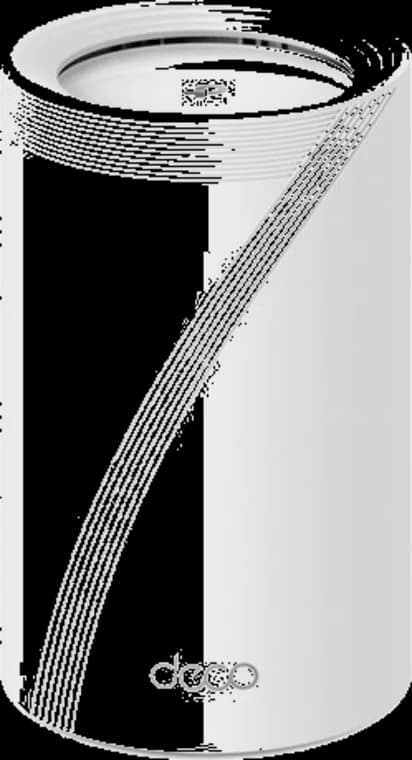
A flexible Wi-Fi 7 mesh with four 2.5GbE ports on each node and a direct three-pack partner offer.
- Tri-band Wi-Fi 7
- 4 × 2.5GbE per node
- 3-pack link
Before you buy: The linked offer is a three-pack. Confirm pack size, hardware revision, and final price at checkout.
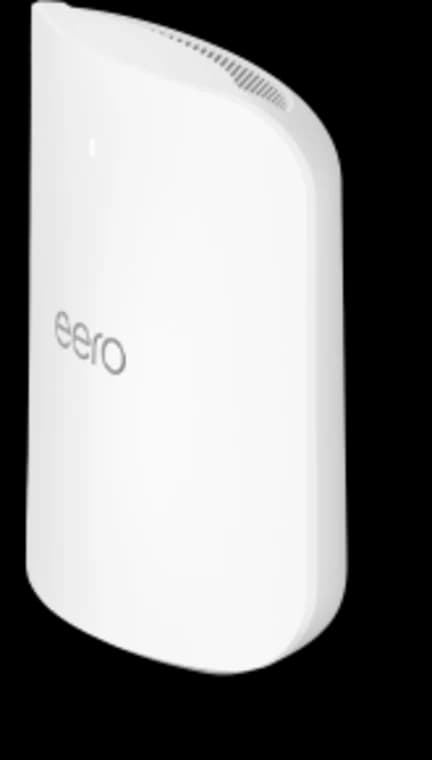
Choose Max 7 only when its four Ethernet ports, 10GbE capability, larger coverage target, or higher device capacity solve a real requirement.
- Tri-band Wi-Fi 7
- 2 × 10GbE ports
- 2 × 2.5GbE ports
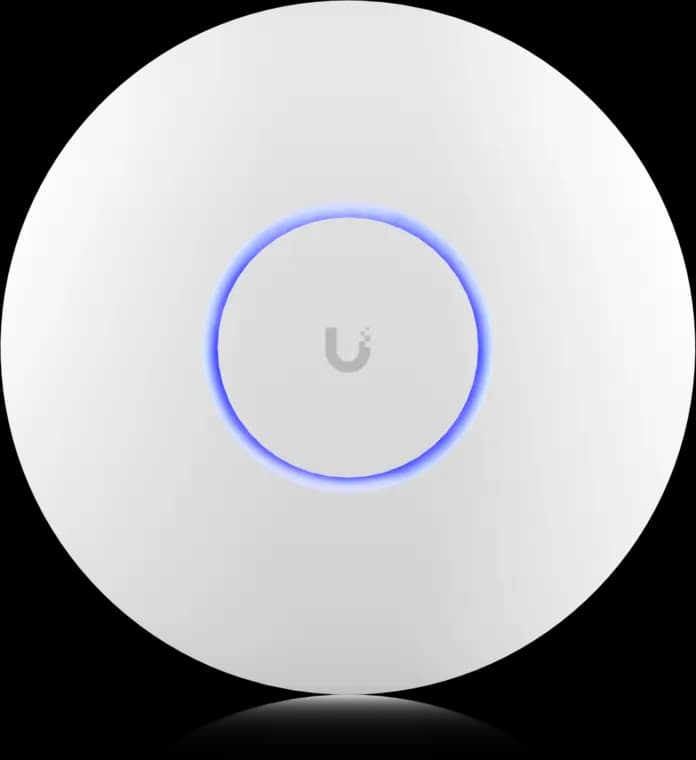
The practical UniFi Wi-Fi 7 baseline for planned ceiling locations: tri-band radios, a 2.5GbE uplink, and controller-based tuning without paying for a 10G AP edge.
- Tri-band Wi-Fi 7
- 2.5GbE uplink
- PoE+ powered
Before you buy: This Amazon link selects Adorama's US-model offer. Confirm Sold by Adorama, New condition, and that the PoE+ adapter is not included.
TP-Link Deco BE63: a flexible value mesh
The BE63 offers tri-band Wi-Fi 7 and four auto-sensing 2.5 GbE ports per node. That makes it easier to connect a multi-gig internet handoff, a wired satellite, and nearby devices without immediately adding a switch. It is a sensible starting point for a home that wants app-managed Wi-Fi and has, or can add, a wired path between the busiest rooms.
The total price depends on pack size and current promotions. Compare the actual checkout cost with eero and the complete UniFi hardware stack, rather than using an old sale price as a permanent value claim. Read the Deco BE63 guide for placement and setup checks.
eero Max 7: premium mesh with fast ports
The Max 7 gives each node two 10GbE and two 2.5GbE ports. Its app-led management and Thread-capable smart-home role suit owners who want minimal routine network administration. The hardware is large, so make sure open shelf space and power outlets exist where the nodes should go. eero Plus is optional; compare its paid features with what you actually need.
The premium is easiest to justify when its fast wired ports, simple management, and smart-home role all matter. Read the eero Max 7 guide before choosing a node count.
Two different UniFi paths
Ubiquiti's UniFi Express 7 whole-home kit is a current mesh product. It is a fairer category comparison with Deco and eero than a loose set of ceiling APs. The bundle includes UniFi gateway hardware and supports wireless mesh expansion. Confirm its exact gateway, node, and port configuration against the current product page before ordering.
The U7 Pro is a PoE+ ceiling access point with a 2.5 GbE uplink. It is the better UniFi route when you can wire AP locations and want a separately chosen gateway, switching, and policy controls. Ubiquiti listed the U7 Pro at $189 on September 29, 2026, but that is only the AP cost. The Cloud Gateway Ultra, for example, has a 1 Gbps IPS routing rating, so do not assume it matches a multi-gig internet plan simply because the AP has a 2.5 GbE port. Compare the UniFi gateway tiers and read the U7 Pro setup guide.
The practical UniFi Wi-Fi 7 baseline for planned ceiling locations: tri-band radios, a 2.5GbE uplink, and controller-based tuning without paying for a 10G AP edge.
- Tri-band Wi-Fi 7
- 2.5GbE uplink
- PoE+ powered
Before you buy: This Amazon link selects Adorama's US-model offer. Confirm Sold by Adorama, New condition, and that the PoE+ adapter is not included.
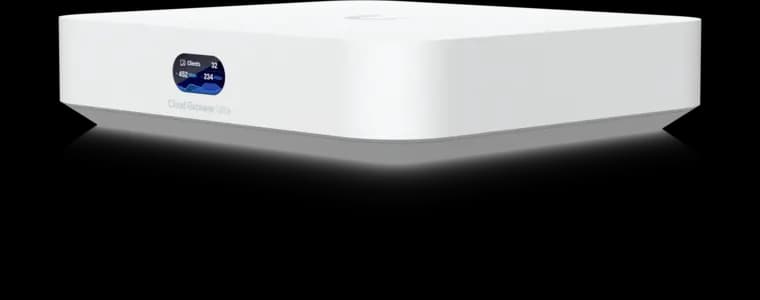
UniFi controller built-in
- 1 Gbps IDS/IPS
- 2.5GbE WAN
- No Protect recording
Before you buy: This Amazon link selects Adorama's offer. Confirm Sold by Adorama, New condition, the final price, and return terms at checkout; the offer can change.
Backhaul and speed: measure the house
We cannot give a credible universal near-room or far-room speed for any of these systems. Client radios, channel width, interference, wall material, node placement, firmware, and the slowest wired port all change the result. A speed number from a different home is a poor buying guarantee.
For a fair comparison, use the same Wi-Fi 7 client, a wired local test server, the same test locations, and the same channel settings. Record the router/node placement and whether each link is Ethernet, MoCA, or wireless. Test before and after changing backhaul. If the only test is an internet speed test on a sub-gigabit plan, it may hide differences on the local network.
Ethernet is the most predictable backhaul. MoCA 2.5 can use suitable existing coax where a new cable is difficult. Wireless backhaul may be sufficient in open layouts, but avoid assuming a long hop through plaster or masonry will deliver the same result as a wire. See the MoCA, Ethernet, and mesh comparison and placement guide.
We map AP and node locations, decide where Ethernet or MoCA matters, and size the hardware around the house.
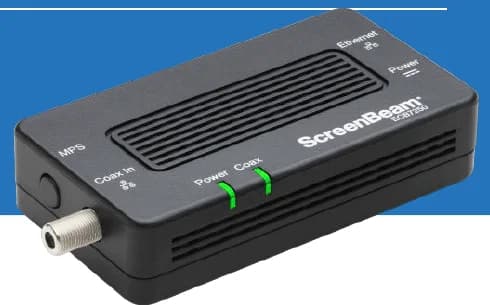
A two-adapter option for wired backhaul when a usable coax path already connects the router area and a weak room.
- 2 adapters in kit
- 2.5GbE port per adapter
- Uses existing coax
Before you buy: Confirm both outlets share a compatible coax system. Satellite and some provider setups are incompatible; DOCSIS 3.1 can conflict. Check splitters and any required point-of-entry filter before buying.
Wi-Fi 7 vs. Wi-Fi 6E: Is the Upgrade Worth It in 2026?
Wi-Fi 6E is still the better value in 2026 when you want clean 6 GHz access without paying for Wi-Fi 7 features your current devices cannot use yet.
Older phones, TVs, printers, cameras, and many smart-home devices will still connect on 2.4 GHz or 5 GHz and may see only modest stability gains. If the important devices in the house are still older Wi-Fi 6 or Wi-Fi 6E clients, a well-designed Wi-Fi 6E network can still be the better value.
Choose Wi-Fi 6E when:
- Your internet service is still under
1 Gbps. - Most of your daily devices are Wi-Fi 6 or 6E, not Wi-Fi 7.
- You need good
6 GHzaccess more than you need the longest possible upgrade runway. - The budget would make more difference if it went into Ethernet or MoCA instead of a newer badge.
Choose Wi-Fi 7 when:
-
You already have or plan to add multi-gig internet.
-
You move large files locally between a NAS, desktop, and newer laptops.
-
You are buying for a longer refresh cycle and the price premium is modest.
-
You can feed the nodes with Ethernet or MoCA so the wireless side is not wasted.
Power, Heat, and Physical Placement
Wi-Fi 7 hardware runs hotter and draws more power than older gear, so physical placement and airflow deserve their own buying check.
| System | Published hardware reality | Why it matters in a real house |
|---|---|---|
| UniFi U7 Pro | Ubiquiti publishes a 21 W max draw plus PoE+ power requirement | One AP running at 21 W continuously uses about 184 kWh per year, and the PoE budget matters once multiple APs share one switch |
| TP-Link Deco BE63 | Wall-powered tower node with four 2.5 GbE ports | Shelf placement is easy, but hiding the node in cabinets or TV alcoves creates both a heat trap and a radio shield |
| eero Max 7 | Large wall-powered node; eero explicitly says warm operation is normal and recommends open-air placement | The footprint and airflow requirement are real constraints in living rooms, media furniture, and shallow enclosures |
The placement conversation is not cosmetic. The best router location is often not the location a homeowner will tolerate for a large visible node or a ceiling AP that needs cable. The eero Max 7 asks for the most furniture space, the UniFi U7 Pro asks for the most infrastructure commitment, and the BE63 is usually the easiest to place cleanly without forcing terrible compromises.
Common placement scenarios
Layout matters more than brand when stairs, plaster, fireplaces, and TV furniture start blocking clean paths.
- Railroad-style homes usually do better with corridor placement and a wired assist at one end than with extra unwired nodes.
- Three-story townhouses usually want a wired or MoCA-backed node in the middle and another near the upper floor, not a long wireless stretch from the ground level.
- Open-plan homes with one dense plaster or masonry section usually need fewer nodes than people expect, but those nodes need to stay high, visible, and out of media cabinets.
- Older homes with fireplaces, mirror-backed built-ins, or metal-heavy furniture often need one clean riser more than they need a more expensive mesh kit.
Which Backhaul Strategy Actually Helps?
Ethernet is best, MoCA 2.5 is the next-best retrofit, and long wireless daisy chains are still the wrong answer.
Wire the main node or AP first. Then wire the busiest secondary branch if the house allows it. If running new Ethernet between floors is hard, MoCA 2.5 over existing coax is usually the smarter compromise than trusting multiple wireless hops through dense walls and floors.
Practical rules that hold up:
- Use the fastest clean port path available for WAN and backhaul first.
- Check every switch, wall jack, and patch path so one old
1 GbElink does not flatten the whole design. - Keep wireless backhaul to one short hop when cabling is not realistic.
- Do not confuse Wi-Fi 7 marketing features with permission to ignore the wired side.
Related guides: Wired vs wireless: practical choices, Best low-cost PoE switches, and Cat6 cable installation guide.
Management and Visibility
The management model matters as much as the radio specification: Deco and eero are app-managed kits, UniFi Express 7 is a gateway-led mesh kit, and U7 Pro is a separately designed AP system.
| System | Management style | What you get | Best fit |
|---|---|---|---|
| UniFi Express 7 | UniFi gateway and mesh nodes | UniFi management in a compact whole-home kit | Owners who want UniFi without planning separate ceiling AP power |
| UniFi U7 Pro | Controller-based | Deep client visibility, VLANs, policy control, and better long-term tuning | Owners who want to manage the network as infrastructure |
| TP-Link Deco BE63 | App-first | Straightforward setup, enough controls for most homes, good wired flexibility for the price | Most homeowners who want value and less complexity |
| eero Max 7 | App-first | Least operational friction, premium hardware, and the cleanest smart-home tie-ins | Buyers who want premium simplicity and do not mind optional eero Plus upsells |
The buying decision should include who will manage the network, where nodes can sit, and what power and cable paths are available. Compare the current full-system price after those choices are clear.
Which System Fits Which Buyer?
The right pick depends on whether the house needs wired infrastructure, price discipline, or premium simplicity.
- Choose
TP-Link Deco BE63when the goal is current-generation Wi-Fi 7, multi-gig wired flexibility, and sane pricing. - Choose
eero Max 7when the goal is premium hardware, simple ownership, and stronger built-in Matter plus Thread support. - Choose
UniFi Express 7when you want a compact UniFi mesh kit and its gateway and node layout fits the house. - Choose
UniFi U7 Prowhen the house can support wired PoE AP locations and the owner wants separately sized gateway and switch hardware.
FAQs
Is Upgrading to Wi-Fi 7 Worth It in 2026?
Upgrading to Wi-Fi 7 is worth it in 2026 when the home has multi-gig internet, heavy local traffic, or several client devices that can actually use 6 GHz well. If the house is still under 1 Gbps and most daily devices are older Wi-Fi 6, Wi-Fi 5, TVs, printers, and IoT gear, a well-designed Wi-Fi 6E network can still be the better value.
Do You Need Ethernet Backhaul?
No, but you should treat Ethernet as the best-case design and wireless backhaul as the compromise. Ethernet keeps speeds steadier, improves uploads, reduces jitter, and preserves more of the value you paid for in Wi-Fi 7 hardware. If you cannot run Ethernet, MoCA 2.5 is the next-best retrofit path.
Does MLO Change the Recommendation?
Not by itself. MLO is useful when the hardware, client, and software stack all support it correctly, but it does not overcome bad placement or weak backhaul. In real-world deployments, wired topology still matters more than the feature checklist.
Should You Choose UniFi, Deco, or eero?
Choose Deco for flexible 2.5GbE ports in an app-managed kit, eero for premium ports and simple management, UniFi Express 7 for a compact UniFi mesh kit, or U7 Pro APs for a wired, controller-managed design. Compare the full installed cost for the chosen path.
How Many Nodes Do Most Homes Need?
Square footage alone cannot determine node count. Start with the floor plan, building materials, and usable backhaul, then test the busiest rooms before adding hardware. A better location or wired link can help more than another node.
Should You Run 160 MHz or 320 MHz Channels?
Use wider channels only after the house proves it can support them. In many real homes, conservative 5 GHz settings and carefully tested 6 GHz settings produce a better lived result than chasing the widest possible channel on paper. Whole-home stability still matters more than one perfect same-room speed test.
References
- UniFi Express 7 whole-home kit — checked September 29, 2026
- TP-Link Deco BE63 product page — checked September 29, 2026
- eero Max 7 product page — checked September 29, 2026
- Ubiquiti U7 Pro store page — checked September 29, 2026
- Ubiquiti MLO in UniFi Network — checked March 17, 2026
- Cloud Gateway Ultra — checked March 17, 2026
- TP-Link Deco BE63 3-pack store page — checked March 17, 2026
- eero Max 7 shop page — checked March 17, 2026
Plan the project with a site visit
Confirm wiring, equipment, placement, and installation scope before hardware is locked in.