

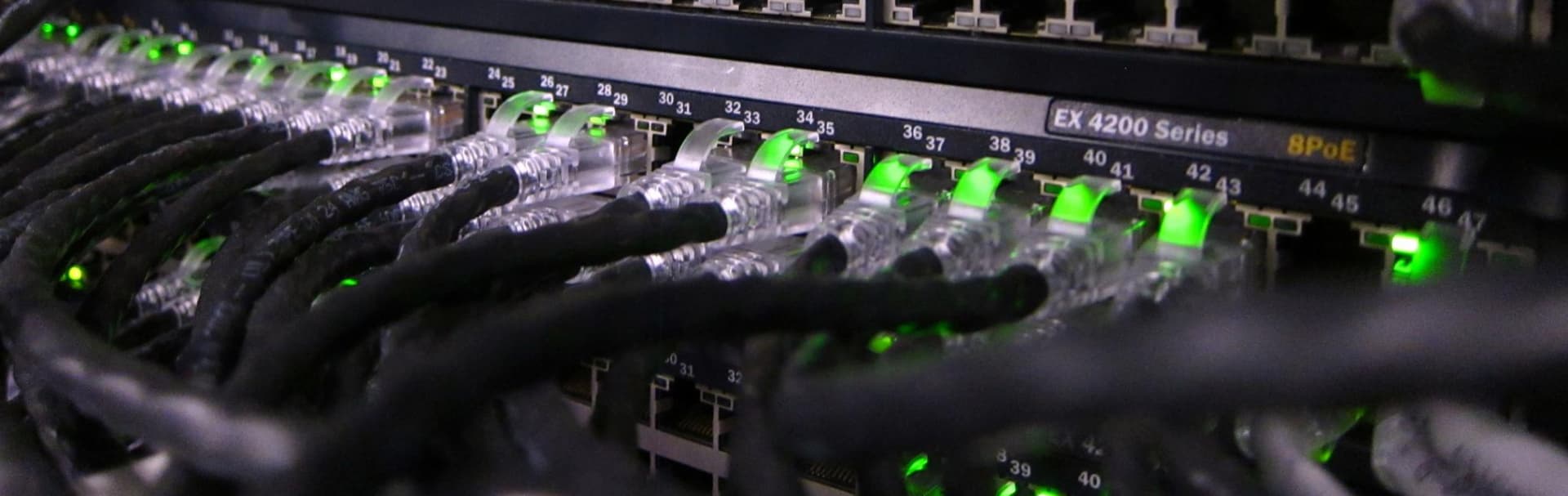
Networking & Infrastructure Solutions installation in Westchester County, NY

Network cabling and Wi-Fi

Network Cabling & Wi-Fi Installation in Westchester County

Wired connections where they matter, Wi-Fi placed for how your building is actually built, and a tidy, labeled rack you can understand. For homes and small offices across Westchester County.

Tell us about the space. We reply during business hours, Mon–Fri, 9am–5pm ET.

  • 20+ years in the field
  • Homes and small offices
  • Labeled, documented installs
  • Westchester and nearby Greenwich, CT

How it fits together

A reliable network starts behind the walls

Most Wi-Fi complaints trace back to the wiring and the equipment behind it. Tap a glowing dot to see the four parts we focus on.

Tap a glowing dot to exploreCable path for the selected part

One tidy home for the network

The gateway, switch and patch panel live together in one ventilated spot, with power protection and room to add more later. Anyone opening the cabinet can see what connects to what.

  • Gateway and PoE switch
  • Patch panel with labeled ports
  • Power, airflow and spare capacity

Where to start

Which sounds most like you?

Pick the closest match. It fills in the request form so you do not have to start from a blank page.

  • Wi-Fi is weak in parts of the house

    • Dead spots upstairs or in the basement
    • Calls and streaming drop when others are online
    • A mesh system that never quite worked

    We look at the layout, place wired access points where they help, and tune the system.

    Talk about my Wi-Fi
  • I want wired connections added

    • Ethernet to a TV, desk or access point
    • Planning a renovation or addition
    • A finished house where we would rather not open walls

    We plan the cable routes, tell you what is realistic in your walls, and test every run.

    Plan my wiring
  • I run a small office

    • Cabling, a rack and Wi-Fi for a new or growing space
    • A network nobody has documented
    • Guest Wi-Fi kept separate from staff devices

    We set up a clean, labeled network around your desks, printers, phones and visitors.

    Talk about my office
years in the field
20+years in the field
towns across Westchester and nearby Greenwich, CT
16towns across Westchester and nearby Greenwich, CT
core services, one point of contact
6core services, one point of contact

Explainer video

How a structured cabling install works

Many Wi-Fi complaints trace back to the wiring behind them. This 1:17 walkthrough covers home runs to one central point, multi-gig readiness, finished spaces, and a labeled handoff.

Illustrated explainer. Narration and diagrams are AI-generated and are not footage of a client installation.

Cabling basics

Choosing the right cable, and what affects the price

Two questions come up on almost every project. Here are straight answers.

Cat6 compared with Cat6a
FeatureCat6Cat6a
Speed1 Gbps comfortably, and 10 Gbps over shorter runs (about 55 meters).10 Gbps up to 100 meters.
In the wallsThinner and easier to route through tight spaces.Thicker and stiffer, so it needs more room and care.
Best forMost home runs: TVs, desks and access points.Long runs, offices, and wiring you do not want to redo.
CostLower materials and labor.Higher materials and often more labor.

Bottom line: We match the cable to the distance and to what you plan to connect, not to the biggest number on the box.

Cat6 vs Cat6a: when it matters

What affects the cost

Every building is different, so we quote after seeing the space. These are the main factors.

  1. How many connections

    The number of cable runs and how far each one goes.

  2. Walls and access

    Attic, basement and crawl space access, versus plaster, stone or finished ceilings.

  3. Cable and equipment

    Cat6 or Cat6a, the switch and rack, and the number of access points.

  4. Pre-wire or retrofit

    Open walls during a renovation are simpler than working in a finished house.

Read the full cabling cost guide

What we do

From cable to Wi-Fi to support

Four parts of one job. Most projects use two or three of them.

Cat6 and Cat6a runs, routed with care

Home runs from a central rack to the rooms that need them, tested and labeled.

  • Cat6 or Cat6a matched to distance and use
  • Routes planned around finished walls, attics and basements
  • Surfaces protected and openings patched neatly
  • Every run tested before we leave
Cat6 installation guide

Equipment

UniFi or eero? It depends on you

We install both and recommend whichever fits the building and how hands-on you want to be.

UniFi

A good fit when you want control

  • Separate networks for guests, cameras and smart devices
  • Wired access points and PoE switching
  • Scales from one house to a small office
  • More to configure, which we handle and document

eero

A good fit when you want simple

  • Quick to set up and easy to manage from a phone
  • Works well in many homes, especially when hardwired
  • Fewer advanced options to think about
  • Can still be wired back to the rack for best results

Not sure? We will recommend one after looking at the space. UniFi vs eero vs Deco in older homes

How it works

From first conversation to a clean handoff

A simple, predictable process for homes and small offices.

  1. Step 1

    Consult

    A short call or site walk. We look at the rooms, the current network and what is frustrating today.

  2. Step 2

    Plan

    A written scope with cable routes, access point locations and equipment, so you see it before work begins.

  3. Step 3

    Install

    Cable runs, rack and Wi-Fi installed and tested, with cleanup at the end of each visit.

  4. Step 4

    Handoff

    Labeled ports, a simple diagram and a short walkthrough. Questions afterward are welcome.

  • Labeled ports and racks
  • A short walkthrough
  • A reference sheet to keep

Typical projects

What the work usually looks like

Three common scopes, described in general terms.

  • Whole-home Wi-Fi and wiring upgrade

    Replace a struggling consumer mesh system with wired access points and a tidy rack.

    • New Cat6 or Cat6a runs to key rooms
    • Wired access points placed for the layout
    • Cameras and smart devices on their own network
  • Renovation pre-wire

    Run cable while walls are open, so the finished house stays clean.

    • Drops planned room by room
    • A central rack location chosen early
    • Labels and a diagram before drywall closes
  • Small office network

    Structured cabling, a rack and Wi-Fi for a growing team.

    • Desk, printer and phone connections
    • Staff and guest Wi-Fi kept apart
    • Documentation the next technician can follow

FAQ

Common questions about network cabling and Wi-Fi

Short answers before you get in touch. If yours is not here, ask us.

How much does network cabling cost?

It depends on how many connections you need, how far each run goes, how easy the walls and attic or basement are to reach, and which cable and equipment you choose. We quote after seeing the space, so the number reflects your building rather than a guess.

Read the cabling cost guide

Can you run Ethernet in a house that is already finished?

Often, yes. We plan the route first, using basements, attics and closets where we can, and protect finished surfaces and patch openings neatly. In some older homes with plaster or stone, a particular room may not be practical, and we will tell you plainly and suggest an alternative.

Ethernet, MoCA or mesh in finished homes

Should I choose Cat6 or Cat6a?

Cat6 is enough for most home runs. Cat6a is worth it for long runs, offices, or wiring you do not want to redo, because it handles 10 Gbps at full distance. We match the cable to your distances and plans.

Cat6 vs Cat6a: when it matters

Do I still need wired connections if I have Wi-Fi 7?

Wi-Fi 7 is fast, but it still performs best when each access point is wired back to the rack. Cables are also the best choice for TVs, desks and anything that stays in one place, which leaves Wi-Fi capacity for phones and laptops.

UniFi or eero, which should I choose?

UniFi suits people who want more control, such as separate networks for guests and cameras. eero suits people who want something simple to run from a phone. We install both and will recommend one after seeing your space.

UniFi vs eero vs Deco in older homes

How long does a project take?

A few access points or a handful of cable runs can be a single visit. A whole-home cabling and Wi-Fi upgrade commonly takes a few days. We give you a realistic schedule with the written scope.

Will you work with equipment I already own, and what do I get at the end?

Often, yes. We review what you have and tell you what is worth keeping and what is limiting performance. At the end you get labeled jacks and ports, a simple diagram, and a short walkthrough so you know how it all works.

Where we work

Network cabling and Wi-Fi across Westchester County, NY

Based in Valhalla. We take on projects in these towns and nearby Greenwich, CT. See the full service area.

  • White Plains
  • Scarsdale
  • Yonkers
  • New Rochelle
  • Mount Kisco
  • Rye
  • Harrison
  • Mamaroneck
  • Tarrytown
  • Mount Vernon
  • Ossining
  • Peekskill
  • Port Chester
  • Bedford
  • Chappaqua
  • Greenwich, CT

Request a site visit

Tell us about your space and what is not working.

Share the room, the building, or the problem that keeps coming back. We will review it and reply with the right next step, whether that is a quick answer, a call, or a site visit.

  • Prefer to talk? Call (914) 315-4280
  • Mon–Fri, 9am–5pm ET. We reply during business hours.
  • Based in Valhalla, serving Westchester County, NY and nearby Greenwich, CT.
Preferred way to reach you

We use your details only to reply to this request. Prefer to talk? Call (914) 315-4280.