

- Quick summary
- Why older construction makes Wi‑Fi harder
- UniFi, Eero, and Deco at a glance
- What matters more than the brand
- When to Choose UniFi in Plaster and Stone Homes
- When to Choose Eero in Plaster and Stone Homes
- When to Choose Deco in Plaster and Stone Homes
- What do these systems really cost in an older home?
- Placement and backhaul rules that apply to all three
- A simple decision guide for plaster and stone homes
- FAQs
- References
Quick summary
Older plaster-and-stone homes need shorter Wi‑Fi cells, better placement, and at least one solid backhaul path per floor.
For most homes in this comparison, UniFi fits wired ceiling AP installs, Eero fits simpler app-managed mesh, and Deco BE63 fits lower-cost Wi‑Fi 7 retrofits. In every case, layout and backhaul matter more than the brand on the box.
- Start with the material and placement sections if you are still diagnosing the problem
- Use the comparison table if you are deciding between platforms
- Go to the cost and MoCA sections if wiring difficulty is the main constraint
- Use the decision guide at the end if you want a short recommendation after the details
- UniFi AP placement for plaster and stone homes
- Networking infrastructure quick wins
- Wi‑Fi 7 planning guide
Why older construction makes Wi‑Fi harder
Plaster, metal lath, stone, dense trim, and layered renovations reduce usable Wi‑Fi coverage much faster than drywall.
The practical effect is simple: a router that looks strong in one room can weaken quickly two rooms away once the signal crosses plaster, stone, or built-ins. Older homes usually need shorter hops, more deliberate node placement, and a wired or MoCA path where the floor plan pinches.
| Material | Typical effect on a 5 GHz link | What we do about it |
|---|---|---|
| Drywall | Usually manageable room to room | Normal overlap and standard node spacing often work |
| Plaster on wood lath | Moderate loss and less predictable far-room speeds | Keep hops shorter and place nodes in corridors or central rooms |
| Plaster on metal lath | Severe and highly variable loss | Treat it like a partial shield and avoid relying on one node through it |
| Stone or brick | Large drop through each wall | Plan an AP or mesh node on each side instead of trying to blast through |
-
Stone or brick walls often require a radio on each side rather than a stronger radio on one side
-
Finished basements, chimneys, and attic conversions often create vertical dead zones
-
Mirrors, built-ins, and metal-backed furniture can ruin an otherwise sensible placement plan
UniFi, Eero, and Deco at a glance
UniFi, Eero, and Deco can all work in older homes, but they solve the problem in different ways.
| Platform | Typical model path | Management style | Dense-wall fit | Backhaul options | Typical fit |
|---|---|---|---|---|---|
| UniFi | U7 Pro with gateway and PoE switch | Controller-based with deep visibility | High when you can ceiling-mount wired APs | Ethernet first; wireless only when necessary | Owners who want structured cabling, ceiling APs, and long-term flexibility |
| Eero | Eero Max 7 | App-first and highly automated | Medium when node placement is clean | Ethernet, MoCA, or short wireless hops | Homeowners who want a premium set-and-forget system |
| Deco | Deco BE63 for value, BE68/BE85 for more port headroom | App-based with more tuning than Eero | Medium-high when at least one riser is wired or MoCA-backed | Ethernet, MoCA, or short wireless hops | Buyers who want Wi‑Fi 7 value without a full prosumer stack |
These are the products that most closely match the recommendations in this guide. They are not interchangeable, and they only make sense when the installation approach matches the house.

The practical UniFi Wi-Fi 7 baseline for planned ceiling locations: tri-band radios, a 2.5GbE uplink, and controller-based tuning without paying for a 10G AP edge.
- Tri-band Wi-Fi 7
- 2.5GbE uplink
- PoE+ powered
Before you buy: This Amazon link selects Adorama's US-model offer. Confirm Sold by Adorama, New condition, and that the PoE+ adapter is not included.
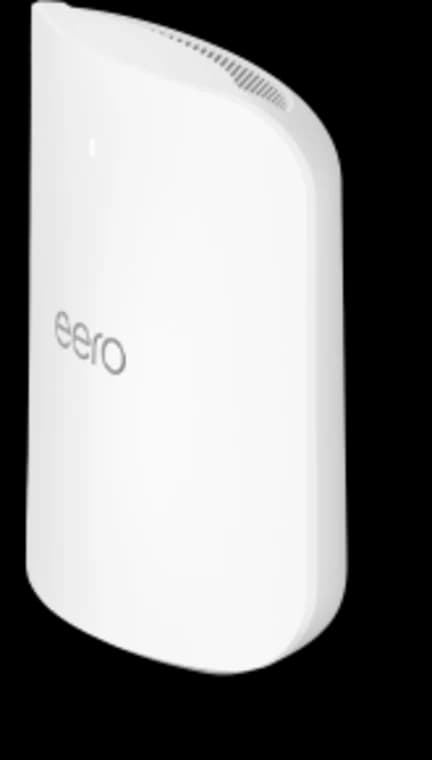
Choose Max 7 only when its four Ethernet ports, 10GbE capability, larger coverage target, or higher device capacity solve a real requirement.
- Tri-band Wi-Fi 7
- 2 × 10GbE ports
- 2 × 2.5GbE ports
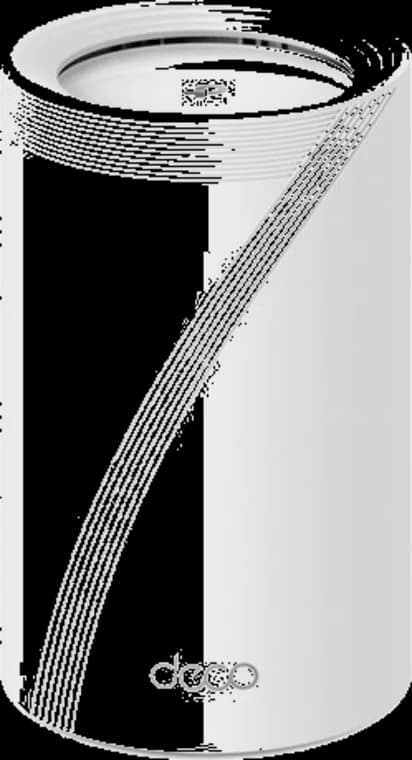
A flexible Wi-Fi 7 mesh with four 2.5GbE ports on each node and a direct three-pack partner offer.
- Tri-band Wi-Fi 7
- 4 × 2.5GbE per node
- 3-pack link
Before you buy: The linked offer is a three-pack. Confirm pack size, hardware revision, and final price at checkout.
What matters more than the brand
In an old house, the most useful network is the one that keeps busy rooms stable during calls, uploads, and streaming.
That usually means wiring one key path per floor, placing nodes where people actually move through the house, and avoiding wide channels that look fast in one room but collapse across the whole floor. The brand matters after those decisions, not before them.
-
Start with the floor plan, not the parts list
-
Mark plaster, stone, chimneys, and heavy built-ins before choosing node locations
-
Put nodes in open corridors, stair landings, or central rooms instead of cabinets and media walls
-
Favor 20-40 MHz on 5 GHz in dense neighborhoods unless testing proves wider channels are stable
When to Choose UniFi in Plaster and Stone Homes
UniFi is often the right fit when you can install Ethernet backhaul and mount access points directly to the ceiling or high on the wall.
That deployment style matters more than the logo. In older homes, wired ceiling APs let you route around dense plaster and stone by placing radios over corridors, stair landings, and transition zones instead of asking a tabletop node to fight through multiple walls. UniFi also gives you the clearest visibility into client behavior, roaming, retry rates, and RF changes over time.
-
Often a strong fit for owners planning structured cabling, a small rack, and PoE switching
-
A practical choice for larger homes, work-from-home usage, guest networks, cameras, and heavier device counts
-
Usually benefits from conservative indoor channel widths and modest transmit power
-
Carries the most installation overhead because gateway, switch, AP placement, and cable routes all matter
When to Choose Eero in Plaster and Stone Homes
Eero is often the right fit when you want reliable Wi‑Fi with minimal networking work and are comfortable with higher hardware pricing.
Eero works well in older homes when the main node is wired and at least one secondary node has either Ethernet, MoCA, or a short clean wireless hop. The app-first experience is the main appeal, but placement is still critical. Open shelves, sideboards, and stair-adjacent surfaces usually perform better than entertainment cabinets, AV racks, and enclosed millwork.
-
Often a strong fit for homeowners who want the fewest tuning decisions
-
A practical choice when the ISP handoff and primary node can live in a clean central location
-
Often suits Amazon-heavy smart-home households and buyers who prefer premium consumer mesh
-
Less attractive when you want VLAN-style control or are price-sensitive on multi-node builds
When to Choose Deco in Plaster and Stone Homes
Deco often fits homes that want Wi‑Fi 7 performance at a lower hardware cost than Eero, without a full UniFi-style controller stack.
For most homes in this comparison, Deco means the BE63 as the value baseline and the BE68 or BE85 only when you need more wired headroom. In plaster-and-stone homes, Deco performs best when one node per floor is connected by Ethernet or MoCA, with any wireless hop kept short and clean. It rewards good topology more than aggressive app tuning.
-
Often a strong fit for buyers who want Wi‑Fi 7 without Eero Max 7 pricing
-
A practical choice when one good riser or coax path addresses the hardest floor-to-floor hop
-
A good fit for 1 Gbps to multi-gig homes that still want a simpler app-managed system
-
Less compelling if you need advanced policy control or fully hidden node locations
What do these systems really cost in an older home?
Installed cost depends on the cable path, node count, and how much of the house can use existing pathways.
The right comparison is not box price alone. In older homes, labor for cable paths, MoCA adapters, PoE switching, and patch-friendly routing often matters as much as the radios. UniFi often carries the highest installation cost, Eero Max 7 usually carries the highest per-node hardware cost, and Deco often has the lowest hardware entry point if one wired riser or coax path makes the layout workable.
| Platform | Typical hardware starting point | Typical installed outcome in older homes | What pushes cost up |
|---|---|---|---|
| UniFi | Modular hardware; gateway, PoE switch, and 2 to 3 APs usually move beyond a simple mesh-kit budget | Usually low-to-mid four figures once cable runs, AP mounts, PoE switching, and setup are included | Ceiling AP drops, rack or panel work, patching in plaster, and multi-gig switching |
| Eero Max 7 | Premium pricing; eero.com lists $599.99 for 1-pack, $1,149.99 for 2-pack, and $1,699.99 for 3-pack | Can stay lighter on labor if you reuse existing locations, but rises quickly if you add cable runs or MoCA | High per-node hardware cost, optional eero Plus, and multi-floor placement fixes |
| Deco BE63 / BE68 | Usually the lowest hardware tier in this group, with retailer promos moving often | Often lands below Eero on both hardware and install when one riser or coax path solves the layout | Extra node count, MoCA kits, moving up to BE68/BE85, or adding new Ethernet runs |
eero Max 7 pricing above is from eero.com. Deco pricing moves more by retailer and promo cycle, so we treat Deco as a value tier rather than pretending one sale price is permanent.
Placement and backhaul rules that apply to all three
Every platform works better in older homes when nodes stay visible, central, and connected by the most reliable backhaul you can create.
Wiring even one or two strategic hops usually improves the lived experience more than upgrading to the next radio generation. We care less about one perfect speed test and more about steady mid-room uploads, clean roaming between floors, and stable video calls in the rooms people actually use.
-
Keep nodes in the open at chest height or higher, away from TVs, metal shelving, and appliances
-
Avoid placing two nodes on opposite sides of a stone wall or chimney stack
-
Wire the primary node first, then the busiest branch node, then any remaining weak floor transition
-
Validate with near, mid, and far-room tests after every placement change
How to use MoCA for backhaul in an older house
MoCA 2.5 is often the most practical fallback when the house already has coax but opening plaster walls for new Ethernet is unrealistic.
In many older homes, a pair of MoCA adapters can turn an existing coax run into a low-latency backhaul path for an Eero or Deco node, or into a temporary bridge while you plan cleaner cabling later. It is not as flexible as fresh Cat6, but it is usually more stable than asking a long wireless hop to cross stone, plaster, and a stair core at the same time.
Modem/ONT -> primary router or mesh node
                |
             Ethernet
                |
          MoCA adapter #1
                |
               Coax
                |
          MoCA adapter #2
                |
             Ethernet
                |
       upstairs or far-room mesh node
- Use MoCA when coax already reaches the floor or room that needs a stronger node
- Add a bonded MoCA 2.5 kit and verify splitters and filters are compatible
- Prefer Ethernet for permanent new work, but prefer MoCA over a bad wireless hop
- MoCA is especially useful for Eero and Deco because it preserves their simple node model without opening walls
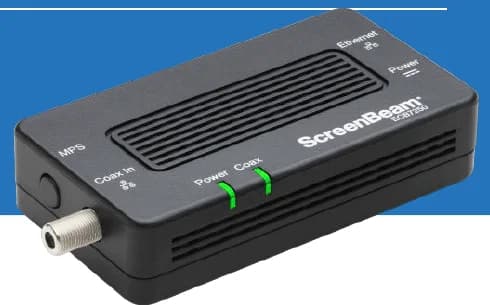
A two-adapter option for wired backhaul when a usable coax path already connects the router area and a weak room.
- 2 adapters in kit
- 2.5GbE port per adapter
- Uses existing coax
Before you buy: Confirm both outlets share a compatible coax system. Satellite and some provider setups are incompatible; DOCSIS 3.1 can conflict. Check splitters and any required point-of-entry filter before buying.
A simple decision guide for plaster and stone homes
Choose UniFi for wired ceiling APs, choose Eero for simpler app-managed mesh, and choose Deco for lower-cost Wi‑Fi 7 with a sensible backhaul plan.
That is the short version. In practice, the right answer depends on whether you are willing to run cable, whether you want controller-level visibility, and whether the budget is better spent on hardware or on fixing the topology. In many Westchester homes, one clean riser and smarter node placement change the result more than a simple hardware refresh.
-
Choose UniFi when you are planning structured cabling and want a long-term platform
-
Choose Eero when you want the smoothest ownership experience and do not mind premium node pricing
-
Choose Deco when you want current-generation Wi‑Fi 7 hardware without paying Eero Max 7 money
FAQs
These FAQs answer the common follow-up questions readers ask after comparing platform fit, cost, and backhaul options.
What is the best Wi‑Fi system for a house with plaster walls?
UniFi usually fits wired ceiling setups, Eero fits app-managed simplicity, and Deco fits lower-cost Wi‑Fi 7 performance. Placement and backhaul still matter more.
Do I need Wi‑Fi 7 in an older home in 2026?
Not always. Wi‑Fi 7 is the current standard for new premium mesh systems, but older homes still benefit more from better placement, wiring, and backhaul than from newer radios alone. If your Wi‑Fi 6 or 6E system is stable, improve the topology first.
Can mesh Wi‑Fi work without any Ethernet in a plaster house?
It can, but expectations should stay realistic. Wireless backhaul through multiple plaster or stone layers loses stability quickly. If new Ethernet is not practical, MoCA over existing coax is the next-best option.
Should I buy Deco BE63, BE68, or BE85 for an older home?
Start with BE63 unless you know you need more wired headroom. Move to BE68 or BE85 when you have multi-gig WAN, fast LAN traffic, or a switching design that actually benefits from the larger ports.
Can I switch from Eero or Deco to UniFi later?
Yes. If you invest in sensible cabling, rack space, and node locations now, you can start with consumer mesh and move to UniFi later without reopening walls.
References
These references support the current pricing, product positioning, and MoCA guidance used in this comparison.
- Ubiquiti UniFi U7 Pro tech specs: techspecs.ui.com/unifi/wifi/u7-pro
- eero Max 7 official pricing and specs: eero.com/shop/eero-max-7
- TP-Link Deco BE63 official product page: tp-link.com/us/deco-mesh-wifi/product-family/deco-be63
- TP-Link Deco BE68 official product page: tp-link.com/us/deco-mesh-wifi/product-family/deco-be68
- MoCA Alliance standard overview: mocalliance.org/moca
Plan the project with a site visit
Confirm wiring, equipment, placement, and installation scope before hardware is locked in.