

- Quick summary
- Fiber vs copper vs wireless bridge at a glance
- What is the best way to connect a network to a detached building?
- Why is fiber the best connection for detached buildings?
- When is copper acceptable for inter-building network runs?
- When should you use a wireless point-to-point bridge instead of trenching?
- How should the detached building's workload change the recommendation?
- How much do trenching fiber and wireless bridges usually cost?
- What conduit and pathway details matter on a detached-building run?
- How should you evaluate a detached-building network quote?
- Recommended gear
- Detached-building network checklist
- FAQs
- References
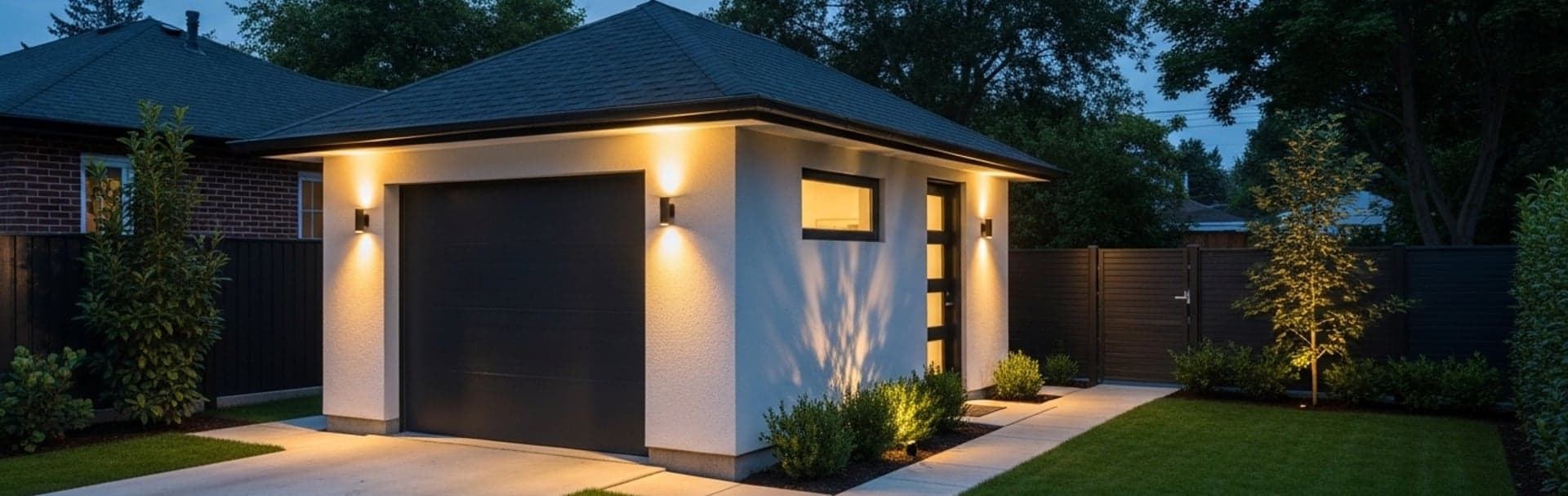
This guide explains when fiber is the right answer for a detached garage, pool house, or outbuilding, when copper is still acceptable, and when a wireless bridge is the smarter no-trench option.
Quick summary
For most permanent detached-building links, fiber is the best starting point. It handles distance cleanly, avoids inter-building copper grounding problems, and leaves room for future growth. Wireless bridges are the best fallback when trenching is not realistic. Copper still has a place, but usually only on shorter, controlled routes where the installer understands the surge and grounding implications.
- Use fiber as the default for permanent detached-building links.
- Use a wireless bridge when trenching is impractical and line of sight is clean.
- Use copper only for shorter, well-controlled runs where PoE needs and protection details are understood.
- Design the detached structure as its own small network zone, not just as a longer version of an indoor room.
This article moves from the main decision, to each transport type, to the quote details that usually decide whether the result is reliable or frustrating. If you are also planning the surrounding property network, pair this with our outdoor Wi-Fi guide, camera system design guide, and pre-wire vs retrofit guide.
For a backbone that stays entirely inside the house, use the separate fiber versus copper decision guide; the outdoor pathway changes the answer.
Fiber vs copper vs wireless bridge at a glance
| Option | Best fit | Strengths | Main tradeoffs | Typical recommendation |
|---|---|---|---|---|
| Fiber | Permanent links to detached garages, pool houses, offices, barns, and edge buildings | Handles long distances well, avoids inter-building copper issues, scales cleanly | Needs fiber terminations or pre-terminated assemblies plus local switching at the far end | Use as the default starting point when a trench or conduit path is available. |
| Copper | Shorter detached-building runs where PoE at the far end matters and the route is tightly controlled | Simple Ethernet handoff and direct PoE delivery | More exposure to surge, grounding, and inter-building copper risk | Use only when the route is short, protected, and clearly justified. |
| Wireless bridge | Detached structures where trenching is unrealistic but line of sight is clean | No trenching, fast deployment, strong fit for light-to-moderate detached-building demand | Needs clean path, outdoor mounting, power, and weather-aware expectations | Use as the best no-trench fallback, not as the universal answer. |
What is the best way to connect a network to a detached building?
A buried fiber run to a local switch is the best permanent way to connect a detached building.
Detached structures add problems that normal indoor runs do not:
- longer routes
- outdoor exposure
- trench or aerial pathway decisions
- separate electrical conditions between structures
- a higher chance that the far building will eventually serve multiple devices
A detached garage may start with one access point and later add cameras, a smart opener, or a workstation. A pool house may add streaming gear, speakers, smart controls, and guest Wi-Fi. A detached office usually needs predictable calls, stable uploads, and room for growth. That is why the far building should be treated as its own network zone, not as the end of one long patch cable.
Why is fiber the best connection for detached buildings?
Fiber handles detached-building distance cleanly and avoids an electrical connection between structures.
Structured-cabling standards, as summarized by Fluke Networks, frame balanced copper around the familiar 90 meter permanent link and 100 meter channel limits. Detached-building design is usually constrained earlier by outdoor exposure, route conditions, and inter-building risk rather than by raw Ethernet category alone.
Fiber does not carry PoE end to end, so a building-to-building fiber backbone is the natural fit when the far building gets its own switch. In practice, the clean model is:
- run fiber from the main building to the detached structure
- land it cleanly at both ends
- place a small switch in the detached building
- deliver PoE locally from that far-end switch
If the property already uses UniFi, that far-end handoff usually lands into a small UniFi switch, then feeds a local access point, cameras, or other PoE endpoints from there. That keeps the detached building in the same management ecosystem without forcing copper between structures.
Why fiber usually wins:
- no conductive copper path between buildings, as long as the fiber cable is all-dielectric or its metal armor is bonded properly
- much cleaner distance headroom
- easier future bandwidth upgrades
- better fit when the detached space will support multiple devices
Pre-terminated outdoor fiber assemblies are widely available in set lengths, and the full project cost depends mostly on trenching, conduit, switching, optics, and labor. One code detail matters when you choose armored cable: metal armor or metallic strength members make the fiber cable conductive. Where such a cable enters or terminates on a building and could contact power conductors, NEC Section 770.93 requires those metallic members to be grounded or interrupted with an insulating joint close to the entry point. Ask for that bonding detail in the quote, or choose an all-dielectric cable in conduit.
One practical buying detail matters here: many pre-terminated outdoor assemblies are sold with LC connectors, while some older media converters and patch hardware still expect SC connectors. Confirm the connector type on the fiber assembly against the SFP module, media converter, or patch enclosure before ordering.
If the trench is open, fiber is usually the cleanest long-term decision.
We scope conduit, pathway separation, bridge options, and far-end switching so the detached structure behaves like part of the network instead of an afterthought.
When is copper acceptable for inter-building network runs?
Copper is acceptable only for shorter, controlled runs where direct PoE from the main building is required.
Copper still has a place, but it should be treated as the exception rather than the default. The main reason to use it is convenience: one outdoor-rated run can carry both Ethernet and PoE to a modest detached-building load.
Use copper only when all of these are true:
- the run is comfortably within normal copper distance limits
- the pathway is controlled and separated from line voltage
- the cable type matches the environment
- surge protection is part of the scope
- the building entry and indoor transition are explicitly planned
Avoid using copper as the default when:
- the detached building will support multiple devices
- the route is long or exposed
- the job can support a proper trench and conduit
- the proposal treats surge and grounding as an afterthought
Outdoor copper between two structures is exposed to lightning-related surges, and the two buildings can sit at different ground potentials. Ubiquiti's guidance for outdoor equipment is to use shielded cable and surge protectors, and its Building Bridge quick start guide specifies surge protection near the device and at the building entry.
Unlisted outside-plant communications cable should not run deep into a building. NEC Section 800.48 limits it to 50 feet from the point of entrance, and the primary protector must be as close to the entrance as practicable, so the practical distance can be shorter. Confirm the details with the AHJ.
Copper can still be the right call for a small detached garage, a single PoE endpoint, or a controlled temporary design. It is not the strongest default for a permanent detached-building backbone.
When should you use a wireless point-to-point bridge instead of trenching?
Use a wireless bridge when trenching is impractical and line of sight between buildings is clean.
This is the strongest fallback for finished hardscape, mature landscaping, or properties where excavation adds too much disruption. A well-chosen bridge can give the detached structure a serious network handoff without opening the yard.
For a lower-cost 5 GHz option, the current TP-Link Omada deal guide covers the preconfigured Beam Bridge 5 UR KIT alongside outdoor APs. Keep the jobs separate: a bridge carries the network between locations, while an access point serves client devices.
Ubiquiti's UniFi Building Bridge is a useful benchmark. Its datasheet says the link supports up to 500 meters and up to 1.7+ Gbps bi-directional over 60 GHz, with a 5 GHz backup radio. Ubiquiti also lists a higher-capacity Building Bridge XG with the same 500 meter range, up to 6 Gbps on the 60 GHz radio, PoE++ power, and a 10G SFP+ uplink. The 60 GHz link is highly directional, and Ubiquiti notes that obstacles, even rain, can drop the signal and push the link onto the slower 5 GHz backup.
A bridge is a good fit when:
- line of sight is clean
- both ends have power
- the owner wants to avoid trenching
- the detached building needs a strong connection but not a buried backbone
A bridge is weaker when:
- trees, structures, or seasonal foliage interrupt the path
- the property needs the most permanent possible infrastructure
- the owner wants to minimize weather and alignment variables
The performance tradeoff is straightforward. Fiber behaves like a fixed backbone. A bridge adds a small radio hop, which is still fast enough for ordinary office work, streaming, cameras, and Wi-Fi handoff, but it remains a wireless path rather than a buried cable.
Ubiquiti's quick start guide also says shielded Category 5 or above cabling with drain wire should be used for the wired bridge connections and that surge protection should be used for all outdoor installations, with one Ethernet surge protector near the device and another at the building entry. A bridge avoids trenching. It does not eliminate mounting, power, or exterior protection work.
In a UniFi environment, the bridge usually lands into a local UniFi switch at the far building, which then feeds the detached AP, cameras, or other wired devices. That is the cleaner way to turn a bridge link into a usable remote network zone.
How should the detached building's workload change the recommendation?
The more the detached building behaves like a real work zone, the stronger the case for fiber becomes.
Use fiber when the detached building will act like an extension of the main network:
- detached office with daily video calls and workstations
- pool house with Wi-Fi, streaming, cameras, and smart controls
- workshop, barn, or studio with multiple endpoints
- garage with access control, cameras, and always-on gear
Use a wireless bridge when the structure needs strong service but not a trench:
- finished backyard with limited appetite for excavation
- moderate device count
- clean sight line
- a stable handoff matters more than absolute permanence
Use copper only when the load is modest and the route is tightly controlled:
- short run
- limited device count
- clear protection plan
- direct PoE from the main building is genuinely useful
If the detached building is part of a larger property plan, align it with the rest of the network instead of solving it in isolation. That is where our outdoor Wi-Fi guide, camera coverage guide, and small business network design guide become useful supporting reads.
How much do trenching fiber and wireless bridges usually cost?
Fiber usually costs more upfront than a bridge, but it buys a permanent backbone instead of a radio path.
The numbers below are directional planning ranges, not fixed quotes. Trench length, hardscape, conduit, far-end switching, and finish sensitivity move the number quickly.
| Approach | Directional installed range | Performance profile | What usually moves the number |
|---|---|---|---|
| Buried fiber backbone | $1,500-$4,500+ | Backbone-style performance with very low added link latency | Trench length, hardscape, conduit, far-end switch or SFP handoff, and finish sensitivity |
| Wireless bridge | $900-$2,500+ | Strong throughput with a small radio-hop latency penalty versus fiber | Bridge hardware, mounting, power at both ends, alignment, and surge protection |
| Outdoor copper | $700-$2,000+ | Direct Ethernet and PoE delivery, but with more surge and grounding exposure | Cable type, conduit, surge devices, route length, and indoor transition details |
If the job is a permanent office, studio, or heavily used pool house, the higher up-front fiber cost is often easier to defend. If the goal is a clean no-trench handoff to a moderate-use structure, a bridge may be the better value.
What conduit and pathway details matter on a detached-building run?
Bury outdoor network cable in a dedicated conduit sized for future pulls, not just for today's cable.
For most detached-building trenches, a practical starting point is 1-inch Schedule 40 PVC conduit, with 1.25-inch worth considering when the route will carry pre-terminated fiber, sweeping bends, or future spare capacity. Pre-terminated fiber heads and service loops reward generous bends and a cleaner pull path.
Depth is route-specific and, for data cable, a local-code question. NEC Table 300.5 (about 18 inches of cover for PVC conduit and 24 inches for direct-buried cable) is written for power wiring and does not set a depth for communications or optical fiber cable. Many installers use those figures as a conservative reference, and driveways, slabs, rock, and local amendments change the answer. Confirm the required depth with the AHJ before digging.
Three pathway rules matter most:
-
Do not share low-voltage and line-voltage in the same conduit. Keep data pathways separate from AC power. The NEC calls for separation between communications cables and power conductors in underground systems (Section 800.47), and it is also the cleaner planning rule.
-
Plan the indoor transition. Name where the outdoor-rated pathway ends, where the cable enters the structure, and how it transitions into the interior network.
-
Leave a future path. If the trench is open, a pull string or extra pathway is often the cheapest future-proofing on the job.
If the route is aerial, the bar should be higher: an exposed copper span is more exposed to lightning and surges, and aerial communications cable has its own clearance rules under the NEC and local code. In most residential work, buried conduit or a wireless bridge is easier to defend than an exposed aerial copper path.
How should you evaluate a detached-building network quote?
A professional quote should specify the cable type, trench method, far-end equipment plan, and protection hardware.
For a fiber quote, look for:
- trench or conduit path
- fiber type and route rating
- termination method or pre-terminated assembly
- far-end switch, media converter, or SFP handoff
For a copper quote, look for:
- exact outdoor cable type
- surge protection language
- building-entry treatment
- a clear reason copper is being used instead of fiber
For a wireless bridge quote, look for:
- bridge model
- line-of-sight assumption
- mounting locations
- power source at both ends
- surge protection on the exterior Ethernet handoff
Helpful signs:
- the proposal explains why the selected method fits this structure
- the detached building is treated as a small distribution point
- trench, conduit, bridge, switching, and transition details are named clearly
Warning signs:
- "We will just run Ethernet out there" with no route detail
- no mention of surge protection or outdoor transition
- no explanation of what happens at the far end
- copper proposed by default even though the building will clearly support multiple devices
This is the same reason we push for clear scope language in our network cabling cost guide and network installation company guide. Detached-building work is where vague proposals age badly.
Recommended gear
Use an outdoor armored OS2 fiber assembly as the baseline reference for permanent detached-building backbones, a Ubiquiti Building Bridge kit when trenching is unrealistic, and an outdoor Ethernet surge protector anywhere a bridge radio or exterior copper handoff needs protection.

trueFIBER / equivalent
Outdoor Armored OS2 Fiber Cable, LC-LC
Pre-terminated fiber is the cleanest default for permanent detached-building backbones
Opens search results. Match the model and bundle before ordering.
Find options on AmazonKey details
- Direct-burial and armored variants reduce field-termination complexity
- Useful when the far building will have its own local switch or media conversion

60 GHz point-to-point bridge with a 5 GHz backup radio
Opens search results. Match the model and bundle before ordering.
Find options on AmazonKey details
- Useful when trenching is unrealistic and line of sight is clean
- Good fit for detached offices, pool houses, and garages that do not justify excavation

Ubiquiti / equivalent
Outdoor Ethernet Surge Protector
Important for outdoor copper links and bridge radios
Opens search results. Match the model and bundle before ordering.
Find options on AmazonKey details
- Useful at building-entry or device-side handoff points when the design calls for exterior copper
- Does not replace good route planning, grounding, or proper cable choice
Detached-building network checklist
- Start by deciding whether the structure is a permanent network zone or a light-use edge building.
- Use fiber as the default when a trench or conduit path is available.
- Use a wireless bridge when trenching is unrealistic and line of sight is clean.
- Use copper only when the route is short, controlled, and protection details are understood.
- Plan what happens at the far building, not just how to cross the yard.
- Name trench, conduit, surge protection, and indoor transition details in the quote.
- Keep low-voltage and line-voltage pathways separated.
- If the trench is open, add future serviceability now.
FAQs
Is fiber better than Ethernet cable between buildings?
Usually yes for permanent detached-building links. Fiber is the cleaner default because it avoids many of the inter-building copper issues and leaves more room for future growth.
Can I run Cat6 to a detached garage?
Yes, but it should be treated as a careful exception, not the default answer. The route length, outdoor exposure, surge planning, and building conditions all matter.
Is a wireless bridge reliable enough for a pool house or detached office?
Often yes, if the line of sight is clean and the usage fits a no-trench design. It is usually the best fallback when excavation is not practical.
Does fiber mean I cannot use PoE in the detached building?
No. Fiber usually means you place a switch in the detached building and deliver PoE locally from that far-end switch.
Should I bury cable directly or use conduit?
Conduit is usually the cleaner long-term choice because it protects the pathway and makes later replacement more realistic. Direct burial can work, but it is less forgiving.
References
- Fluke Networks: Category 8 Cabling Fact Sheet. Checked October 19, 2026.
- Ubiquiti: UniFi Building Bridge Datasheet. Checked October 19, 2026.
- Ubiquiti: UBB Quick Start Guide. Checked October 19, 2026.
- Ubiquiti: Building-to-Building Bridge XG Datasheet. Checked October 19, 2026.
- NFPA 70: National Electrical Code. Checked October 19, 2026. Local code and the AHJ control burial depth and inspection requirements.
Plan the project with a site visit
Confirm wiring, equipment, placement, and installation scope before hardware is locked in.