

- Quick summary
- What Makes a Home Camera System Balanced in 2026?
- Which Parts of a Westchester Home Should Cameras Cover First?
- How Many Cameras Do Most Westchester Homes Really Need?
- When Does UniFi Protect Make Sense?
- Which Current UniFi Cameras Are the Right Starting Points in 2026?
- Where Does Reolink Still Offer Better Value?
- What Else Do You Need Besides Cameras and a Recorder?
- Should You Start with CloudKey+ SSD or Go Straight to a UNVR?
- What Is a Value-Driven UniFi-First Layout for a Typical Westchester Home?
- Recommended Gear by System Role
- Planning Checklist
- FAQ
- References
Quick summary
A balanced Westchester home camera system usually needs five to seven deliberate views, not a scattered collection of cameras. In 2026, UniFi Protect is a strong fit when you want one local-first app, PoE reliability, and room to grow, while Reolink still makes sense in a few value-oriented roles where the budget matters more than ecosystem depth.
- Cover doors, driveway choke points, side access, and rear access before adding broad corner views.
- Use one wide context view and one tighter identification view at the areas that matter most.
- For fresh UniFi installs, G6 Turret is the default exterior recommendation and G6 Pro Bullet is the premium upgrade only when the scene justifies it.
- Reolink is still a good value choice for certain roles, especially panoramic overview coverage and lower-cost PoE upgrades.
- Choose the recorder from retention and camera count, not from the smallest box that can adopt cameras today.
- Security and surveillance services
- Exterior camera positioning guide
- Security camera resolution guide
- UniFi camera installation guide
What Makes a Home Camera System Balanced in 2026?
A balanced home camera system captures both context and identification, keeps footage long enough to review it, and does not force the owner into constant app-swapping or noisy alerts.
That matters more in Westchester than generic camera guides admit. A lot of local homes combine long driveways, detached garages, finished basements, stone or stucco exteriors, white trim, deep soffits, and older cable paths. Those details change what the right camera body is, where the mount can realistically go, and whether the "one more camera" idea is actually worth the labor.
The cleanest planning model is simple:
- Context view: shows approach path, direction, and sequence.
- Identification view: captures a usable face, driver, package handoff, or gate event.
- Recording plan: keeps at least the critical entry cameras continuous.
- Value filter: spends more only where the scene really benefits from it.
Most homeowner mistakes come from skipping one of those four pieces. They buy cameras before mapping the views, mount everything high for safety, make every lens too wide, and then discover later that the footage explains the event without identifying the person clearly.
Which Parts of a Westchester Home Should Cameras Cover First?
Start with the front door, driveway apron, side access, rear door, garage, and one broad overview. Those scenes do more for real security than trying to ring the roofline with identical cameras.
| Area | Primary job | Why it matters | Starting camera approach |
|---|---|---|---|
| Front door | Face ID and packages | Visitors stop here and faces are close | Doorbell or low mounted entry camera |
| Driveway apron | Driver and vehicle context | Cars slow or stop here | Tighter bullet or turret aimed at the pause point |
| Side gate or side path | Face ID | This is a common bypass route | Turret or bullet at cross-frame angle |
| Rear door | Face ID | Back access is often quieter and darker | Tighter exterior camera with controlled lighting |
| Garage or detached structure | Context plus entry ID | Confirms approach and structure access | One wider view plus one tighter view if the space is important |
| One wide overview | Sequence and direction | Explains how movement unfolded | Wider camera or panoramic companion view |
For many Westchester homes, the real design question is not whether to add a sixth or seventh camera. It is whether the front door and driveway each have one truly useful ID view. If those scenes are weak, another broad corner shot usually does not fix the system.
We can review your entry points, cable paths, lighting, and recorder options before hardware goes up.
How Many Cameras Do Most Westchester Homes Really Need?
Most Westchester homes need four to eight cameras. Compact homes often land around four or five. Larger homes with long driveways, detached garages, or multiple exterior access points often land around six to eight.
| Home type | Typical count | What that usually covers |
|---|---|---|
| Compact home or townhouse | 4 to 5 cameras | Front door, driveway, rear door, side access, one overview |
| Typical single-family home | 5 to 7 cameras | Adds garage coverage and stronger driveway or backyard context |
| Larger home with detached garage or long drive | 6 to 8 cameras | Adds detached structure coverage and a dedicated choke-point ID view |
| Estate or gated property | 8+ cameras | Adds gate lanes, long approaches, and more than one structure |
The value-driven answer is usually fewer better views. A five-camera system with a strong front-door shot, a real driveway ID view, and predictable local recording will outperform an eight-camera system full of high soffit overviews. Camera count is not the same thing as evidence quality.
When Does UniFi Protect Make Sense?
UniFi Protect makes the most sense when you want one clean local-first system, better day-to-day administration, straightforward exports, and room to expand into doorbells, access control, or more advanced AI workflows later.
For a fresh PoE install, that is why UniFi is our default recommendation. The cameras, recorder, remote access flow, and app behavior are coherent. If the homeowner later wants a managed door, better detection workflows, or a recorder upgrade, the path is already there.
That does not mean UniFi is the right answer for every budget. If the project is two or three cameras, the owner mainly wants simple local recording, and every dollar matters, Reolink can be the better value. The mistake is pretending the two platforms are interchangeable after the install. UniFi usually offers the cleaner ecosystem. Reolink often offers more hardware value per dollar.
| Question | UniFi Protect | Reolink |
|---|---|---|
| Best fit | Homeowner wanting one polished local ecosystem | Budget-conscious buyer focused on hardware value |
| Strength | Cleaner app, recorder path, and expansion story | Lower upfront cost and strong value in specific roles |
| Tradeoff | Higher hardware cost | Less polished ecosystem if you want a full managed stack |
| Typical recommendation | Start here for a fresh serious install | Use where it clearly saves money without weakening the design |
If a project is already leaning hard into UniFi, keep it mostly UniFi. Do not create a mixed-brand system just to save a small amount on one camera unless that camera solves a specific job better.
Which Current UniFi Cameras Are the Right Starting Points in 2026?
For most new residential UniFi installs in 2026, start with the G4 Doorbell Pro PoE Kit, G6 Turret, G6 Bullet, and G6 Pro Bullet. The rest of the lineup is useful, but those four cover most of the real residential design decisions.
| Model | Best role | Why it earns a place | When not to use it |
|---|---|---|---|
| G4 Doorbell Pro PoE Kit | Front door | Native Protect doorbell with integrated PoE and included PoE chime | Skip only if the budget is tight or the entry wiring is constrained |
| G6 Turret | Default exterior ID camera | 4K PoE, 1/1.8-inch 8MP sensor, Multi-TOPS AI, and a body that fits soffits and walls well | Not the right premium choice for long, dark, narrow lanes |
| G6 Bullet | General exterior bullet | Same current-generation 4K / 1/1.8-inch sensor tier in a bullet body when aim precision matters | Usually less practical than a turret near shallow overhangs or close walls |
| G6 Pro Bullet | Premium driveway or darker lane | 1/1.2-inch sensor, 2.36x optical zoom, and stronger low-light potential for tougher scenes | Often more camera than a simple porch or side-door view needs |
Here is the value-driven read on the lineup:
- G4 Doorbell Pro PoE Kit: the cleanest front-door choice if the house is already getting Ethernet to the entry.
- G6 Turret: the most practical starting point for many exterior identification jobs. This is the UniFi camera we would begin with on many homes.
- G6 Bullet: use it when the scene wants a bullet body or a cleaner narrow aim, not because bullets look more "professional."
- G6 Pro Bullet: pay for it when the driveway is long, the lane is darker, or the homeowner expects more crop room and better low-light performance. Do not use it as the default just because it is the expensive model.
The wider UniFi lineup also includes specialty models such as panoramic, dome, and AI-focused products. Those matter when the project has a specific constraint. They are not where most homeowners should start.
Where Does Reolink Still Offer Better Value?
Reolink still offers better value when the job is a lower-cost PoE doorbell, a wide panoramic overview, or a budget-conscious add-on where the homeowner does not need the full UniFi ecosystem.
Three roles stand out:
- Entry on a tighter budget: Reolink Video Doorbell PoE remains a strong value choice when the owner wants PoE, local storage options, and good front-door framing without paying for the UniFi ecosystem.
- Wide overview coverage: Reolink Duo 3 PoE is still one of the most cost-effective ways to cover a broad driveway, front yard, or backyard context view.
- Budget-heavy retrofit: when a homeowner wants a few hardwired cameras and the price delta matters more than one unified app, Reolink remains viable.
Where Reolink is less compelling is overall system cohesion. If the owner wants clean local recorder growth, one app, consistent exports, and a future path into other UniFi hardware, UniFi is usually the better long-term answer.
If the buyer is comparing Reolink's current outdoor lineup specifically, the Best Reolink cameras in 2026 roundup is the cleaner side-by-side reference. For homes with existing junction boxes or no-power zones, the Reolink floodlight camera comparison covers when the TrackFlex, Elite, or Solar Floodlight Cam fits.
What Else Do You Need Besides Cameras and a Recorder?
You also need a way to power the cameras. UniFi recorders such as the CloudKey+ SSD and UNVR do not provide built-in PoE switch ports, so the camera plan is incomplete without a PoE switch or individual PoE injectors.
For a smaller UniFi-first home, a switch such as the USW-Lite-8-PoE is a reasonable starting point if four PoE ports and a 52W total budget are enough. Once the layout grows beyond a few cameras, or if you also need to power access points or a doorbell, plan the switch budget more carefully instead of assuming any eight-port switch will do the job.
The simple planning rule is:
- Count how many PoE devices the system will have on day one.
- Add at least one or two spare powered ports for growth.
- Check the total PoE wattage, not just the port count.
- Use injectors only for isolated one-off runs, not as the default for a whole-house camera system.
If the network hardware has not been chosen yet, review the budget PoE switch guide before ordering cameras and recorders. If Matter camera support is part of the future plan, wire the system around power, placement, and recording first, then use the Matter cameras and doorbells guide to verify platform behavior.
Should You Start with CloudKey+ SSD or Go Straight to a UNVR?
Use CloudKey+ SSD only for a small, quiet deployment. Use a UNVR for a real home camera system that expects multiple 4K streams or meaningful retention.
Ubiquiti's current published Protect limits are a good baseline, but they are not retention guarantees. The Help Center currently lists the UCK-G2-PLUS at 24 HD / 14 2K / 8 4K cameras when it is dedicated to Protect, while the UNVR is listed at 60 HD / 30 2K / 18 4K. In practice, recorder choice for a home usually comes down to retention and operational comfort, not maximum theoretical adoption.
| Recorder | Best fit | Why it works | When to move up |
|---|---|---|---|
| CloudKey+ SSD | 3 to 5 quieter cameras | Compact, simple, and low noise | Move up when retention or 4K density starts getting tight |
| UNVR | 5 to 12 cameras or serious retention | Cleaner long-term answer for multiple 4K cameras and local-first history | Start here if the home will grow or if 30-day retention actually matters |
The practical advice is straightforward: if the homeowner is already spending for current G6 cameras and wants the system to feel complete, the UNVR is usually the better buy. CloudKey+ SSD is for smaller, quieter, lighter-duty installs where rack noise or space matters more than long retention.
What Is a Value-Driven UniFi-First Layout for a Typical Westchester Home?
A value-driven UniFi-first layout usually means one native doorbell, two to four G6 identification cameras, one context camera, and a recorder that is slightly larger than today's immediate need.
For a typical five-camera home:
1xG4 Doorbell Pro PoE Kit at the front entry1xG6 Turret for the side door or side gate1xG6 Bullet for the rear door or backyard access1xG6 Turret or G6 Bullet for the garage or driveway apron1xwider overview camera for driveway or backyard context
For a larger seven-camera home with a long driveway:
- Keep the same front-door and side-entry foundation
- Upgrade the driveway choke point to a G6 Pro Bullet
- Add a detached-garage or lower-driveway context view
- Add one more rear or side-yard camera only if that access path matters operationally
This is also where a selective Reolink exception can make sense. If the owner wants one very wide driveway or front-yard overview without paying UniFi panoramic pricing, the Duo 3 PoE can be a rational companion context camera. We would still keep the critical entry and identification views inside the UniFi stack.
Recommended Gear by System Role
These picks are role-based. They are not interchangeable.
- Front door: UniFi G4 Doorbell Pro PoE Kit if the project is UniFi-first.
- Default exterior identification camera: UniFi G6 Turret.
- General bullet-body exterior: UniFi G6 Bullet.
- Long driveway or premium darker lane: UniFi G6 Pro Bullet.
- Small UniFi PoE switch: USW-Lite-8-PoE when four powered ports and 52W are enough.
- Small quiet recorder: CloudKey+ SSD.
- Real local recorder for growth: UNVR.
- Wide value overview exception: Reolink Duo 3 PoE.
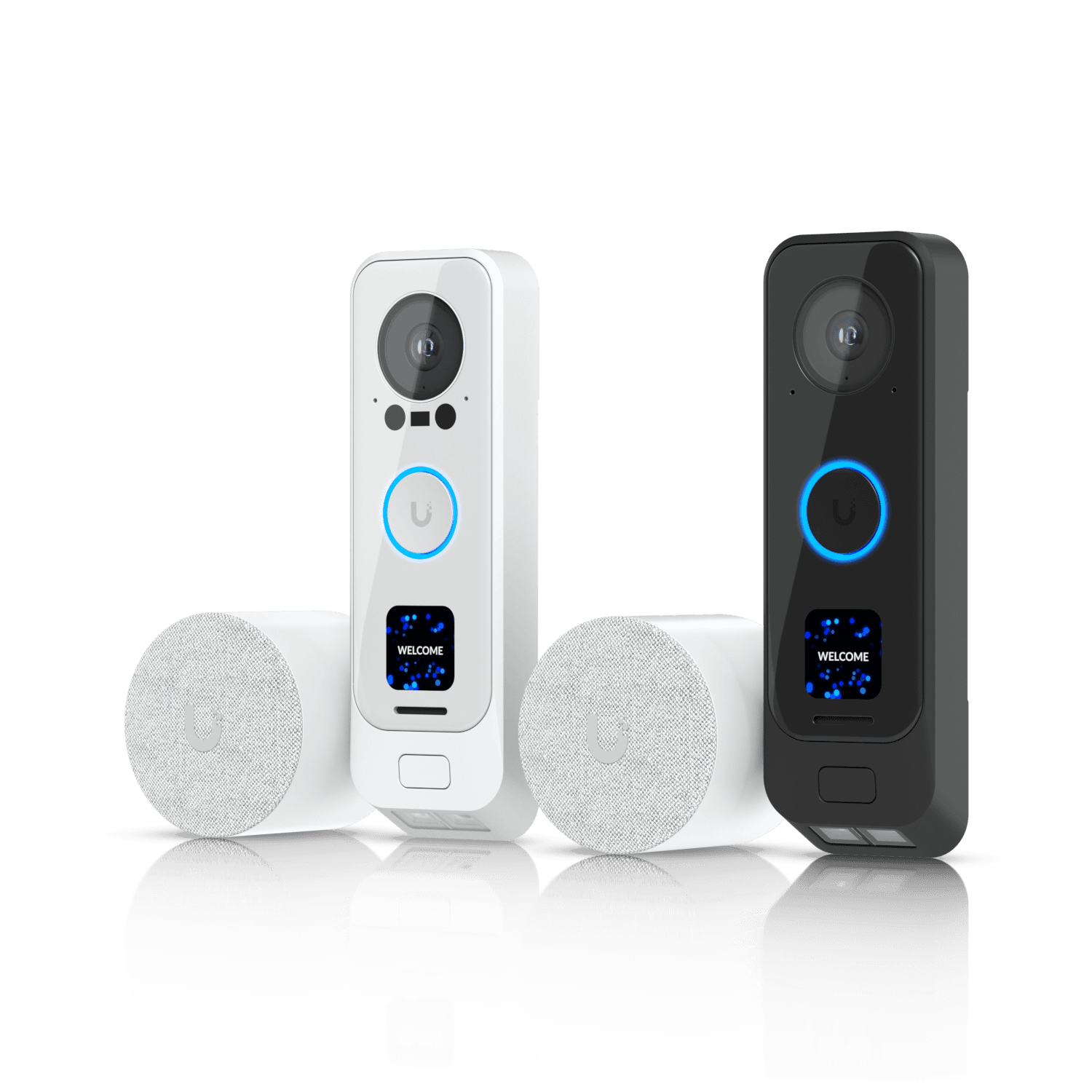
Premium UniFi doorbell with integrated PoE and included PoE chime
Opens search results. Match the model and bundle before ordering.
Find options on AmazonOfficial specificationsKey details
- Best fit for homeowners who want native Protect front-door video without relying on Wi-Fi
- Cleaner entry-system match for UniFi-first homes than mixing in a separate doorbell app
- Value is highest when the project is already pulling Ethernet to the front entry
Ubiquiti
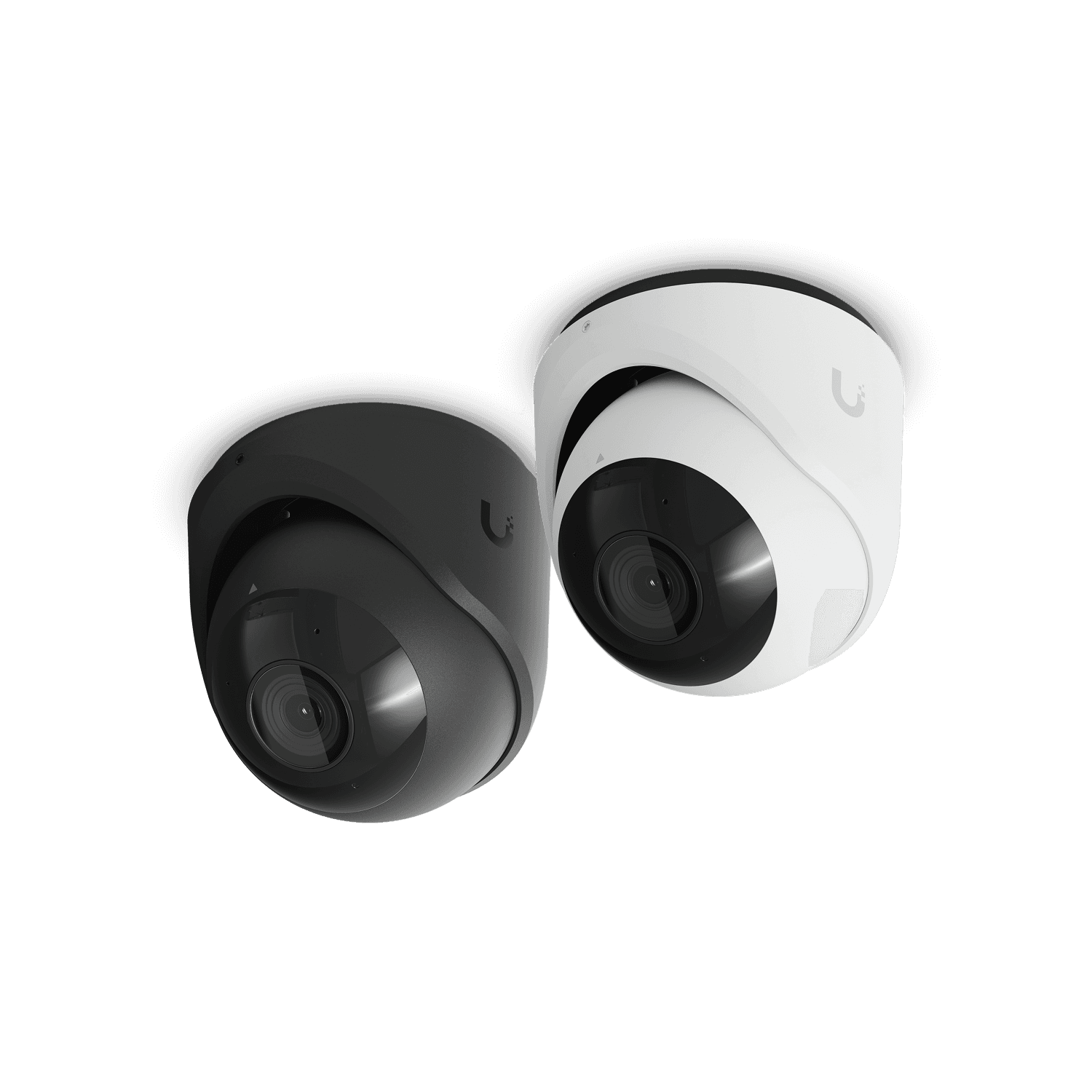
Ubiquiti UniFi G6 Turret
All-weather, tamper-resistant 4K PoE camera with a 1/1.8-inch 8MP sensor
Opens search results. Match the model and bundle before ordering.
Find options on AmazonOfficial specificationsKey details
- Multi-TOPS AI Engine with face recognition, license plate recognition, and smart detections
- 3-axis manual adjustment makes it a strong fit under soffits and at tighter exterior entries
- Best current default for many fresh UniFi exterior identification installs
Ubiquiti
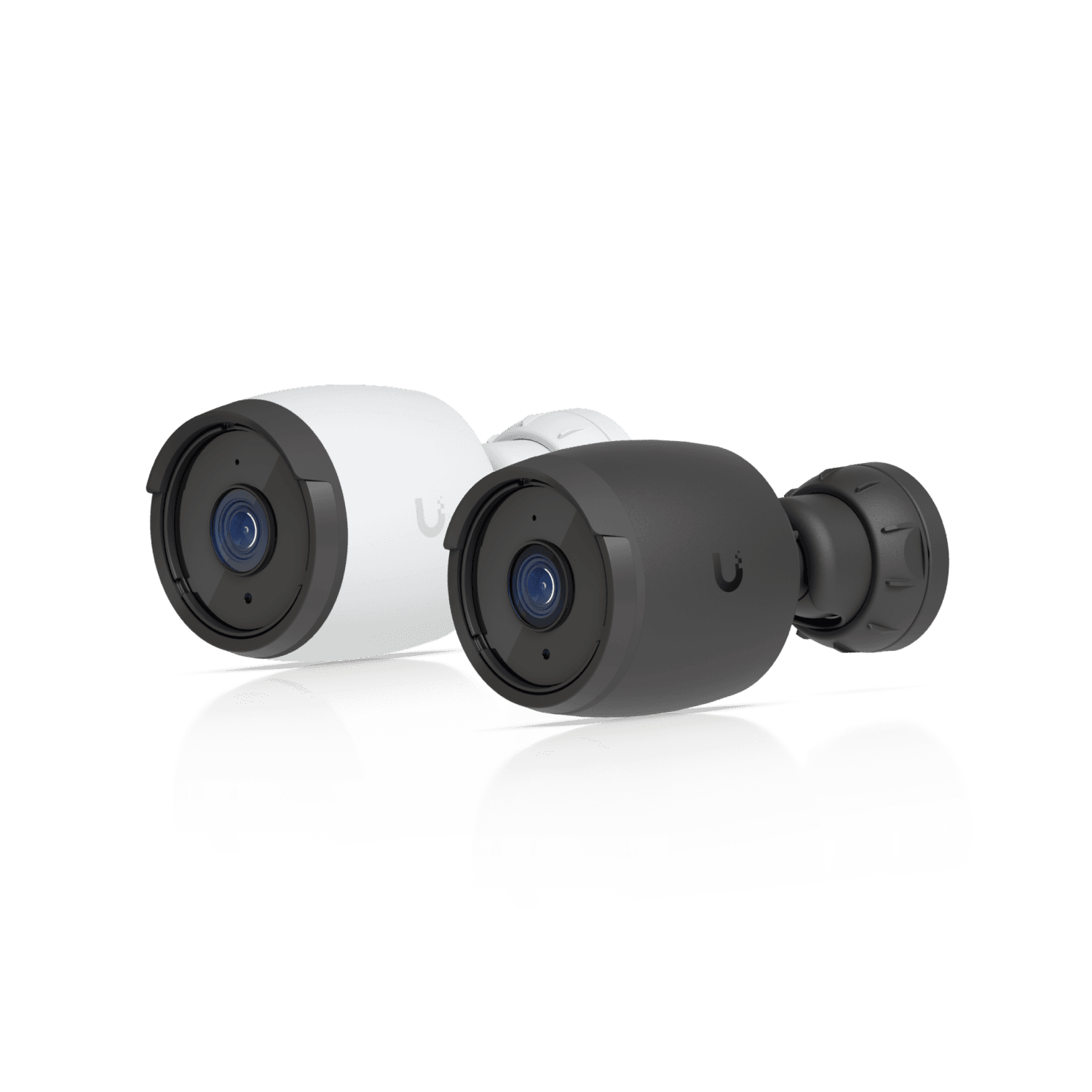
Ubiquiti UniFi G6 Bullet
Current-generation 4K PoE camera with a 1/1.8-inch 8MP image sensor
Opens search results. Match the model and bundle before ordering.
Find options on AmazonOfficial specificationsKey details
- Multi-TOPS AI Engine with face recognition, license plate recognition, and smart detections
- IP66 all-weather housing with long-range IR night vision
- Best fit for UniFi Protect installs that need 8MP detail and native AI workflows
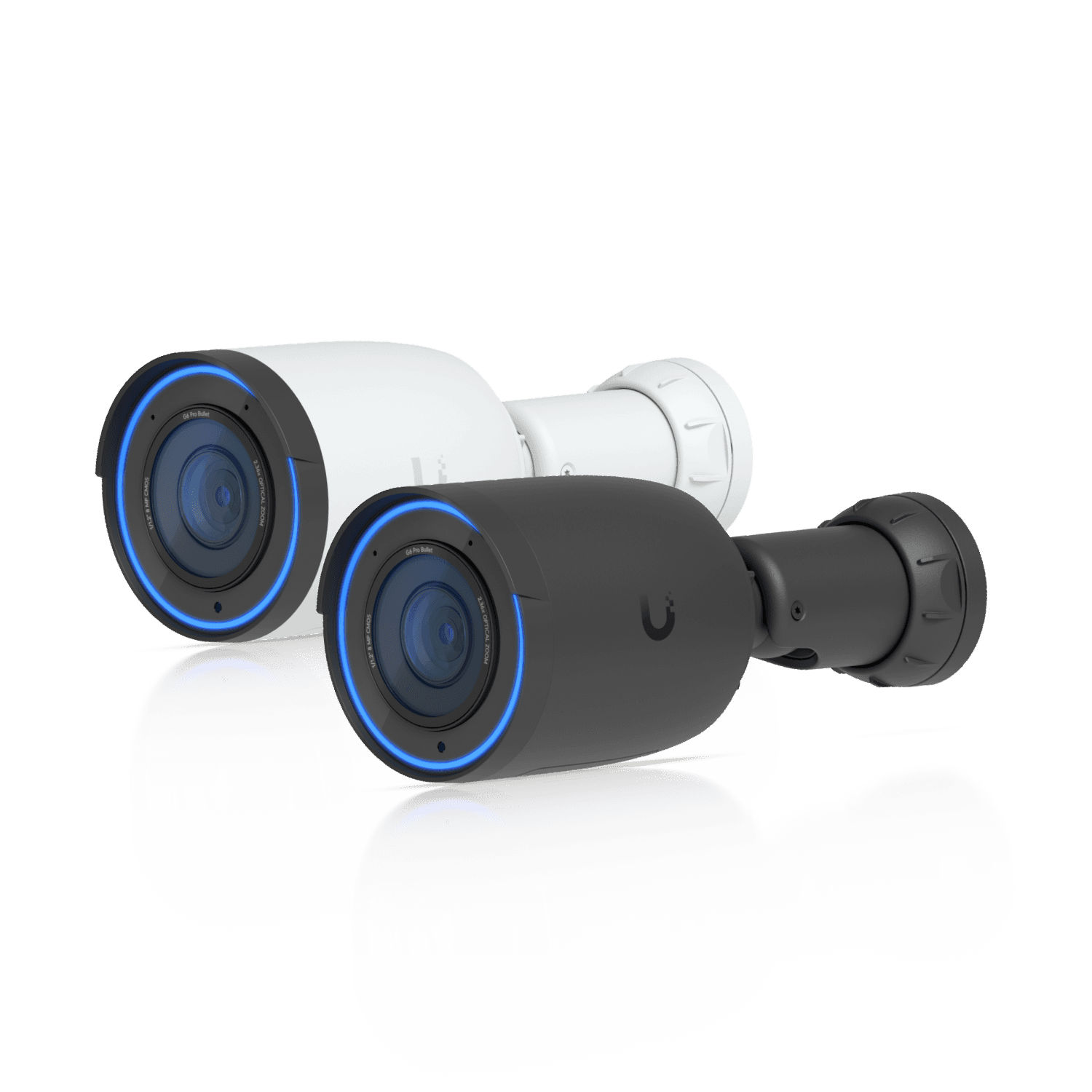
Ubiquiti
Ubiquiti UniFi G6 Pro Bullet
All-weather 4K PoE+ camera with a 1/1.2-inch CMOS sensor and 2.36x optical zoom
Opens search results. Match the model and bundle before ordering.
Find options on AmazonOfficial specificationsKey details
- Multi-TOPS AI engine for face, vehicle, and plate-oriented workflows
- Stronger low-light and longer-lane fit than the standard G6 models
- Best reserved for long driveways, darker approaches, and higher-value identification scenes
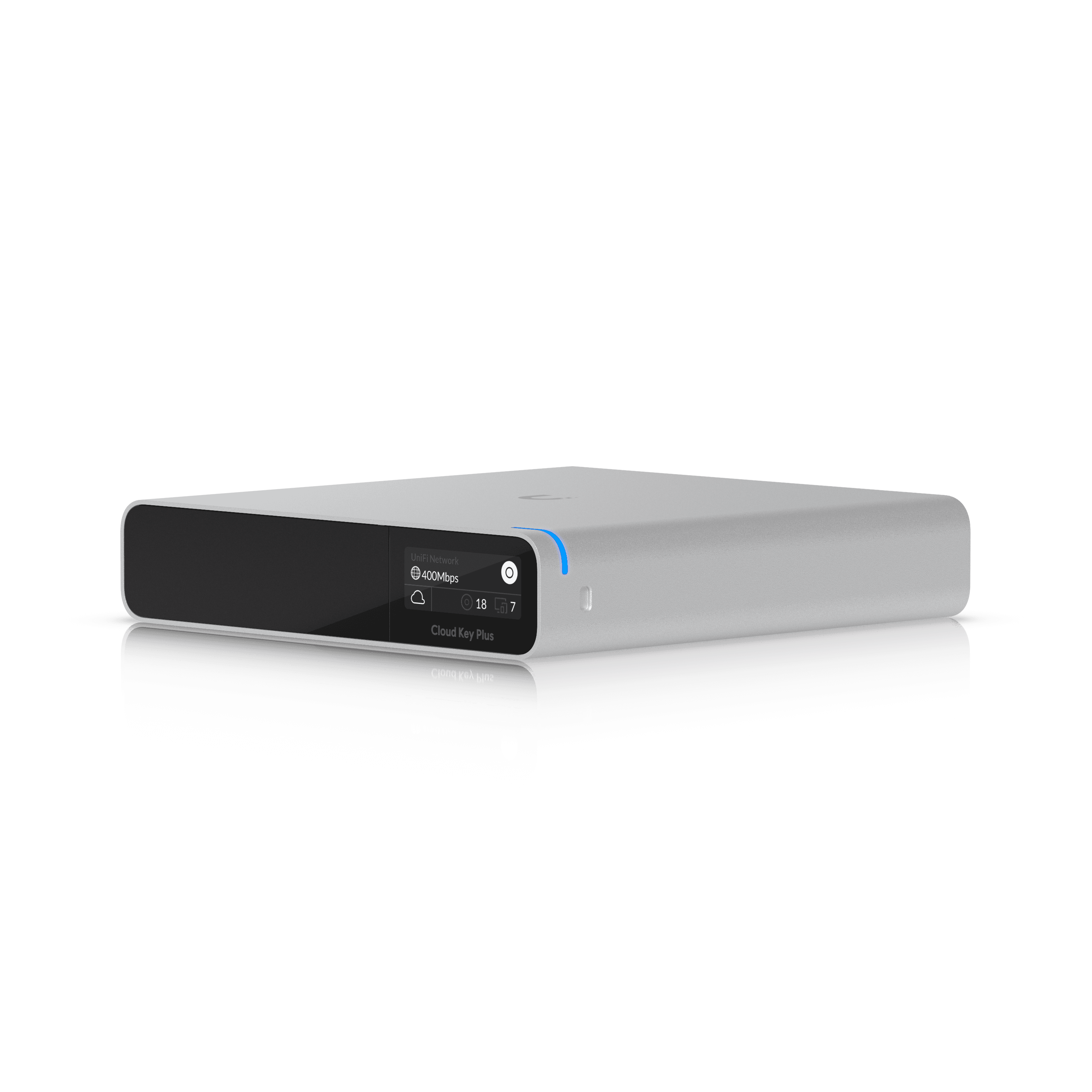
Compact UniFi Console with pre-installed 1 TB SSD
Key details
- Good fit for smaller quiet Protect deployments where low noise matters more than long retention
- Better SSD recommendation than a generic consumer drive because the platform and storage are matched
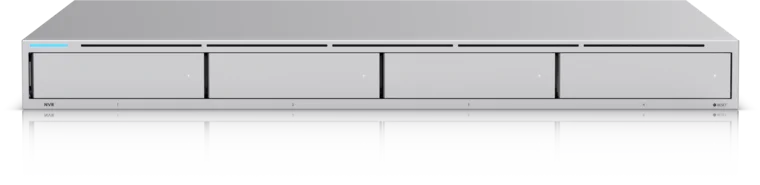
Four 2.5/3.5-inch drive bays for a UniFi Protect recorder
- 4 drive bays
- 10G SFP+ uplink
- UniFi Protect
Dual-lens 180 degree panoramic view suited to wide driveway or front-yard coverage
Key details
- Strong fit when the job is scene coverage and sequence, not one tight ID crop
- Person, vehicle, and animal detection with 24/7 PoE recording support
- Useful as the wide companion view next to a tighter ID camera
Planning Checklist
- Map the front door, driveway pause point, side access, rear door, and garage before deciding camera count.
- Label each view as context or identification so every camera has one clear job.
- Use G6 Turret as the starting point for most new exterior ID views unless the scene clearly needs a bullet or a premium upgrade.
- Upgrade to G6 Pro Bullet only where the scene is longer, darker, or more demanding.
- Plan the PoE switch at the same time as the cameras and recorder so the install is fully powered on day one.
- Use Reolink only where it clearly improves value without weakening the overall system.
- Choose the recorder from retention and camera growth, not just from today's minimum count.
- Verify night lighting, soffit reflection, and cable path realism before finalizing the quote.
FAQ
How many cameras does a typical Westchester house need?
Usually four to eight. Most compact homes land around four or five. Larger homes with long driveways, detached garages, or several exterior access points usually land around six to eight.
Is UniFi Protect worth it for a home?
Yes, when the owner wants one local-first system, clean exports, and a better long-term upgrade path. It is less compelling when the project is very small and the budget is the main constraint.
Which UniFi camera is the best value right now?
For many fresh installs, the G6 Turret is the best value. It gives you current-generation 4K, a larger 1/1.8-inch sensor, AI support, and a body that fits common residential exterior mounts well.
Should I buy a CloudKey+ SSD or a UNVR?
CloudKey+ SSD is fine for a smaller quiet system. If you want a real home camera system with several 4K cameras and meaningful retention, the UNVR is the cleaner answer.
Do UniFi recorders power the cameras directly?
No. You still need a PoE switch or individual injectors. For most multi-camera homes, a PoE switch is the cleaner and more scalable choice.
Does it make sense to mix UniFi and Reolink?
Sometimes, but only when one Reolink camera solves a specific value problem better, such as a lower-cost panoramic overview. Do not mix brands casually if the owner wants one polished day-to-day experience.
References
- Ubiquiti Store: Camera G6 Turret. Checked April 8, 2026.
- Ubiquiti Store: Camera G6 Pro Bullet. Checked April 8, 2026.
- Ubiquiti Store: G4 Doorbell Pro PoE Kit. Checked April 8, 2026.
- Ubiquiti Help Center: UniFi Protect - Supported Camera Limits. Checked April 8, 2026.
- Reolink: Duo 3 PoE. Checked April 8, 2026.
Plan the project with a site visit
Confirm wiring, equipment, placement, and installation scope before hardware is locked in.