

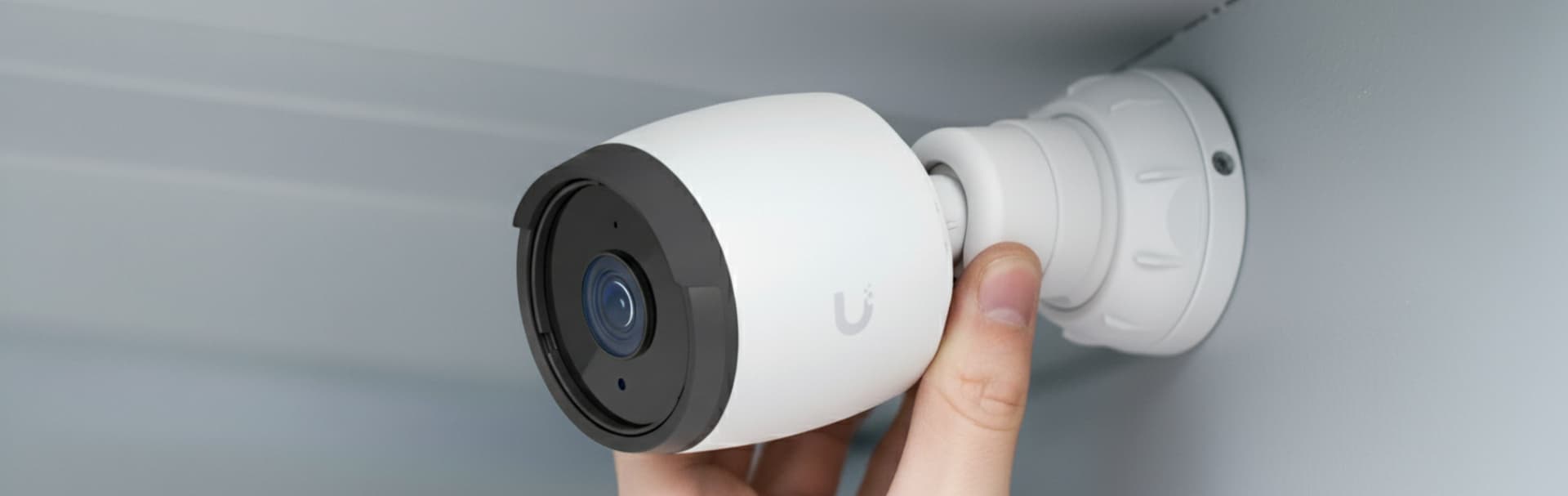
- Quick summary
- What Resolution Security Camera Do I Need?
- Why Do Pixels Per Foot Matter More Than Megapixels?
- 2MP vs 4MP vs 8MP Security Cameras Compared
- How Do AI Analytics Change the Resolution Decision?
- Why Does Sensor Size Matter for 8MP Night Vision?
- When Does 4MP Beat a Bad 8MP Camera?
- How Do Frame Rate and Shutter Speed Affect Moving Targets?
- How Does Resolution Change Storage and Network Planning?
- Recommended Camera Picks by Resolution Job
- Resolution Planning Checklist
- FAQ
- References
Quick summary
Choose security camera resolution by target view, not by spec sheet. Use 2MP close, 4MP for most doors, and 8MP for wide or AI-heavy scenes.
Resolution only helps when the camera is aimed at the right scene. In 2026, that also means matching resolution to sensor size, H.265 storage planning, frame rate, and on-device analytics.
- 2MP can work for close doors, short hallways, and low-priority views when the subject is near the camera.
- 4MP is the safest default for many homes and small offices because it balances detail, storage, and cost.
- 8MP is useful for wider scenes and tighter investigation work, but it is not a substitute for proper lens choice and placement.
- Pixels per foot matter more than the megapixel number on the box.
- If the goal is plate capture or reliable face identification, design a dedicated view instead of relying on digital zoom after the event.
- Security and surveillance services
- Exterior camera positioning guide
- NVR vs NAS vs cloud storage for security cameras
- UniFi camera installation guide
- How to design a security camera system for a Westchester home
What Resolution Security Camera Do I Need?
Use 2MP for close indoor spaces, 4MP for standard doors and gates, and 8MP for wide outdoor areas or AI-heavy views.
First define the camera's job:
- Context view: shows the broader scene, route, timing, and direction.
- Face ID view: concentrates pixels on a person at a door, gate, counter, or lobby.
- Plate-adjacent view: frames the exact spot where a vehicle slows or stops.
- Night-critical view: gets lighting and exposure planning before hardware is finalized.
- Low-priority view: watches a storage room, hallway, or side area where basic awareness is enough.
For many Westchester homes, the wrong move is putting one high-resolution camera under a soffit and hoping it covers everything. Dense trim, porch lights, white siding, long driveways, and high mount angles can waste the extra pixels. For small offices, the wrong move is asking a wide lobby or parking-lot view to double as an employee or visitor ID camera.
Design the scene first. Then choose 2MP, 4MP, 8MP, or a specialty camera based on that scene.
For quote-ready planning, request a security camera layout review before buying hardware for the wrong scene.
Why Do Pixels Per Foot Matter More Than Megapixels?
Pixels per foot measures detail on the target. High megapixels still fail when they are spread across too much scene width.
Megapixels describe total image size. Pixel density describes how concentrated those pixels are in the target area. A camera can be 8MP and still fail if it spreads those pixels across a huge driveway, front yard, and street. A 4MP camera can do better when it is mounted closer, aimed tighter, and supported by cleaner light.
The common planning model is DORI: detection, observation, recognition, and identification. Axis's guidance based on IEC 62676-4 uses these approximate pixel-density levels for human-viewed video:
| Need | Approximate pixel density | What it means in plain language |
|---|---|---|
| Detection | 8 px/ft | You can tell a person or object is present |
| Observation | 20 px/ft | You can understand broad activity and visible attributes |
| Recognition | 40 px/ft | You may recognize whether it is the same person or object seen before |
| Identification | 80 px/ft | You have a better chance of identifying the subject under suitable conditions |
You can do a quick scene-width estimate with this formula:
pixels per foot = horizontal pixel count / scene width in feet
For example:
- A 2MP 1080p camera at 1920 horizontal pixels across a 24-foot scene gives about 80 px/ft.
- A 4MP camera at 2688 horizontal pixels across a 34-foot scene gives about 79 px/ft.
- An 8MP 4K camera at 3840 horizontal pixels across a 48-foot scene gives about 80 px/ft.
That is why 8MP does not automatically mean "twice as identifiable" in the real world. If the 8MP camera is also covering twice the width, the pixel density may not improve. If the view is too high, too wide, too dark, or too compressed, the extra resolution can disappear into the wrong part of the image.
Before buying a higher-resolution camera, ask how many feet of scene width it must cover at the point where the person or vehicle will actually be identified.
2MP vs 4MP vs 8MP Security Cameras Compared
2MP fits tight indoor spaces. 4MP balances detail and storage. 8MP gives more crop room for wider scenes and AI-heavy workflows.
| Resolution tier | Typical image size | Best fit | Watch out for |
|---|---|---|---|
| 2MP / 1080p | 1920 x 1080 | Short hallways, small rooms, close doors, low-priority context views | Can run out of detail fast in wider exterior scenes |
| 4MP / 2K class | Around 2688 x 1512 or 2560 x 1440 | Most porches, side gates, office entries, garage aprons, and tighter exterior ID views | Still fails if mounted too high or stretched across a huge scene |
| 8MP / 4K | 3840 x 2160 | Wider views, larger rooms, longer driveway views, and stronger crop room for investigation | Needs better storage, bandwidth, lighting, lens choice, and exposure tuning |
| Multi-sensor / panoramic | Varies by model | Wide driveway, yard, patio, or parking context | Great for coverage, but usually not a replacement for a dedicated face or plate view |
Use 2MP when the subject is close and the job is simple. A small mechanical room, short office hallway, or close interior door does not always need 8MP. Lower resolution can also reduce storage and bandwidth pressure on older recorders.
Use 4MP when you need a practical default. A current 4MP turret or dome gives more detail than 1080p without forcing every recorder, switch, and retention target into the heaviest tier. That is why 4MP remains a strong fit for many porch, side-gate, lobby, and small-office views.
Use 8MP when the scene demands it. A wider parking area, longer driveway, larger showroom, or high-value entrance may justify 4K. But the 8MP camera must be aimed intentionally. If it is mounted at a steep roofline angle with a very wide lens, it may only give you a larger file of the same weak identification view.
If the real requirement is license plate recognition, be more precise. A standard 8MP overview is not the same thing as a dedicated plate scene. Plate capture needs a controlled angle, short enough distance, suitable shutter behavior, and often a model or accessory designed for that job.
How Do AI Analytics Change the Resolution Decision?
Higher resolution gives camera AI more image detail, but AI accuracy still depends on model support, scene design, lighting, and angle.
Current UniFi G6 cameras are a good example. Ubiquiti's G6 Bullet and G6 Turret are 4K PoE cameras with a 1/1.8" 8MP image sensor, Multi-TOPS AI Engine, face recognition, license plate recognition, and person, vehicle, and animal detections. That makes 8MP more useful than it used to be when the camera is placed on a real identification scene.
The catch is that AI does not fix a bad view. If a camera is high under a soffit, aimed across a wide yard, or pointed into headlights, the algorithm is still working from weak input. Treat AI as a reason to design the view more carefully, not as permission to cover more territory with one camera.
For 2026 camera planning:
- Use 8MP AI-capable cameras where face, vehicle, or plate workflows are part of the requirement.
- Keep the target large enough in frame for the algorithm and a human reviewer.
- Verify which AI features live on the camera, recorder, or add-on processor.
- Do not imply every 8MP camera supports face or plate workflows.
Why Does Sensor Size Matter for 8MP Night Vision?
Sensor size matters because 8MP cameras can become noisy at night when too many pixels are packed onto a small sensor.
A larger sensor gives each pixel more useful light to work with. That is why the 2026 hardware conversation should not stop at "4K." Look for the sensor and lens details, especially on night-critical views. Ubiquiti's G6 Bullet uses a 1/1.8" 8MP sensor, and Reolink's CX810 pairs 4K resolution with a 1/1.8" CMOS sensor and an F1.0 lens for ColorX night imaging.
This matters most at doors, gates, driveway aprons, and small parking areas where identification after dark is part of the job. A cheap 8MP camera with a smaller sensor, weak lens, and aggressive compression may look detailed at noon and noisy at 10 p.m.
Use this buying filter:
- Prefer larger sensors such as
1/1.8"when moving to 8MP exterior cameras. - Treat built-in warm light, IR behavior, and nearby fixtures as part of the camera design.
- Test real night motion, not just a still image from the app.
- Avoid judging night performance from resolution alone.
When Does 4MP Beat a Bad 8MP Camera?
A well-placed 4MP camera can outperform a poorly placed 8MP camera when the 4MP view is tighter, brighter, and closer to the target.
Common causes:
- Scene width: a wide 8MP camera can spread detail across too much property.
- Mount height: a high soffit view can show hats and shoulders instead of faces.
- Lens choice: a wider lens lowers pixel density over distance.
- Lighting: dark scenes force noise reduction, motion blur, and compression artifacts.
- Reflective surfaces: white soffits, glass, wet pavement, and headlights can ruin night detail.
- Compression: a low bitrate can make a high-resolution stream look soft during motion.
This is why the camera count and resolution plan should come after the site walk. If a person always walks through a gate that is 8 feet from a side wall, a tighter 4MP turret at that gate may be the right ID camera. If the same person is crossing a 45-foot driveway apron, the design may need an 8MP camera with optical zoom or a second tighter view.
For exterior layouts, pair this guide with the camera placement guide. Placement determines whether the resolution can actually do useful work.
How Do Frame Rate and Shutter Speed Affect Moving Targets?
Frame rate controls smoothness, but shutter speed controls motion blur. A 4K camera can still blur moving cars if the scene is too dark.
Do not judge moving-target footage by megapixels alone. A camera running at 15 fps may be acceptable for a quiet doorway but weak for a driveway where vehicles move through the scene. A faster frame rate helps review motion, while a faster shutter helps freeze faces, plates, and vehicle details. Both require enough light.
For practical 2026 installs:
- Use
20to30 fpswhere moving cars, gates, or fast foot traffic matter. - Add controlled light before forcing the camera to brighten a dark scene with gain.
- Expect higher frame rate and 8MP streams to increase bitrate and storage.
- Treat plate capture as a dedicated design problem, not a generic 4K setting.
How Does Resolution Change Storage and Network Planning?
Higher resolution increases storage pressure unless the system uses efficient compression, tuned bitrate, and appropriate recording modes.
In 2026, H.265 is the practical baseline for most 8MP systems. H.264 can still work, but it makes 4K continuous recording much harder to support without larger drives, shorter retention, or more aggressive recording rules.
Do not size storage from megapixels alone. A quiet 4MP hallway view can use less storage than a noisy 2MP exterior view with rain, insects, headlights, and aggressive night gain. A busy 8MP driveway scene can use much more storage than a 4MP door view. Western Digital's own surveillance storage estimator treats resolution, video format, video quality, scene activity, frames per second, camera count, and retention period as separate variables for this reason.
Use this simple planning formula:
storage per day in GB = average bitrate in Mbps x 10.8
Then multiply by camera count and retention days. For example, one camera averaging 4 Mbps uses about 43 GB per day. Four cameras averaging 4 Mbps use about 173 GB per day. Over 30 days, that is about 5.2 TB before overhead and safety margin.
| Resolution tier | Storage pressure | Network pressure | Planning note |
|---|---|---|---|
| 2MP | Lower | Lower | Good for close or lower-risk views when identification distance is short |
| 4MP | Moderate | Moderate | Often the best balance for homes and small offices |
| 8MP | Higher | Higher | Use H.265, tuned bitrate, and clear retention rules |
| Panoramic / multi-sensor | Often high | Moderate to high | Excellent context view, but continuous recording can become storage-heavy |
For a local NVR system, resolution affects drive size and retention. For cloud storage, it affects upload demand and subscription economics. For PoE cameras, it can also affect switch and recorder design because the project may grow from "a few cameras" into a real security network with a UPS, managed switch, and documented retention target.
If the storage side is the main decision, use the NVR vs NAS vs cloud storage guide. If the network closet is already crowded, also check best low-cost PoE switches before adding more 4MP or 8MP cameras.
Recommended Camera Picks by Resolution Job
These 2026 picks are role-based. One brand or one resolution does not fit every camera position.
- Close front-door identification: a portrait-style PoE doorbell fits visitor framing better than a high soffit camera.
- Current UniFi 8MP AI view: a G6 Bullet fits PoE installs that need 4K detail, a larger sensor, and native Protect AI workflows.
- Wide context coverage: a dual-lens panoramic camera is useful for driveways, yards, and broad approach paths.
- Low-light 8MP color detail: a CX810-style ColorX camera can help where controlled light and a larger sensor matter more than raw megapixels alone.
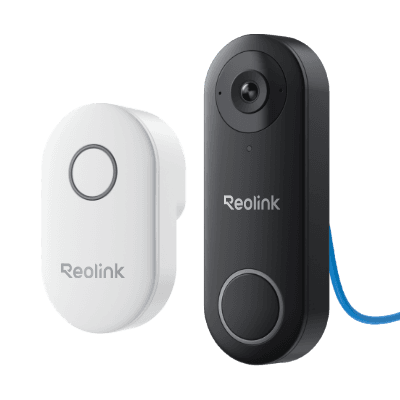
REOLINK
Reolink Video Doorbell PoE
Best for Ethernet, NVR, and local-first front-door recording.
Key details
- Best fit for Reolink NVR, Home Assistant, or NAS-led local recording setups
- PoE keeps the front door on a stable wired path with no Wi-Fi dependency
- White versions add taller 3:4 framing and package detection; black versions stay wider at 4:3
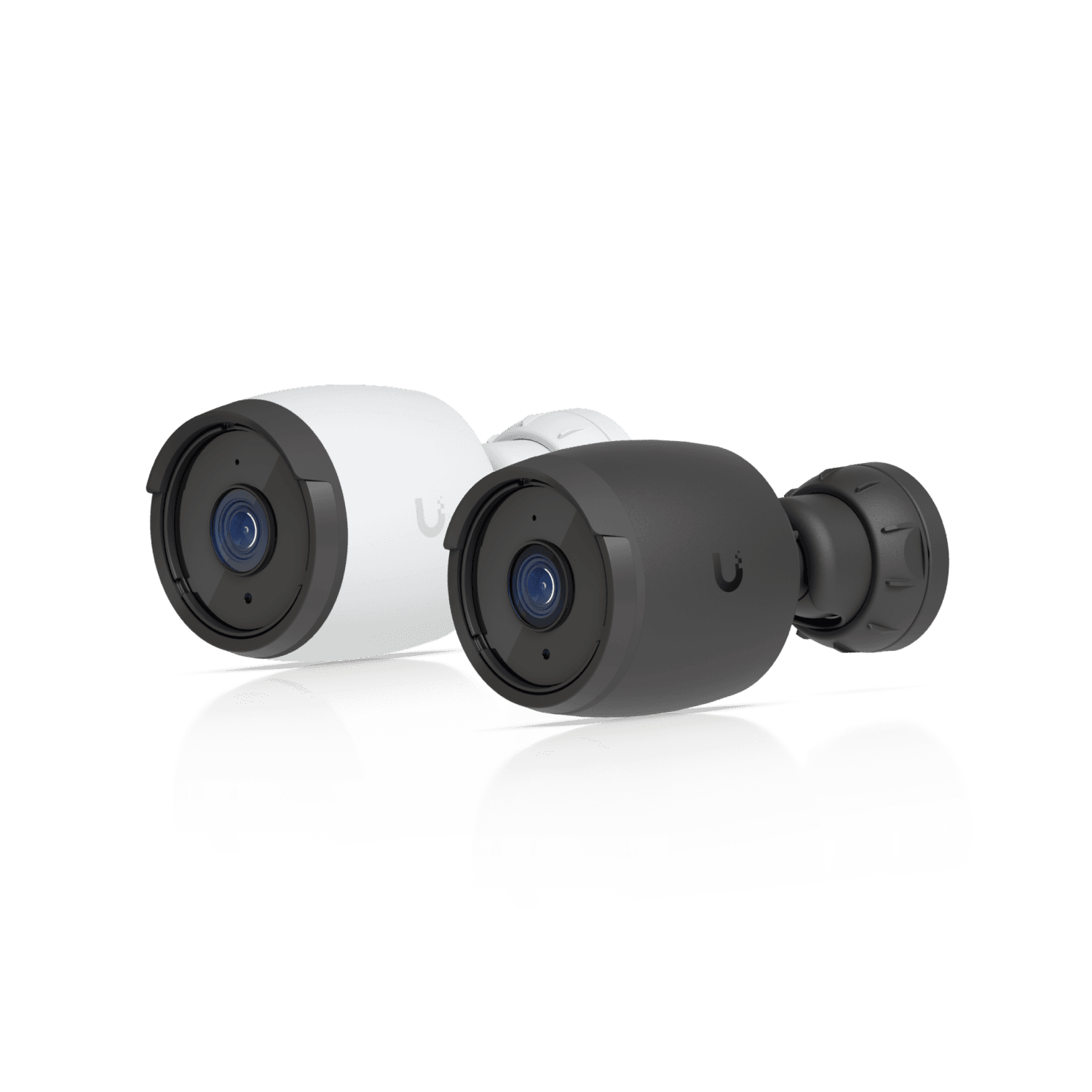
Ubiquiti
Ubiquiti UniFi G6 Bullet
Current-generation 4K PoE camera with a 1/1.8-inch 8MP image sensor
Opens search results. Match the model and bundle before ordering.
Find options on AmazonOfficial specificationsKey details
- Multi-TOPS AI Engine with face recognition, license plate recognition, and smart detections
- IP66 all-weather housing with long-range IR night vision
- Best fit for UniFi Protect installs that need 8MP detail and native AI workflows
Dual-lens 180 degree panoramic view suited to wide driveway or front-yard coverage
Key details
- Strong fit when the job is scene coverage and sequence, not one tight ID crop
- Person, vehicle, and animal detection with 24/7 PoE recording support
- Useful as the wide companion view next to a tighter ID camera
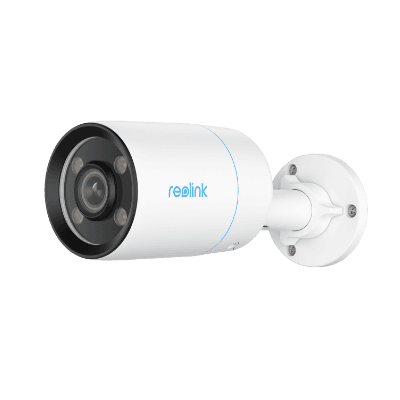
4K 8MP PoE camera with a 1/1.8-inch CMOS sensor
Key details
- F1.0 lens and ColorX true full-color night vision
- H.265/H.264 support with default 25 fps main-stream recording
- Strong fit where low-light color detail matters more than generic floodlighting
If you are choosing among Reolink's current panoramic, floodlight, and battery models rather than comparing resolution tiers broadly, use the Best Reolink cameras in 2026 roundup as the model-by-model companion guide.
For UniFi-first projects, the G6 Bullet and G6 Turret should now be the current starting references for many 8MP PoE camera conversations. G5 models can still be valid in existing installs or value-driven expansions, but they should not be the default 2026 recommendation when the buyer is starting fresh.
Resolution Planning Checklist
- Name each camera by job before choosing resolution: context, face ID, plate-adjacent, or low-priority view.
- Measure or estimate the scene width at the target point, not at the camera.
- Use pixels per foot to check whether the view can plausibly support recognition or identification.
- Keep front-door, side-gate, and lobby ID views lower and tighter than broad overview views.
- Test night scenes after dark with real movement, headlights, porch lights, and wet surfaces when possible.
- Size recorder storage from average bitrate, retention days, recording mode, and camera count.
- Do not promise license plate capture from a generic wide 8MP camera.
- Document which views record continuously and which use motion or smart detections.
For most homes and small offices, the practical design is mixed: a few tighter 4MP or 8MP identification views, a few wider context views, and a recorder or storage plan that reflects the real retention requirement. Buying 8MP everywhere is rarely the cleanest answer. Buying 2MP everywhere to save storage usually creates the opposite problem: cheap footage that cannot answer the question after an incident.
If the system also includes access control, tie every controlled door to a nearby useful camera view and read the small business access control guide before finalizing door hardware and camera angles.
FAQ
Is 4MP enough for a security camera?
Yes, often. 4MP is enough for many doors, gates, hallways, porches, and small office views when the camera is close enough, aimed tightly, and supported by decent lighting. It is not enough if the scene is very wide or the subject is too far away.
Do I need 8MP cameras everywhere?
No. Use 8MP where the scene needs wider coverage or more crop room and the storage, network, and lighting can support it. Use 4MP or even 2MP for closer, simpler views when the pixel density is already sufficient.
Can a 2MP camera identify faces?
Yes, in a controlled close-range scene. A 2MP camera can reach useful pixel density when the subject is near and the scene width is narrow. It is a weak choice for broad exterior views, long driveways, or anywhere you expect to crop heavily after the event.
Is 8MP the same thing as license plate recognition?
No. 8MP gives more pixels, but license plate recognition depends on distance, angle, shutter behavior, headlight control, lens choice, and whether the camera or platform supports the required plate workflow. Treat plate capture as a dedicated scene.
Does higher resolution always use more storage?
Usually, but not by resolution alone. Storage depends on bitrate, frame rate, codec, quality settings, scene activity, night noise, recording mode, and retention days. Use H.265 for most 8MP systems, then verify actual recorder telemetry once the cameras are live.
References
- Axis Communications: Pixel density based on IEC 62676-4:2014. Checked April 8, 2026.
- Ubiquiti Store: Camera G6 Bullet. Checked April 8, 2026.
- Ubiquiti Tech Specs: UniFi G6 Turret. Checked April 8, 2026.
- Reolink: CX810 specifications. Checked April 8, 2026.
- Western Digital: WD Purple surveillance storage estimator. Checked April 8, 2026.
Plan the project with a site visit
Confirm wiring, equipment, placement, and installation scope before hardware is locked in.