

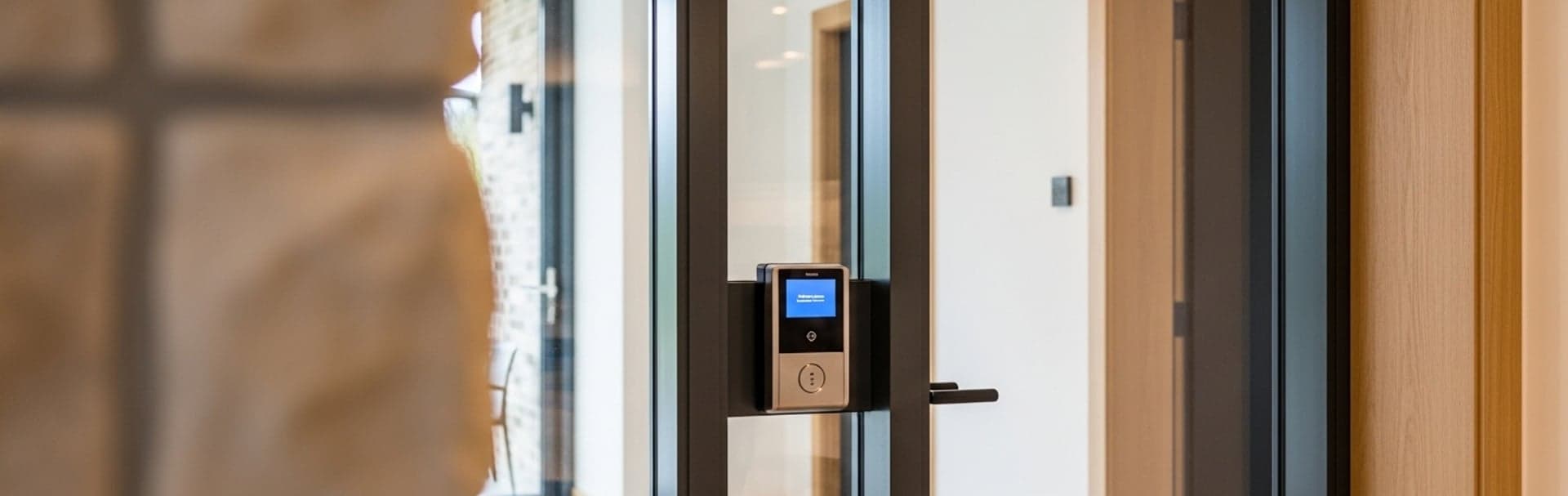
- Quick summary
- What is access control for a small business?
- Do you need access control?
- What should a small business access control system include?
- Which doors should get access control first?
- Reader, card, fob, or mobile credential: what should you choose?
- Best access control systems for small businesses in 2026
- Cloud vs local access control
- How should the door hardware be scoped?
- UniFi Access hardware path for a small office
- How should access control connect to the network and cameras?
- Can you install access control yourself?
- What does a realistic rollout look like?
- Who manages access control after installation?
- Planning budget for small business access control
- Common mistakes small businesses make
- Recommended gear
- Which access-control design fits your office?
- FAQs
- References
Quick summary
Start with the highest-risk doors, then design credentials, locks, network, and handoff.
A small business access control system should start with the doors that create the most operational risk: the main staff entrance, back door, IT or records room, delivery entrance, and any door where keys are being copied, shared, or lost. For most 1-8 door offices, the right system includes a door controller, reader, electric lock hardware, request-to-exit and door-position inputs, card or mobile credentials, schedules, logging, camera context, and backup power.
Reader selection should follow a door survey. The lock type, frame, egress hardware, landlord rules, fire/life-safety requirements, cable path, network closet, and credential workflow all shape the final design. If the access system will also support cameras, conference rooms, VoIP, or guest Wi-Fi, pair this guide with the small business network design guide and commercial technology services so the doors are not planned in isolation.
What is access control for a small business?
Access control is a managed door-entry system for users, schedules, unlocks, and logs.
Instead of handing out metal keys, the business issues cards, fobs, mobile credentials, PINs, or visitor passes. The system checks the credential against a schedule and role, unlocks the door when allowed, and records the event for later review. A good system also accounts for safe exit, power loss, camera context, and the person who will manage access changes after installation.
Do you need access control?
You likely need access control when keys, turnover, vendors, or sensitive rooms create risk.
The clearest signs are operational. A former employee still has a key. A cleaner needs a different schedule than office staff. The IT closet is protected by the same key as a supply room. A back door is propped open and nobody knows when it started. Access control is useful when the business needs faster revocation, narrower schedules, and better accountability than a mechanical key plan can provide.
What should a small business access control system include?
A small business access system needs doors, readers, credentials, locks, power, network, logs, and owner handoff.
The common mistake is treating access control like a reader purchase. The reader is only the visible piece. A working door has several layers:
| Layer | What it does | Planning question |
|---|---|---|
| Door and frame | Holds the lock, strike, closer, hinges, and cabling path | Can this opening accept electrified hardware without weakening egress or door alignment? |
| Reader | Accepts cards, fobs, phones, PINs, or other unlock methods | Does staff need a simple tap, a keypad, intercom, camera, or two-factor behavior? |
| Controller or hub | Makes the unlock decision and drives the lock relay | Should the controller sit near each door or centralize multiple doors in one secure closet? |
| Credential system | Defines who can open which doors and when | Will the business issue cards, fobs, mobile credentials, visitor QR codes, or a mix? |
| Power and backup | Keeps the hub, reader, and lock operating predictably | What happens when utility power, PoE, or the internet connection drops? |
| Logs and cameras | Ties unlock events to incident review | Can the owner quickly answer who opened the door and what happened next? |
For a small office, that system may be one controlled staff entrance and one admin console. For a multi-tenant suite, it may be several interior doors, a visitor workflow, a delivery entrance, and matching camera views. Either way, the design should be documented before hardware is ordered.
Which doors should get access control first?
Control the doors where keys create the most risk or daily friction first.
In a small office, that usually means exterior staff entries, shared back doors, restricted rooms, and any entrance used by vendors or cleaners after hours.
A simple priority map works better than trying to control every opening at once:
| Door type | Typical priority | Why it matters | Common design note |
|---|---|---|---|
| Main staff entrance | High | Controls daily employee access and after-hours entry | Reader plus schedule, camera context, and emergency override plan |
| Back or delivery door | High | Often becomes the weak point when keys are shared | Door-position sensor and camera coverage matter here |
| IT / network closet | High | Protects switches, recorder, access hub, and business systems | Often a stricter schedule and smaller credential group |
| Records, medication, finance, or storage room | Medium to high | Limits sensitive areas inside the suite | Consider two-step authentication or tighter audit review |
| Conference room | Low to medium | Useful only when scheduling or equipment security requires it | Do not overbuild unless there is a real business reason |
| Public restroom or general interior door | Usually low | Often adds support burden without much risk reduction | Keep mechanical unless policy requires access logs |
In older Westchester office buildings, door priority also depends on ownership. A tenant may not be allowed to modify the common entry, lobby door, or shared stair door. In that case, the first controllable door may be the suite entry, IT closet, or back-of-house door rather than the street-facing entrance.
If the door is part of a common corridor, rated exit path, shared vestibule, or landlord-controlled entrance, confirm approval and authority-having-jurisdiction requirements before selecting locks or cutting into the frame.
If you are unsure which doors to control first, a short walkthrough usually clarifies the priority list: entry doors, sensitive rooms, cable paths, lock condition, and camera coverage.
Reader, card, fob, or mobile credential: what should you choose?
Most small businesses should use cards or fobs first, then add mobile credentials where support is clear.
Cards and fobs are still useful because they are simple to issue, easy to collect, and do not depend on a staff member's phone battery or wallet configuration. Mobile credentials can be cleaner for professional staff, and adoption is improving as more platforms support NFC and wallet-style credentials. The support model still matters: device ownership, lost-phone handling, onboarding, and offboarding can make mobile access harder than a badge for some teams. A PIN is convenient for some interior or low-risk cases, but it can be shared. Visitor QR codes can be useful when reception needs temporary access, but they should expire automatically.
| Credential | Best fit | Watch out for |
|---|---|---|
| Card | Employees, vendors, and staff who need a predictable physical badge | Lost cards need immediate disablement and a reissue process |
| Fob | Staff who do not need a printed badge | Easy to hand off informally if policy is weak |
| Mobile credential | Managed staff with modern phones and a clear offboarding process | Phone loss, BYOD support, wallet setup, and licensing can complicate rollout |
| PIN | Low-friction interior doors or two-step access with a card | Shared PINs weaken accountability |
| QR visitor credential | Temporary visitors and scheduled vendors | Must be time-bound and tied to a sponsor |
UniFi Access supports multiple unlock methods across current readers, including NFC cards, Mobile Unlock, PIN on supported models, visitor QR workflows, Touch Pass on G3 reader models, and camera-assisted vehicle unlock where supported. Not every door needs every method. The cleaner policy is to pick a default credential for staff, define exceptions, and train one person to revoke access quickly.
If the office is migrating from older Wiegand readers, use the upgrade as a chance to discuss Open Supervised Device Protocol, or OSDP, where the controller and readers support it. The Security Industry Association describes OSDP as an access-control communications standard for interoperability and security, and it highlights Secure Channel encryption as one of its benefits. In practical terms, do not keep legacy reader wiring and credential formats forever just because they still beep.
Best access control systems for small businesses in 2026
The best system matches your door count, credential workflow, support model, cameras, and budget.
UniFi Access is not the only option; it is the option this article emphasizes because it fits many PoE-wired offices that already use UniFi networking or cameras.
| System | Best fit | Tradeoff to check |
|---|---|---|
| UniFi Access | PoE-wired offices that want local camera context, UniFi administration, and installer-managed door planning | May not fit every enterprise identity, compliance, or multi-site workflow |
| Kisi | Cloud-first offices that prioritize mobile credentials and centralized software administration | Door hardware, connectivity, and subscription assumptions still need review |
| Verkada | Organizations that want cloud-managed access and video in a broader physical-security stack | Vendor lock-in and total platform cost should be understood before rollout |
| Paxton | Traditional commercial access-control projects that need established door-controller options and installer familiarity | Cloud, mobile, and integration expectations vary by product path |
| Brivo | Multi-site businesses that want mature cloud access-control administration and managed credential operations | May be more platform than a very small one-door office needs |
Use this comparison as a starting point, not a brand decision. A one-door office with UniFi cameras has a different best answer than a ten-location business with HR-driven onboarding and a dedicated facilities team.
Cloud vs local access control
Cloud access control centralizes administration; local-first access keeps more door logic on site.
Cloud systems can make remote administration, multi-site management, and mobile credential workflows easier. They also make the internet connection, vendor platform, and subscription model part of the operating plan. Local-first systems can be attractive when the office already has a strong network closet, local cameras, and an installer who will document the door hardware and power path.
UniFi Access sits closer to the local-first side for many small offices because synced credentials can continue working at the hub if the connected console is offline. It does not remove the need for a stable network. New credentials, admin changes, cloud access, software updates, and complete log review still depend on the console and management path recovering cleanly.
How should the door hardware be scoped?
Door hardware should be scoped around egress safety, code requirements, and door type.
The question is not only whether the system can unlock the door. It is whether the door remains safe, code-aware, serviceable, and predictable during power loss.
Every controlled door should be surveyed before quoting. Document the door type, frame, lockset, closer, hinge condition, existing strike, cable path, nearby power, ceiling access, and whether the door is part of a required exit path. A neat reader on a bad door is still a bad access-control installation.
Use this field checklist before hardware selection:
- Confirm who owns the door and who can approve modifications
- Identify whether the door is interior, exterior, rated, shared, or part of an exit path
- Inspect the frame, strike plate, closer, hinges, and latch alignment
- Decide whether an electric strike, electrified lockset, maglock, or other hardware type is appropriate
- Document fail-safe or fail-secure behavior for each opening
- Plan request-to-exit and door-position monitoring, not only the reader
- Verify cable path from reader and lock hardware to the hub or secure closet
Fail-secure usually means the locked side remains locked during power loss while safe egress remains available. Fail-safe usually means the lock releases when power is removed. Those behaviors are not interchangeable, and they should be documented door by door.
Electric strikes often fit simple office entries when the existing hardware supports them. Magnetic locks can be useful in some commercial cases, but they require more careful release planning, possible fire-alarm integration, and local code review. Door-position sensors help the system know whether a door is actually open or closed. Request-to-exit devices help the system distinguish authorized exit behavior from a forced or propped door.
Accessibility also matters. ADA requirements can affect reader height, clear approach, door hardware operation, and the usable opening, so reader placement should be checked against the accessible route instead of being treated like a low-voltage convenience decision.
For life-safety and code-sensitive openings, use the local authority having jurisdiction and the project’s locksmith, door-hardware, or fire-alarm professionals. This article is a planning guide, not a substitute for code review.
UniFi Access hardware path for a small office
UniFi Access fits small offices already using UniFi networking or UniFi Protect cameras.
The cleanest small-office path is usually a Door Hub for each standard controlled door, G2 or G2 Pro readers where they fit the use case, and an Enterprise Access Hub when several nearby doors should terminate in one secure closet.
| Need | Likely hardware path | Why |
|---|---|---|
| One standard staff door | Door Hub plus G2 Reader | Simple single-door entry/exit control with NFC and mobile unlock support |
| One public-facing door with more interaction | Door Hub plus G2 Reader Pro or newer reader/intercom model | Adds PIN, camera, intercom, and doorbell behavior where supported |
| Two-door legacy retrofit | Retrofit Hub | Useful when existing access-control wiring or third-party Wiegand readers need a transition path |
| Several restricted doors in one area | Enterprise Access Hub | Centralizes up to eight doors, with battery-input support and multiple reader/camera ports |
| Gate or vehicle entry | Gate Hub with camera planning | Keeps vehicle access separate from a standard suite-entry door design |
The Door Hub supports one door, uses PoE++ input, and exposes reader, lock, request-to-exit, door-position, and emergency inputs for a standard opening. The Enterprise Access Hub supports up to eight doors and is better when several controlled openings land back to one secure closet. It also has battery-input support, but Ubiquiti notes that charging must be handled externally because the hub does not include a charging circuit.
For the reader itself, a standard G2 Reader is a compact default for staff doors. A G2 Reader Pro is a better fit when the door needs a screen, PIN access, two-way intercom and doorbell behavior, or an integrated camera. Do not pay for the more complex reader if the door only needs a card tap at an interior staff entry.
The clean deployment pattern is simple: policies live in UniFi, the PoE++ switch rides on a UPS, and every opening lands as a labeled reader-lock-sensor bundle instead of a mystery splice.
If one closet will feed access hubs, cameras, and phones, size the PoE switch and UPS together instead of buying the door controller first.
How should access control connect to the network and cameras?
Access control depends on a stable PoE network with backup power and clear labeling.
If the Door Hub needs PoE++ input and the readers depend on the hub, the upstream switch and UPS are part of the access-control design. Do not treat them as a random add-on after the door hardware is selected.
At minimum, plan for:
- A labeled network drop to each hub or a secure closet location
- PoE or PoE++ capacity matched to the hub and reader design
- UPS coverage for the switch or access-control power path
- A management VLAN or clearly documented network policy
- Camera coverage for each high-value controlled door
- Matching names across door, reader, lock, camera, and schedule
Include the access system in the network documentation handover checklist so door schedules, reader names, power behavior, admin owners, and backup paths are not separated from the rest of the network records.
Ubiquiti says synced credentials can still unlock doors if the connected console is offline or malfunctioning, as long as the credentials have already reached the Access Control Hub. That is useful, but it is not a reason to ignore the network. New credentials still need to be saved and synced before they take effect, logs must sync back, and admin workflows still depend on a healthy console and management path.
When cameras are involved, use the door event to narrow the search. For example, label the suite entry camera and reader the same way, then pair unlock events with the nearest useful video view. The security cameras and access control checklist covers the camera side in more depth, and the NVR vs NAS vs cloud storage guide helps with retention planning.
Can you install access control yourself?
DIY planning can help, but most door installation should be handled by qualified professionals.
DIY planning is useful for listing users, schedules, visitor needs, door priorities, and who will approve access changes. DIY installation becomes risky when the work touches exterior doors, rated doors, exit paths, maglocks, electric strikes, shared corridors, landlord-controlled areas, or the PoE and camera infrastructure that supports the system. If the door involves exterior access or code requirements, a site walkthrough is usually the safest next step; for a managed path, start with commercial technology services before hardware is ordered. A bad install can create nuisance alarms, unreliable latching, inaccessible reader placement, or life-safety problems that cost more to fix later.
What does a realistic rollout look like?
A realistic rollout has five phases: survey, design, installation, commissioning, and cleanup.
Skipping commissioning and first-month cleanup is how small systems become unmanaged.
- 1Survey every door, frame, lock, reader location, cable path, and network closet before ordering hardware.
- 2Map users, roles, schedules, holiday rules, visitor flows, and emergency override behavior.
- 3Install hubs, readers, locks, request-to-exit devices, door-position sensors, PoE switching, and backup power.
- 4Commission the system with test cards, mobile credentials where appropriate, power-loss tests, door-prop tests, camera checks, and admin handoff.
- 5Review logs and support requests weekly for the first 30 days, then freeze the baseline policy and use change control for future edits.
For a small office, the first 30 days are where schedule assumptions get corrected. Cleaning crews may arrive earlier than expected. A manager may need first-person-in behavior on the front door. A delivery door may need a tighter camera angle. The goal is to tune early, then stop making casual changes without approval.
The UniFi Access door schedule and credential policy template is the right follow-up once the hardware layout is mostly known.
Who manages access control after installation?
Assign one owner and one backup for users, schedules, lost credentials, logs, and support.
The day-to-day work is usually simple but important: add new employees, revoke former employees, replace lost cards, update vendor schedules, review door-prop events, and confirm that firmware and backups are handled. The first 30 days should also include a cleanup pass. Remove temporary test users, confirm all doors and cameras are named consistently, and document who can make changes without a new approval.
For a shared residential entrance, the same ownership questions extend to tenant calling and visitor release. Use the apartment video intercom planning guide to scope that workflow before choosing a panel.
Planning budget for small business access control
Most small business access control projects fall between $3,000 and $20,000, depending on door count and complexity.
In 2026, a small-business access-control project can still start around a few thousand dollars for one straightforward door and can move higher when multiple doors, electric hardware, after-hours work, camera pairing, and compliance-sensitive handoff are included.
Hardware alone does not explain the budget. A Door Hub is roughly a $200-class controller before the rest of the door is accounted for, and the installed scope still includes door hardware, cabling, PoE switching, backup power, frame work, labeling, testing, admin training, and sometimes locksmith or fire-alarm coordination.
| Scope | Installed planning range | Usually includes | What pushes it higher |
|---|---|---|---|
| One simple interior staff door | $2,500-$5,000 | Reader, controller, basic electric hardware, cabling, setup | Difficult frame, long cable path, after-hours work, or stricter logging |
| One exterior suite entry | $4,000-$8,000 | Reader, controller, door hardware, DPS/REX, camera context, UPS planning | Weatherproofing, landlord approval, masonry, rated door review |
| Three to four door office | $9,000-$20,000+ | Multiple readers and hubs or centralized hub, schedules, camera pairing, handoff | Long pathways, access closet buildout, additional cameras, identity integration |
| Restricted multi-door area | $15,000+ | Centralized hub, tighter roles, backup power, logging, camera/event workflow | Compliance review, advanced credentials, lock hardware complexity |
For many Westchester offices, labor and coordination move the price more than the reader. Finished ceilings, masonry walls, shared corridors, landlord-controlled pathways, and after-hours work all matter. That is why a site survey is not a formality. It is the part of the job that prevents a neat hardware list from turning into a change-order problem.
If the first quote is only a hardware list, ask for the door survey, cabling path, power-loss behavior, camera pairing, and handoff steps before comparing numbers.
Common mistakes small businesses make
The biggest mistakes are reader-first buying, missed egress planning, weak power design, and unclear ownership.
Watch for these before approving a system:
- Choosing readers before the lock, frame, and cable path are known
- Treating fail-safe and fail-secure behavior as a preference instead of a door-by-door code and operations decision
- Adding a maglock without planning request-to-exit, emergency release, fire-alarm behavior, and AHJ review
- Forgetting PoE and UPS headroom in the network closet
- Installing a reader on a high-value door without a useful camera view
- Giving several people admin rights without a change process
- Skipping the first-month cleanup after test users, temporary schedules, and installation notes are still in the system
Recommended gear
Recommended gear is a starting point, not a complete door-hardware bill of materials.
These are useful reference picks for a straightforward UniFi Access small-office deployment. Locks, strikes, sensors, request-to-exit devices, and code-specific hardware should be selected after the door survey.
Ubiquiti Networks
Ubiquiti UniFi Access Hub (Amazon)
Single-door UniFi Access controller for standard office entries
Key details
- Good fit when the project already has separate reader and lock hardware
- Amazon-ready option for the core door controller in a one-door deployment
Ubiquiti Networks
Ubiquiti UA-G2 Access Reader G2 (Amazon)
Standard UniFi G2 reader for NFC and mobile-based unlock
Key details
- Clean fit for staff doors, vestibules, and interior restricted doors
- Pairs naturally with the Door Hub on a single-door rollout
Ubiquiti Networks
Ubiquiti Professional 8 PoE Switch (Amazon)
Compact managed switch with PoE+ and PoE++ output for access closets
Key details
- Better fit for Door Hub power than entry switches that stop at PoE+
- Strong Amazon-backed switch pick for a small UniFi Access deployment
1500VA / 1000W pure sine wave UPS for rack and closet installs
Key details
- Short-depth 2U form factor suits compact commercial racks
- Practical backup layer for the PoE++ switch that feeds the access hub
Which access-control design fits your office?
The right design is the smallest documented system that solves the operational problem.
Use the smallest design that works, then document it well enough that a new office manager can run it without guessing.
| Office situation | Best direction | Why |
|---|---|---|
| One tenant suite, one staff entrance | Single Door Hub and reader | Simple, supportable, and easier to train |
| Two to four doors across a finished office | Door-by-door hub plan or Retrofit Hub where wiring already exists | Avoids overbuilding while keeping each opening documented |
| Several restricted doors near one closet | Enterprise Access Hub | Centralizes hardware and simplifies backup-power planning |
| Office already has UniFi Protect | UniFi Access plus camera pairing | Door events and video review are easier to line up |
| Legacy card system with many unknowns | Survey first, migrate in phases | Reader compatibility, credential format, and wiring may decide the path |
If the office also needs cleaner guest Wi-Fi, conference-room stability, or VoIP call quality, do not treat access control as a standalone door project. The same closet may feed access hubs, cameras, phones, and meeting-room hardware. Start with networking infrastructure services, security and surveillance services, or the VoIP and intercom implementation guide if the door system is part of a wider office upgrade.
We can map controlled doors, reader locations, lock hardware, PoE power, camera views, schedules, and handoff steps before hardware gets ordered.
FAQs
These FAQs answer the most common access-control planning questions for small businesses.
How many doors should a small business control first?
Start with the doors where keys create the most risk: staff entry, back door, IT closet, records room, storage room, or delivery entrance. Do not control low-risk interior doors unless there is a clear business or compliance reason.
Are mobile credentials better than cards?
Mobile credentials are useful for managed staff, but cards and fobs are still simpler for many small offices. The best choice depends on phone ownership, offboarding process, visitor handling, and how much support the office can provide.
What happens if the internet goes down?
A well-designed local access-control system should keep already-synced credentials working at the door. Admin changes, new credentials, cloud access, and log syncing still depend on the console and network path recovering cleanly.
Do access-control doors need cameras?
High-value doors should have a useful nearby camera view. The camera does not replace the reader, but it makes door events much easier to investigate later.
Can we reuse old card readers?
Sometimes. It depends on the reader protocol, wiring, credential format, and controller path. If the system is Wiegand-based or uses older credentials, treat reuse as a migration question, not an automatic savings.
Is UniFi Access right for every small business?
No. It is strongest when the business wants a UniFi-centered stack with local cameras, PoE wiring, and straightforward administration. A larger enterprise with complex HR identity workflows, many locations, or strict compliance requirements may need a different access-control platform or a phased integration plan.
Do we need a locksmith or fire-code review?
Often yes, especially for exterior doors, rated doors, maglocks, shared corridors, or exit paths. Access control touches life safety, not just IT. Confirm requirements with the authority having jurisdiction and qualified door-hardware professionals.
References
These sources support the product, standards, and accessibility claims in this guide.
- Ubiquiti Door Hub tech specs — checked April 7, 2026
- Ubiquiti Enterprise Access Hub tech specs — checked April 7, 2026
- Ubiquiti: Secure, Reliable, and UL 294-Compliant Door Access Control with UniFi Access — checked April 7, 2026
- Security Industry Association: Open Supervised Device Protocol — checked April 7, 2026
- ADA.gov: 2010 ADA Standards for Accessible Design — checked April 7, 2026
Plan the rooms and the network with a walk-through
Walk the space with us to settle how each room should work, where screens, speakers and access points go, and how the work fits around your hours, before anything is installed.