

- Quick summary
- What Is the Difference Between Pre-Wire and Retrofit Cabling?
- Why Hardwire Instead of Relying Only on Wi-Fi?
- Where Does Pre-Wire Cabling Make the Most Sense?
- When Is Retrofit Cabling Recommended?
- Pre-Wire vs Retrofit in Common Westchester Projects
- How Much Does Pre-Wire vs Retrofit Cabling Cost in Westchester?
- How Should You Plan Low-Voltage With the GC and Electrician?
- Network Cable Types and Hardware Specifications
- How Should Testing and Turnover Work?
- Recommended Hardware Checklist
- A Simple Decision Framework
- FAQs
- References
Quick summary
Westchester pre-wire cabling usually costs less per drop than finished-wall retrofit and creates the cleanest path for Cat6, Cat6A, and conduit.
Retrofit cabling is still the right move when the house or office is already finished and you only need a few high-value drops at desks, TV walls, and access point locations.
-
Open-wall pre-wire averages $100-$175 per drop when runs are grouped into the renovation scope.
-
Typical finished-wall retrofit averages $200-$300 per drop, with harder plaster, masonry, or Cat6A pulls running higher.
-
Hardwiring fixed devices and Wi-Fi 7 access points frees wireless capacity for phones, tablets, and roaming laptops.
-
Use solid-copper in-wall cable, not CCA, and match CMR or CMP to the actual pathway.
What Is the Difference Between Pre-Wire and Retrofit Cabling?
Pre-wire installs cable before insulation and drywall; retrofit adds cable after finishes are complete.
That timing difference changes cost, route quality, and disruption. Pre-wire lets the installer use open framing, direct pathways, and easier fire-stopping while the renovation is already messy. Retrofit work depends on fishing finished cavities, protecting surfaces, and accepting that some routes will be slower or more limited.
In Westchester projects, the practical choice usually follows the construction scope. If walls are already open in a kitchen remodel, addition, or basement finish, pre-wire is usually the better value. If the home is occupied and mostly intact, retrofit is usually the cleaner business decision.
| Approach | Best time to use it | Main advantage | Main tradeoff |
|---|---|---|---|
| Pre-wire | Renovations, additions, basement finishes, new construction | Lowest labor per drop and the cleanest pathways | Requires decisions before walls close |
| Retrofit | Finished homes and offices that need targeted upgrades | Improves the network without a full gut | More route labor, finish protection, and patch coordination |
Why Hardwire Instead of Relying Only on Wi-Fi?
Hardwiring fixed devices preserves wireless capacity and gives access points a stable backhaul.
That matters more in 2026, not less. Wi-Fi 7 is better than older Wi-Fi generations, but fixed infrastructure still works best on cable. A TV, desktop dock, gaming console, printer, NAS, and ceiling AP do not need mobility. Putting them on Ethernet removes steady traffic from shared wireless airtime and makes the wireless network feel cleaner for everything else.
In Westchester homes, this also helps compensate for older construction. Plaster, masonry fireplaces, stone, and layered additions make radio planning harder than a clean drywall box. A few wired drops usually do more for everyday stability than buying another mesh node.
-
Wire TV walls, office desks, printers, and access points first.
-
Use wired backhaul for ceiling APs whenever routes are realistic.
-
Treat Wi-Fi as the access layer for mobile devices, not the entire network foundation.
-
Add cable during renovation whenever the wall or ceiling is already open for another trade.
Where Does Pre-Wire Cabling Make the Most Sense?
Pre-wiring is most cost-effective during major renovations, additions, and new builds with exposed framing.
With open walls, technicians can run low-voltage cable directly, install proper supports and fire-stopping, and place brackets and conduit before finish work begins. In Westchester, the highest-return pre-wire scope usually shows up in main-floor gut remodels, kitchen renovations that open adjacent walls, primary suite additions, attic conversions, and basement finishing.
This is also the best time to plan future flexibility. If a TV wall, office millwork run, fireplace chase, or detached-building path will be hard to reopen later, add conduit while access is easy. Conduit is often the cheapest insurance in the whole project.
- Kitchens and main-floor remodels where soffits and walls are already open
- New additions, dormers, and attic conversions with exposed framing
- Basement finishes before insulation and drywall
- Whole-home renovations happening in phases
- Small office build-outs before ceilings and walls are closed
When Is Retrofit Cabling Recommended?
Retrofit cabling is ideal for finished spaces that need targeted drops without major demolition.
Retrofit work is a route-planning exercise. The goal is not to wire every possible outlet. The goal is to fish the few runs that materially improve network stability while keeping patching, dust, and schedule disruption under control. In many Westchester homes, that means prioritizing the office desk, main TV wall, one or two AP locations, and a clean path back to the rack.
This approach is especially useful in older colonials, Tudors, brownstones, and other finish-sensitive homes where plaster, trim, and masonry are worth protecting. For leased offices, retrofit also works when demolition is limited by the landlord or by operating hours.
- Finished rooms where walls will stay intact
- Older homes with plaster-and-lath, custom trim, or masonry obstacles
- Move-in upgrades where only a few locations need wired stability
- Small offices that need better AP backhaul, conference-room drops, or desk clusters
Pre-Wire vs Retrofit in Common Westchester Projects
Most Westchester jobs are hybrid, not pure pre-wire or pure retrofit.
It is common to pre-wire the areas that are already open and retrofit one or two additional rooms that matter operationally. That blended approach usually gives the best ratio of performance, cost, and surface protection.
| Project type | Walls open? | Recommended approach | Typical disruption | Practical note |
|---|---|---|---|---|
| Kitchen and main-floor remodel | Yes in core areas | Full pre-wire to media walls, office corners, and AP locations | Low | Add conduit to high-value TV walls and any cabinet paths that will be hard to reopen. |
| Basement finish | Yes | Pre-wire rack location, office area, media zone, and ceiling APs | Low | Basements often make the cleanest rack and ISP handoff location in Westchester homes. |
| Attic or third-floor conversion | Yes in new build area | Pre-wire desks, APs, and any AV zones; use Cat6A selectively for uplinks | Low to moderate | This is the easiest time to avoid future top-floor Wi-Fi problems. |
| Colonial or brownstone refresh with limited opening | Partially | Hybrid pre-wire in open areas, retrofit elsewhere | Moderate | Plan around plaster, trim, and painter coordination instead of chasing a full-house rewire. |
| Small office lease fit-out | Varies by landlord scope | Pre-wire where allowed, then retrofit targeted desk and AP drops | Low to moderate | Confirm penetration rules, after-hours windows, and demarc/rack location early. |
How Much Does Pre-Wire vs Retrofit Cabling Cost in Westchester?
Open-wall pre-wire is usually the lowest-cost way to add structured cabling in Westchester.
The exact number depends on run count, route sharing, wall construction, cable type, rack work, and whether patching is already inside the renovation scope. National CAT6 pricing guides remain useful for calibration, but Westchester finished-wall retrofit work often runs higher once plaster protection, fishing time, ladder work, and patch coordination are included.
| Scenario | Directional range | Typical duration | What moves the number |
|---|---|---|---|
| Grouped open-wall pre-wire | $100-$175 per drop | Often folded into the rough-in phase | Run count, trim stage, conduit, and rack prep |
| Simple grouped retrofit with good access | $150-$225 per drop | Often 1 day for a few drops | Open basement or attic access, shared routes, standard Cat6 |
| Typical finished-wall retrofit | $200-$300 per drop | Often 1 day for 2-6 drops | Wall fishing, finish protection, labeling, and testing |
| Difficult plaster, masonry, or Cat6A retrofit | $300+ per drop | Often 1-2+ days | Patch coordination, tight paths, specialty routing, and harder terminations |
- A small targeted retrofit often fits in one day when routes are clean.
- A 12 to 24 drop small-office retrofit often needs about 1 day of discovery and 1 to 2 nights of active cabling.
- Whole-home pre-wire usually follows the builder timeline and breaks into rough-in and trim stages.
These numbers are directional. The fastest way to refine them is to walk the space, count the drops, and decide which paths are actually usable.
How Should You Plan Low-Voltage With the GC and Electrician?
Network cabling decisions should happen during the same coordination pass as outlets, lighting, and HVAC.
That keeps low-voltage work aligned with framing, power, soffits, and finish sequencing instead of turning it into a late add-on. A short planning session with the homeowner, GC, electrician, and low-voltage installer usually prevents the most common misses: no rack location, no conduit to difficult walls, no AP drops, and no clear ownership of who is doing what.
-
Confirm the rack or panel location early, including power and ventilation.
-
Mark office desks, TV walls, printer areas, and AP locations on the same drawings used for outlets and switches.
-
Add conduit to fireplaces, built-ins, tiled walls, detached structures, and any path that will be painful later.
-
Decide who owns patching, painter coordination, and photo documentation before rough-in starts.
-
Capture cable labels and route photos before insulation and drywall close the evidence.
Network Cable Types and Hardware Specifications
Install solid-copper Cat6 for standard drops and use Cat6A selectively for uplinks, longer runs, and stronger 10 GbE headroom.
For most residential and small-office Westchester work, Cat6 remains the practical default for desks, TVs, printers, and many AP runs. Cat6A earns its keep on rack uplinks, longer routes, noisier paths, and projects that want cleaner 10 GbE planning. The key is to specify by category, conductor material, listing, and route quality, not by vague marketing claims on a random cable box.
| Item | Practical default | Why it matters |
|---|---|---|
| Cat6 | Standard room drops, TVs, desks, many APs | Good balance of size, cost, and pullability for most runs |
| Cat6A | Backbone runs, longer AP uplinks, higher-value multigig links | Better full-length 10 GbE headroom, but thicker and slower to retrofit |
| Solid bare copper | Always for permanent in-wall runs | Avoids the heat, performance, and code headaches of CCA |
| Low-voltage brackets and keystones | Default room-end termination | Cleaner serviceability than loose holes or improvised pass-throughs |
| 1-inch ENT conduit | Use at hard-to-reopen walls and future-critical paths | Makes the next upgrade cheaper than reopening finishes |
- Keep low-voltage separation from AC mains and respect bend-radius guidance.
- Use home runs back to the rack or panel, not room-to-room daisy chains.
- Label every drop at both ends and leave a usable legend behind.
- Add spare service loops where later termination or relocation is likely.
In most single-family Westchester work, CMR (riser) cable is the normal choice for standard in-wall non-plenum runs. Use CMP (plenum) cable when the pathway is part of an environmental-air or return-air space. Final interpretation still belongs to the local AHJ, especially in mixed-use buildings or unusual mechanical chases.
How Should Testing and Turnover Work?
Every permanent link should be tested, labeled, and documented before close-out.
At minimum, that means continuity and pinout verification, matching labels at the jack and rack, and a simple room-by-room legend. On larger or faster projects, certification testing adds confidence and creates a better handoff if the building changes hands or another trade touches the system later.
- Test each drop before plates go on and before furniture returns.
- Label jacks and patch-panel ports to the same naming scheme.
- Photograph the rack, patch panel, and any critical open-wall pathways.
- Keep a simple as-built note so future service calls start with facts instead of guesswork.
Recommended Hardware Checklist
These are the product categories we recommend most often for straightforward pre-wire and retrofit work.
- CMR Cat6 bulk cable for standard interior non-plenum runs
- Cat6A bulk cable for selective uplinks and heavier-duty backbone runs
- Low-voltage brackets for clean keystone terminations
- 1-inch ENT conduit for fireplaces, office millwork, TV walls, and other hard-to-reopen paths
- A basic tester for continuity and pinout verification
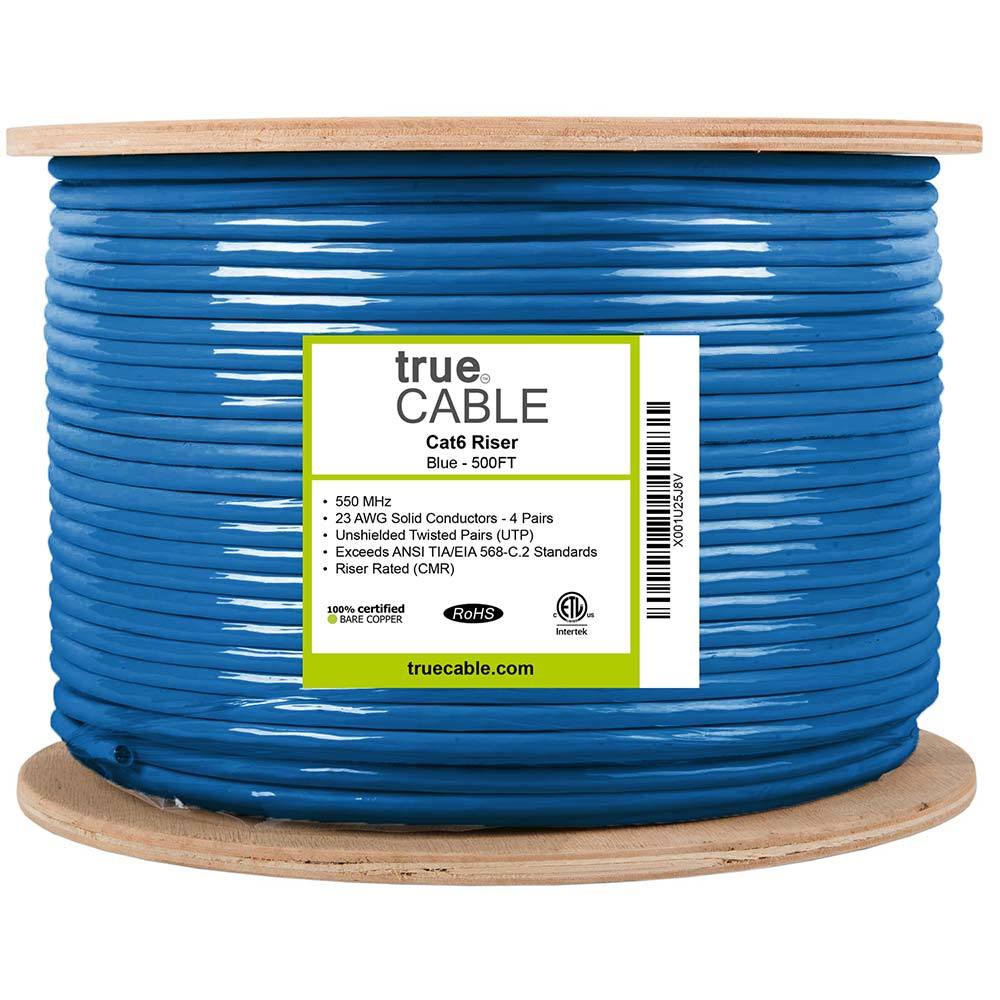
1000 ft riser-rated Cat6 bulk cable for in-wall structured cabling
Key details
- 23AWG solid bare copper conductors suitable for PoE and data runs
- CMR jacket and ETL listing for residential and commercial riser use
10G‑rated Cat6A with larger bend radius
Key details
- Solid copper conductors for higher PoE loads
- Riser-rated bulk cable suitable for structured cabling backbones
Single-gang low-voltage brackets for Ethernet, coax, HDMI, and speaker cable terminations
Key details
- Flush old-work style bracket for clean wall plate installs
- Five-pack useful for rough-in planning across office, TV, and network locations
Thomas & Betts
Thomas & Betts 12008100 1" BLUE ENT 100' COIL
1-inch blue ENT coil for concealed low-voltage pathways
Key details
- 100 ft coil length fits rack-to-attic and difficult future pull paths
- Purpose-built electrical nonmetallic tubing rather than generic split loom

Klein Tools
Klein Tools VDV526-100 LAN Cable Tester
A basic wiremap check for an accessible, disconnected Ethernet run when you can reach both ends.
Before you buy: Use only on unpowered cable with permission or after taking possession. It finds opens, shorts and miswires, but does not certify cable speed or replace a professional test report.
Key details
- Verifies pinout and continuity on Ethernet runs
- Remote terminator for one‑person testing
- Useful when validating new backhaul runs
A Simple Decision Framework
Most projects can make the right call with four questions.
- Will the wall or ceiling already be open for another trade? If yes, pre-wire now.
- Is the room fixed-use and reliability-sensitive, such as an office, TV wall, printer area, or AP location? If yes, prioritize a hardwired drop.
- Will reopening this path later be expensive, dusty, or finish-sensitive? If yes, add conduit or a spare drop while access is easy.
- Is the space staying fully finished and only one or two locations matter? If yes, choose a targeted retrofit instead of chasing every room.
FAQs
Is it always worth pre-wiring during a renovation?
Pre-wiring is most valuable where walls and ceilings are already open and you know the room needs reliable connectivity. In a purely cosmetic project with no framing or electrical changes, a targeted retrofit is often the better use of budget.
Should I run Cat6A everywhere instead of Cat6?
Not usually. Cat6A is thicker, costs more, and is slower to pull through finished walls. Use it selectively for uplinks, longer runs, and higher-value multigig links. Standard Cat6 is still the practical default for many room drops.
How much drywall usually comes down for a retrofit?
Thoughtful retrofit work usually relies on basements, attics, closets, top and bottom plate access cuts, and other low-impact routes before opening larger areas. Some patching may still be required, especially in older plaster-and-lath homes, but a good route plan avoids long trenches.
Can I mix pre-wire and retrofit in the same project?
Yes. That is common. Many Westchester projects pre-wire the rooms already under construction and retrofit one or two additional rooms that matter operationally. Treat it as one system with one rack, one labeling plan, and one route strategy.
Do I need CMP cable in a single-family home?
Not for ordinary non-plenum wall runs. In most single-family residential projects, CMR is the normal choice. CMP is used when the cable passes through an environmental-air or return-air plenum space. If the pathway is unclear, confirm it before the pull, not after inspection.
References
- Fixr CAT6 installation cost guide - checked March 13, 2026
- New York State DOS: 2025 Uniform Code Update - checked March 13, 2026
- CommScope: Cat6A fact file - checked March 13, 2026
- trueCABLE: Riser Cable vs Plenum Cable - checked March 13, 2026
Plan the project with a site visit
Confirm wiring, equipment, placement, and installation scope before hardware is locked in.