


- Quick summary
- What is the difference between Deco BE65 Pro, BE85, and BE95?
- Which TP-Link Deco model is best for most homes?
- When is Deco BE85 worth the extra money?
- When does Deco BE95 actually make sense?
- How fast are these Deco models in real homes?
- How to Configure Backhaul and Switching for Deco Wi-Fi 7
- How large are the Deco nodes?
- How many nodes should you buy?
- How do these models handle smart-home and IoT density?
- How does Deco BE95 compare with eero Max 7 and Orbi 970?
- When should you skip Deco and install Omada or UniFi instead?
- Recommended setups
- FAQs
- References
Quick summary
Deco BE65 Pro vs BE85 vs BE95 comes down to home size, backhaul, and whether the network can use multi-gig wired ports. Deco BE65 Pro is the right choice for most homes. It provides Wi-Fi 7, a 6 GHz radio, two 5Gbps ports, and one 2.5Gbps port per unit without forcing flagship pricing. Deco BE85 is the upgrade for homes with wired backhaul, multi-gig internet, or fast local traffic. Deco BE95 is the specialist flagship for very large homes where premium wireless backhaul and dual 6 GHz radios solve a real layout constraint.
If the house has plaster, stone, multiple hard floors, or a plan to add VLANs, cameras, and ceiling APs later, it is worth evaluating more than consumer mesh. That is the point where Omada Wi-Fi 7 for SMBs and large homes or UniFi vs TP-Link Omada becomes more relevant than buying the most expensive Deco tower.
- Best Deco for most homes: Deco BE65 Pro.
- Best Deco for multi-gig wired homes: Deco BE85.
- Best Deco for very large premium mesh layouts: Deco BE95.
- Backhaul and placement matter more than moving up one Deco tier.
Specs verified against official TP-Link product pages on May 2, 2026. Pack sizes and street pricing move often, so this guide avoids pretending one temporary sale price is the permanent answer.
TP-Link's current U.S. site shows Deco BE85 V1 as BE22000 and Deco BE85 V2 as BE19000. Both versions list the same 10G plus 2.5G port layout and the same physical dimensions, but the Wi-Fi class is not identical.
- Best Wi-Fi 7 system by home size
- Wi-Fi 7 upgrade guide
- TP-Link Deco BE85 vs BE68 review
- Networking infrastructure services
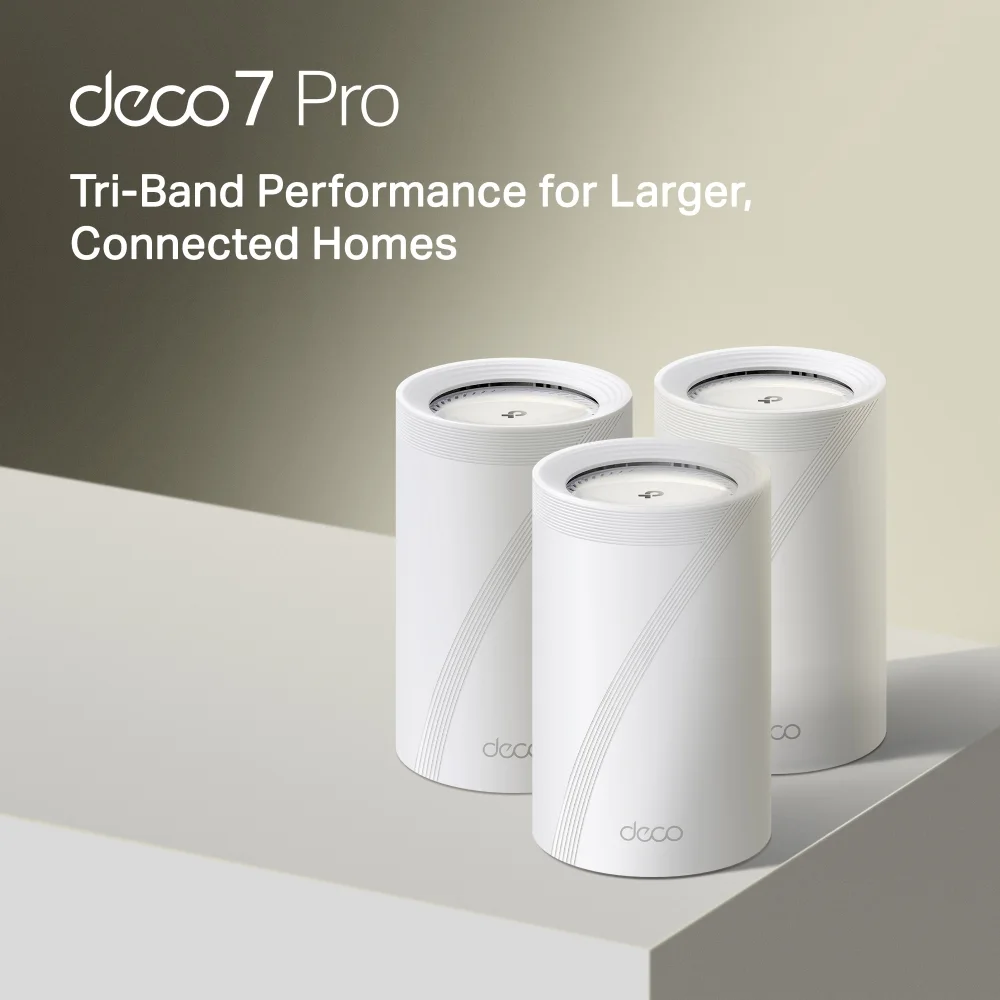
Best balance of price, 6GHz coverage, and multi-gig ports for 1Gbps to 2.5Gbps homes.
Opens search results. Match the model and bundle before ordering.
Find options on AmazonOfficial specificationsKey details
- BE11000 tri-band Wi-Fi 7
- 2 x 5Gbps ports and 1 x 2.5Gbps port per unit
- Up to 200 connected devices on TP-Link's current U.S. materials
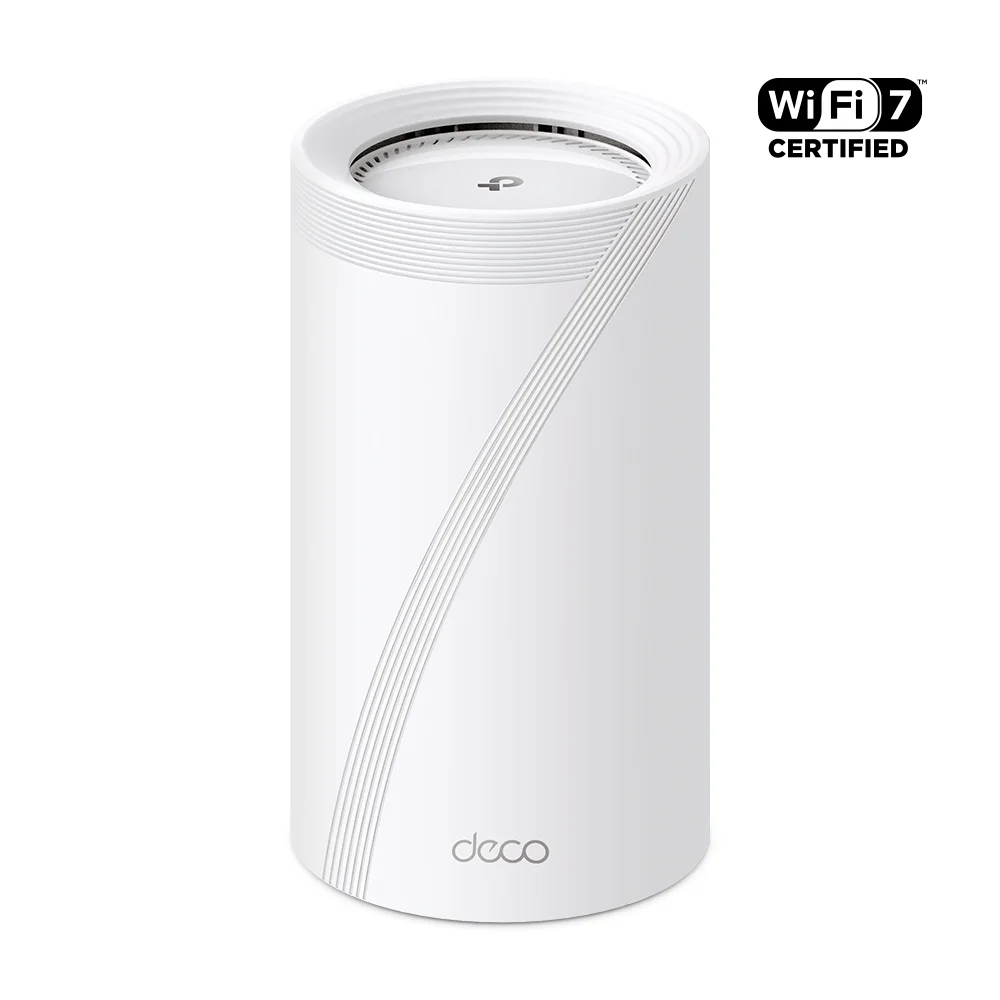
Best when the network needs two 10G-class handoffs and better wired edge capacity at each node.
- BE22000 tri-band Wi-Fi 7
- 10GbE + 2.5GbE ports
- Check pack size
Before you buy: Confirm pack size and hardware revision. No trusted exact Amazon offer has been verified for this comparison pick.

Best when the house still needs premium wireless backhaul and the flagship tier has a real layout reason.
Opens search results. Match the model and bundle before ordering.
Find options on AmazonOfficial specificationsKey details
- BE33000 quad-band Wi-Fi 7
- 1 x 10Gbps Ethernet/fiber combo port, 1 x 10Gbps WAN/LAN port, and 2 x 2.5Gbps ports per unit
- Dual 6GHz radios and wireless plus wired combined backhaul
What is the difference between Deco BE65 Pro, BE85, and BE95?
The primary differences are wireless class, the number of 6 GHz radios, and multi-gig Ethernet port layout.
Deco BE65 Pro:BE11000tri-band,2 x 5Gbpsplus1 x 2.5Gbps, best for most homes.Deco BE85:BE22000onV1orBE19000onV2, with1 x 10Gbps comboplus1 x 10Gbpsplus2 x 2.5Gbps, best for multi-gig wired homes.Deco BE95:BE33000quad-band, dual6 GHzradios, same10G + 2.5Gport pattern, best for very large premium mesh layouts.
TP-Link positions Deco BE65 Pro as the practical Wi-Fi 7 mesh for normal high-end homes. The official U.S. product page lists BE11000 tri-band Wi-Fi 7, two 5Gbps ports, one 2.5Gbps port, combined wired and wireless backhaul, and HomeShield support. That is enough hardware for a lot of 2026 homes, especially if the internet service is 1Gbps or 2.5Gbps and at least one branch node can be wired.
Deco BE85 needs a version caveat. TP-Link's current U.S. site shows BE85 V1 as BE22000 and BE85 V2 as BE19000. Both versions list one 10Gbps RJ45/SFP+ combo WAN/LAN port, one 10Gbps WAN/LAN port, and two 2.5Gbps ports per unit. That port layout is what matters. It lets the node sit inside a real multi-gig topology without immediately forcing compromises around the switch uplink, NAS, or wired satellite path.
Deco BE95 is the flagship. TP-Link lists it as BE33000 quad-band Wi-Fi 7 with two 6 GHz radios, one 10Gbps RJ45/SFP+ combo port, one 10Gbps WAN/LAN port, and two 2.5Gbps ports per unit. The extra 6 GHz radio is the main distinction. It gives BE95 more room to preserve premium wireless backhaul in layouts where a normal tri-band mesh has less backhaul headroom.
| Model | Wi-Fi class | Ports that matter | Best fit | Do not buy if |
|---|---|---|---|---|
| Deco BE65 Pro | BE11000 tri-band | 2 x 5Gbps + 1 x 2.5Gbps per unit | Most homes that want Wi-Fi 7 mesh with wired flexibility | You need 10G-class switching at the mesh edge or a flagship wireless backhaul story |
| Deco BE85 | BE22000 (V1) or BE19000 (V2) tri-band | 1 x 10Gbps RJ45/SFP+ combo + 1 x 10Gbps + 2 x 2.5Gbps per unit | Large homes with wired backhaul, multi-gig internet, or heavier local traffic | Your internet is 1Gbps and the home will stay mostly wireless-only |
| Deco BE95 | BE33000 quad-band | 1 x 10Gbps RJ45/SFP+ combo + 1 x 10Gbps + 2 x 2.5Gbps per unit | Very large premium homes where wireless backhaul still has to do serious work | You are buying it only because it is the flagship |
Which TP-Link Deco model is best for most homes?
Deco BE65 Pro is the best choice for most homes. It provides tri-band Wi-Fi 7 and dual 5Gbps ports at a practical price point.
BE65 Pro already has the two things many mid-tier mesh systems miss: a 6 GHz radio and genuinely useful wired ports. Two 5Gbps ports plus one 2.5Gbps port per unit means the gateway can handle a multi-gig handoff, a switch uplink, or a fast local device without becoming immediately awkward.
In a 1,800 to 3,500 square foot home with newer drywall construction, a two-pack or three-pack BE65 Pro layout is often enough. It is especially compelling when the house can use Ethernet backhaul or a good MoCA-backed retrofit path. If the owner wants an app-led experience and does not want to maintain a controller, BE65 Pro lands in the sweet spot.
The main reason to skip BE65 Pro is topology, not raw Wi-Fi speed. If the house has 2.5Gbps+ internet, a fast NAS, multiple wired branches, or a core switch that makes 10G uplinks useful, BE85 becomes the cleaner fit.
When is Deco BE85 worth the extra money?
Deco BE85 is worth it when the home has the wiring and device mix to use its ports, not simply because it sits higher in the lineup.
BE85 is a strong fit for three kinds of projects. First, the house already has multi-gig internet and the owner wants that speed distributed cleanly to a wired backbone. Second, the network has local traffic that matters, such as NAS backups, media servers, or multiple wired offices. Third, the home needs a premium mesh tier but does not need the full BE95 flagship story.
This is where the article in our broader best Wi-Fi 7 system by home size guide stays true: the best system changes when the wiring changes. A BE85 network with wired backhaul can be a meaningful upgrade over BE65 Pro. A BE85 network running wirelessly through bad placement often is not.
If you are deciding between BE85 and a smaller Deco plus better infrastructure, choose infrastructure first. A BE65 Pro system with a clean riser, sensible node placement, and a good switch often beats a BE85 system hidden in cabinets and chained wirelessly across dense walls.
When does Deco BE95 actually make sense?
Deco BE95 makes sense for very large homes, premium layouts that cannot fully wire every node, and buyers who need the strongest Deco wireless backhaul tier TP-Link offers.
The extra value is not that BE95 says BE33000. Aggregate class numbers do not describe one phone in one room. The value is that BE95 is quad-band and carries dual 6 GHz radios, which can help preserve backhaul capacity in a large mesh design where multiple premium nodes still need to talk over the air.
That matters in homes with one or two unavoidable wireless hops, wide floor plates, or a layout where pulling Ethernet everywhere is unrealistic. In those cases, BE95 can be easier to justify than it first appears. It is still a niche buy. If the house is ordinary in size, already has solid wiring, or only needs 1Gbps-class internet performance, BE95 is usually unnecessary.
There is also a point where BE95 is not the right premium upgrade. If the home is difficult enough that you are relying on a flagship mesh to work around plaster, stone, fireplaces, mirrored built-ins, and floor-to-floor attenuation, a designed AP layout may be the better answer. Read UniFi vs eero vs Deco for older homes before assuming the most expensive mesh node resolves construction-related coverage problems.
How fast are these Deco models in real homes?
In real homes, wired backhaul matters more than the difference between BE11000, BE22000, and BE33000 on the box.
These are Data Wire Solutions planning ranges for a clean 2x2 Wi-Fi 7 client in drywall homes with sensible placement. They are not TP-Link lab numbers, and dense construction, client radios, and firmware revisions move the result.
| Model | Close range with wired backhaul | Mid-range | Far room | What changes with wireless backhaul |
|---|---|---|---|---|
| Deco BE65 Pro | About 0.9 to 1.3Gbps | About 0.6 to 0.9Gbps | About 0.4 to 0.7Gbps | Expect the far-room result to fall first if one node is relaying wirelessly |
| Deco BE85 | About 1.4Gbps or higher | About 0.9 to 1.2Gbps | About 0.6 to 0.9Gbps | A wireless hop can pull many installs back under 1Gbps class performance |
| Deco BE95 | About 1.5Gbps or higher | About 1.0 to 1.3Gbps | About 0.7 to 1.0Gbps | Dual 6GHz radios preserve premium backhaul better, but wiring still wins |
The practical takeaway is simple. BE85 and BE95 can produce better same-room and mid-room results, but only when the topology is clean enough to let them work. A weaker model with proper backhaul often beats a flagship model with a bad wireless relay path.
How to Configure Backhaul and Switching for Deco Wi-Fi 7
All Deco Wi-Fi 7 models perform best with wired Ethernet backhaul. Use MoCA 2.5 over coax as the next-best retrofit option.
Relying purely on wireless transmission between nodes wastes valuable 6 GHz spectrum. A stable wired path lets the radios serve client devices instead of carrying every hop between nodes. If the house already has Cat6 between floors or to a few strategic rooms, use it. If it only has coax, MoCA 2.5 is often the next-best retrofit.
BE65 Pro: works well with a modest2.5GbEor5GbEcore.BE85: needs a real multi-gig switching plan to justify its ports.BE95: needs the same multi-gig core plus a layout that benefits from stronger wireless backhaul.
A common mistake is buying a flagship node while leaving the rest of the network unchanged. A gigabit-only switch, poor uplink path, or hidden node placement can limit much of the benefit. Before you move to BE85 or BE95, also read home network rack setup and patch panel planning and best low-cost PoE switches if the home is edging toward a more serious wiring layout.
- Confirm the ISP handoff speed, not just the advertised plan.
- Map where Ethernet or coax already exists before choosing pack size.
- Keep one wireless hop as the practical limit for premium mesh whenever possible.
- Do not bury a Deco node inside a media cabinet or behind a TV.
- If you buy BE85 or BE95, make sure the switch and uplinks can use the extra headroom.
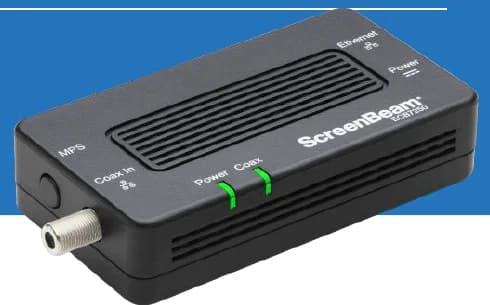
A two-adapter option for wired backhaul when a usable coax path already connects the router area and a weak room.
- 2 adapters in kit
- 2.5GbE port per adapter
- Uses existing coax
Before you buy: Confirm both outlets share a compatible coax system. Satellite and some provider setups are incompatible; DOCSIS 3.1 can conflict. Check splitters and any required point-of-entry filter before buying.
Best balance of price, 6GHz coverage, and multi-gig ports for 1Gbps to 2.5Gbps homes.
Opens search results. Match the model and bundle before ordering.
Find options on AmazonOfficial specificationsKey details
- BE11000 tri-band Wi-Fi 7
- 2 x 5Gbps ports and 1 x 2.5Gbps port per unit
- Up to 200 connected devices on TP-Link's current U.S. materials
Best when the network needs two 10G-class handoffs and better wired edge capacity at each node.
- BE22000 tri-band Wi-Fi 7
- 10GbE + 2.5GbE ports
- Check pack size
Before you buy: Confirm pack size and hardware revision. No trusted exact Amazon offer has been verified for this comparison pick.
Best when the house still needs premium wireless backhaul and the flagship tier has a real layout reason.
Opens search results. Match the model and bundle before ordering.
Find options on AmazonOfficial specificationsKey details
- BE33000 quad-band Wi-Fi 7
- 1 x 10Gbps Ethernet/fiber combo port, 1 x 10Gbps WAN/LAN port, and 2 x 2.5Gbps ports per unit
- Dual 6GHz radios and wireless plus wired combined backhaul
How large are the Deco nodes?
BE85 and BE95 are large 9.29-inch towers. BE65 Pro is materially smaller and easier to place on shelves and consoles.
Physical size matters because these products only perform well in open air. Buyers often treat them like decor objects, then lose performance by hiding them in cabinetry. The official BE85 and BE95 pages list 5.04 x 5.04 x 9.29 in per node. TP-Link's published Deco BE65 Pro product documentation lists 4.23 x 4.23 x 6.93 in.
| Model | Dimensions (W x D x H) | Placement impact |
|---|---|---|
| Deco BE65 Pro | 4.23 x 4.23 x 6.93 in | Fits shelves and consoles more easily and is the least intrusive of the three |
| Deco BE85 | 5.04 x 5.04 x 9.29 in | Tall tower that needs open shelf space and should stay out of enclosed media furniture |
| Deco BE95 | 5.04 x 5.04 x 9.29 in | Same large footprint as BE85, with the same open-air placement requirement |
If shelf placement needs to stay discreet in the living room, that is another reason BE65 Pro is the easiest recommendation. BE85 and BE95 are harder to place unobtrusively without hurting performance.
How many nodes should you buy?
Buy the smallest pack that fits the layout cleanly, then fix the placement and backhaul before adding another node.
For many homes under about 2,500 square feet, two nodes are enough. For homes in the 2,500 to 4,000 square foot range, two or three nodes can work depending on the floor plan, wall density, and whether one node can sit in the right circulation zone instead of the wrong utility corner. Very large houses may need more coverage points, but that is also where mesh economics start colliding with access point economics.
More nodes are not always better. Too many consumer mesh towers in the wrong places can create roaming confusion, noisy overlap, and extra wireless backhaul contention. A two-node wired layout often beats a three-node wireless daisy chain. This is especially true with BE85 and BE95, where it is easy to assume higher-end hardware compensates for poor planning.
Our practical default is simple:
| Home type | Best starting point | Why | Upgrade trigger |
|---|---|---|---|
| Apartment or smaller home | One router or two-node BE65 Pro | Shorter distances matter more than flagship hardware | Only move up if modem placement is bad or walls are dense |
| 1,500 to 3,000 sq ft wired-backhaul home | Two-node or three-node BE65 Pro | Best balance of cost, ports, and coverage | Move to BE85 if local multi-gig traffic actually matters |
| Large multi-gig home with wired core | BE85 two-pack or three-pack | 10G-class ports are easier to justify | Move to BE95 only if wireless backhaul is still doing heavy lifting |
| Very large premium home with some unavoidable wireless hops | BE95 | Dual 6 GHz radios make the flagship story more defensible | Move to APs if construction is the real problem |
How do these models handle smart-home and IoT density?
All three models are built for dense homes and include an IoT network with device isolation features. TP-Link rates BE65 Pro for up to 200 devices and rates BE85 and BE95 for over 200 devices.
TP-Link positions all three systems around high client capacity rather than just peak speed tests. The official BE65 Pro page says it connects up to 200 devices. The current U.S. BE85 pages and the BE95 page both say they connect over 200 devices. More important than the exact marketing number, the Deco software stack includes a dedicated IoT network and device isolation features across these models, which is useful when the home has cameras, switches, thermostats, speakers, and low-bandwidth devices that should stay segregated from laptops and phones.
The smart-home advantage is practical:
- Put slower or less-trusted devices on the dedicated IoT network.
- Keep laptops, phones, and work devices on the main SSIDs.
- Use HomeShield and WPA3 where supported for stronger segmentation and hygiene.
This does not replace a real VLAN design, but for a consumer mesh platform it is a meaningful strength. For many homes with 50+ connected smart devices, this is enough. For more complex segmentation or property-wide policy control, Omada or UniFi is still the better platform.
How does Deco BE95 compare with eero Max 7 and Orbi 970?
Deco BE95 competes with other flagship mesh kits, but it is best justified when you need premium wireless backhaul more than the simplest app or the largest flagship feature set.
eero Max 7 remains compelling when the owner wants a polished app-led experience and smart-home-friendly simplicity. Netgear Orbi 970 is the more direct quad-band flagship rival when the buyer is shopping at the top of the consumer mesh market. BE95 sits between those options: it offers a true flagship hardware tier with dual 6 GHz radios and 10G connectivity, but it still needs the same disciplined placement and backhaul logic as the rest of the Deco family. For a broader premium-mesh comparison, see eero Max 7 review.
When should you skip Deco and install Omada or UniFi instead?
Skip Deco when the house wants infrastructure behavior more than consumer-mesh simplicity.
That usually means the project needs ceiling or wall APs, PoE switching, VLANs, guest segmentation, camera expansion, or a network that will be tuned room by room over time. In those cases, Omada Wi-Fi 7 for SMBs and large homes or UniFi U7 Pro vs eero Max 7 are better starting points than pushing BE95 into a job it was not meant to solve.
This matters a lot in older homes. Thick plaster, stone chimneys, steel, radiant barriers, and stacked media zones can punish even excellent mesh systems. An AP can be mounted where coverage is needed. A mesh node has to live where furniture and aesthetics allow. That difference is often the whole project.
Choose Deco when the owner values simplicity and the house can support the node locations. Choose Omada or UniFi when the house itself is the constraint.
We map risers, backhaul options, and realistic node locations for older Westchester and Fairfield homes before hardware budgets get committed.

Wi-Fi 7 (802.11be) tri-band BE11000
- Tri-band Wi-Fi 7
- 2.5GbE uplink
- PoE+ powered

The practical UniFi Wi-Fi 7 baseline for planned ceiling locations: tri-band radios, a 2.5GbE uplink, and controller-based tuning without paying for a 10G AP edge.
- Tri-band Wi-Fi 7
- 2.5GbE uplink
- PoE+ powered
Before you buy: This Amazon link selects Adorama's US-model offer. Confirm Sold by Adorama, New condition, and that the PoE+ adapter is not included.

Wi-Fi 7 tri-band with 2.4, 5, and 6 GHz radios
Opens search results. Match the model and bundle before ordering.
Find options on AmazonOfficial specificationsKey details
- 6 spatial streams with a 2.5 GbE uplink and PoE+ power
- Single uplink port only, so it should not be treated as a wall switch
- Optional table stand makes it viable as a desk or shelf AP in finished spaces
Recommended setups
| Scenario | Good | Better | Best |
|---|---|---|---|
| 1Gbps home with a simple layout | Deco BE65 Pro | BE65 Pro with wired backhaul | AP design only if the house is already wired |
| 2.5Gbps fiber home with several wired rooms | BE65 Pro | Deco BE85 | Omada or UniFi APs with a multi-gig core |
| Large home with one unavoidable wireless hop | Deco BE85 | Deco BE95 | BE95 only after verifying node placement and backhaul limits |
| Large older home with difficult construction | BE65 Pro or BE85 with wired/MoCA help | Omada EAP770 or UniFi U7 Pro Wall in key rooms | Designed AP layout instead of more mesh nodes |
BE65 Pro is the default. BE85 is the premium step up when the wiring justifies it. BE95 is the specialized flagship. If the house does not have a clear BE95 use case, a lower tier is usually the better choice.
If you want adjacent decision paths, compare TP-Link Deco BE85 vs BE68, Deco BE63 review, and best Wi-Fi 7 mesh systems.
- BE65 Pro gives TP-Link a practical Wi-Fi 7 value tier with meaningful wired flexibility
- BE85 and BE95 have port layouts that can actually fit into a multi-gig home design
- All three support combined wired and wireless backhaul and a simpler ownership model than controller-based systems
- The Deco lineup scales cleanly from strong mainstream to true flagship
- Flagship Deco models are easy to overspend on if the rest of the network is still weak
- Wireless-only designs still fall behind clean Ethernet or MoCA backhaul
- Large tower nodes need open placement and are a poor fit for enclosed cabinetry
- Deco remains less granular than Omada or UniFi when the project needs deeper control
FAQs
Is Deco BE85 worth it over Deco BE65 Pro?
Yes, but only when the network can use the extra wired headroom. If the home has multi-gig internet, a fast switch, NAS traffic, or wired backhaul to several nodes, BE85 is easier to justify. For normal 1Gbps or 2.5Gbps homes, BE65 Pro is usually the better value.
Is Deco BE95 better than BE85?
BE95 is the stronger flagship, but "better" only matters if the layout benefits from its quad-band design and dual 6 GHz radios. In a normal wired-backhaul home, BE85 is usually the saner buy.
Which Deco is best for most homes in 2026?
For most homes, Deco BE65 Pro is the best starting point because it balances Wi-Fi 7 performance, multi-gig wired ports, and cost better than the flagship models.
Do I need Ethernet backhaul for Deco Wi-Fi 7 mesh?
You do not strictly need it, but it is the fastest way to make any Deco system more stable and more worthwhile. Ethernet is best, MoCA 2.5 is the next-best retrofit, and long multi-hop wireless backhaul should be the fallback.
Should I buy Deco or move to Omada?
Buy Deco when you want a simpler consumer mesh system and the home can support good node placement. Move to Omada when the project needs PoE access points, VLANs, deeper control, or a more infrastructure-style design.
References
- TP-Link Deco BE65 Pro official page: tp-link.com/us/deco-mesh-wifi/product-family/deco-be65-pro
- TP-Link Deco BE85 V1 official page: tp-link.com/us/deco-mesh-wifi/product-family/deco-be85
- TP-Link Deco BE85 V2 official page: tp-link.com/us/deco-mesh-wifi/product-family/deco-be85/v2 (2-pack)
- TP-Link Deco BE95 official page: tp-link.com/us/deco-mesh-wifi/product-family/deco-be95
- TP-Link HomeShield overview: tp-link.com/us/homeshield
- eero Max 7 official help page: support.eero.com
- NETGEAR Orbi 970 official page: netgear.com
Plan the project with a site visit
Confirm wiring, equipment, placement, and installation scope before hardware is locked in.