

- Quick summary
- UniFi U7 Pro vs eero Max 7: system architecture differences
- Hardware specifications comparison
- How much does a complete U7 Pro vs eero Max 7 setup cost?
- What real-world speeds should you expect from a 2x2 Wi-Fi 7 client?
- Installation and backhaul requirements
- Power consumption, thermals, and physical footprint
- Network management, subscriptions, and data handling
- Is eero Max 7 or UniFi U7 Pro better for smart homes?
- Should you upgrade to the UniFi U7 Pro XG?
- Warranty and support comparison
- Final recommendation: which system fits your home?
- Recommended gear
- FAQs
- References
Quick summary
UniFi U7 Pro vs eero Max 7 is not a like-for-like access point comparison. The U7 Pro is a $189 ceiling or wall access point that makes the most sense on wired Power over Ethernet (PoE) backhaul inside a UniFi network. The eero Max 7 is a $599.99 desktop mesh router with its own gateway function, power adapter, four multi-gig Ethernet ports, and app-led management.
Choose UniFi U7 Pro when you can run Ethernet to good access point locations and want deeper network control at lower per-radio cost. Choose eero Max 7 when you want premium Wi-Fi 7 mesh with the least installation work, especially where wireless placement flexibility and built-in smart-home hub functions matter.
Prices and specifications below were checked against the manufacturers' US pages on May 27, 2026. Prices can change; the installation requirements do not.
- A realistic new UniFi single-AP starter stack begins at $333: U7 Pro, Cloud Gateway Ultra, and Ubiquiti's basic PoE+ adapter. That adapter limits its link to 1 GbE.
- A single eero Max 7 is $599.99 direct from eero and includes routing and power; eero Plus is optional, not required for basic Wi-Fi.
- The U7 Pro is strongest with wired backhaul and a suitable PoE plan. The eero Max 7 is easier to deploy as wired or wireless mesh.
- Buy the management model you want to live with: UniFi's configurable infrastructure platform or eero's simpler app-managed platform.
UniFi U7 Pro vs eero Max 7: system architecture differences
The UniFi U7 Pro is a managed access point; the eero Max 7 is an all-in-one mesh router and gateway.
The U7 Pro provides wireless coverage, but it is not a broadband router and it does not include a power supply. Ubiquiti documents standalone AP setup with an existing router, but standalone operation loses features such as remote management and coordinated fast roaming across multiple APs. The more capable path is a UniFi control plane, commonly a Cloud Gateway Ultra for a modest home or office deployment.
The eero Max 7 is a mesh-capable router and access point in one desktop unit. One eero connects to the modem or optical network terminal as the gateway; additional eero nodes can use wired or wireless backhaul. It includes its external power supply and is set up in the eero app.
A new UniFi buyer needs a router or gateway, power for each AP, and preferably Ethernet in the right places. An eero buyer needs outlets and sensible node placement, with Ethernet strongly recommended where it is practical.
For the broader field of app mesh alternatives, see our best Wi-Fi 7 mesh systems guide. For the U7 Pro platform in more detail, see our UniFi U7 Pro review and setup tips.
Hardware specifications comparison
This table compares the UniFi U7 Pro and eero Max 7 using official May 2026 hardware specifications.
| Item | UniFi U7 Pro | eero Max 7 |
|---|---|---|
| Product role | Managed access point | Mesh router and access point |
| Official US price checked May 27, 2026 | $189.00 per AP | $599.99 one / $1,149.99 two / $1,699.99 three |
| Wi-Fi standard and bands | Wi-Fi 7, tri-band 2.4 / 5 / 6 GHz | Wi-Fi 7, tri-band 2.4 / 5 / 6 GHz |
| Published wireless rates | 6 GHz: 5.8 Gbps; 5 GHz: 4.3 Gbps; 2.4 GHz: 688 Mbps | Up to 4.3 Gbps wireless network speed |
| Ethernet | 1 x 2.5 GbE uplink | 2 x 10 GbE plus 2 x 2.5 GbE |
| Power | PoE+; supply not included | 45 W external USB-PD supply included |
| Published coverage | 1,500 sq ft per AP | Up to 7,500 sq ft for 3-pack |
| Published client figure | 300+ clients | 750+ connected devices for 3-pack |
| Management | UniFi Network or limited standalone mode | eero app with cloud connectivity |
| Smart-home controller | Not a smart-home hub | Matter and Zigbee controller; works with Thread devices |
Published maximum rates are not the speed a laptop will see in every room. Wall material, client capability, interference, channel width, switch speed, internet plan, and backhaul all shape the result.
How much does a complete U7 Pro vs eero Max 7 setup cost?
A complete one-AP UniFi starter setup costs about $333; one eero Max 7 costs $599.99.
The headline $189 U7 Pro price is attractive, but it is only the AP. For a new UniFi network, a fair minimum comparison includes a gateway/controller and a way to power the AP. The Cloud Gateway Ultra is $129. Ubiquiti sells a $15 PoE+ Adapter (30W), but its official specifications identify a Gigabit LAN Port. It powers the U7 Pro; it does not preserve the AP's 2.5 GbE uplink speed.
| Scenario | UniFi U7 Pro starter hardware | eero Max 7 hardware | Planning note |
|---|---|---|---|
| One coverage point | $333: 1 AP + Gateway Ultra + 1 basic PoE+ adapter | $599.99: 1 node | UniFi starter is cheaper, but its $15 adapter is gigabit only |
| Two coverage points | $537: 2 APs + Gateway Ultra + 2 basic adapters | $1,149.99: 2 nodes | Budget multi-gig PoE switching separately if throughput is the goal |
| Three coverage points | $741: 3 APs + Gateway Ultra + 3 basic adapters | $1,699.99: 3 nodes | Cabling labor and pathways are not included in the UniFi figure |
| Optional paid service over five annual renewals | No required plan for normal UniFi Network management | eero Plus adds $499.95 if retained at $99.99/year | eero Plus is optional and trial promotions may reduce the first-period cost |
If Ethernet already reaches AP locations, UniFi can cost substantially less while offering more configuration. If cable must be installed through finished walls, the lower hardware total does not describe the whole project. Conversely, eero's hardware price should not be inflated with eero Plus unless you actually want its paid security, content-filtering, ad-blocking, activity-history, or related features.
What real-world speeds should you expect from a 2x2 Wi-Fi 7 client?
Expect 1.5-2.6 Gbps near a clean 6 GHz Wi-Fi 7 node, with one-wall speeds often closer to 800 Mbps-1.6 Gbps.
| Scenario | UniFi U7 Pro | eero Max 7 | What changes the result |
|---|---|---|---|
| Close range, clean 6 GHz, wired backhaul | 1.5-2.3 Gbps | 1.8-2.6 Gbps | Client radio, 320 MHz availability, AP uplink, and test server speed |
| One normal interior wall | 800 Mbps-1.4 Gbps | 900 Mbps-1.6 Gbps | Wall material, AP height, node placement, and channel width |
| One wireless mesh hop | Not the preferred U7 Pro design | 500 Mbps-1.1 Gbps | Backhaul band quality and whether the node can hold a clean path |
| Dense plaster, masonry, or metal lath | Design for more wired APs, not one louder AP | Plan more nodes or wired/MoCA backhaul | Building material dominates the radio spec |
Installation and backhaul requirements
The UniFi U7 Pro is best with wired PoE backhaul; the eero Max 7 supports wired or wireless mesh placement.
Backhaul is the path from each wireless coverage point back to the network. A wired backhaul gives client traffic a predictable Ethernet path. Wireless mesh backhaul is convenient, but it depends on radio conditions that vary by room, floor, and building material.
The U7 Pro is the stronger fit when Ethernet can land at ceiling or upper-wall locations. One cable carries both data and PoE+ power, leaving a clean AP location without a nearby wall outlet. In a multi-AP install, the design can use short cells, measured placement, and wired uplinks instead of asking a distant node to relay traffic through multiple walls.
The eero Max 7 is much easier when pulling new cable is unrealistic. Nodes sit on shelves or furniture near outlets and can form a wireless mesh. It is still worth wiring eero nodes whenever possible: each node has unusually capable wired ports, so Ethernet backhaul allows the premium hardware to do more useful work. eero's official material describes TrueMesh as choosing paths dynamically; it does not say the 6 GHz radio becomes a dedicated backhaul band in every deployment.
For an older home with plaster, masonry, or difficult floor transitions, do not assume either product fixes layout by specification alone. Start with locations and pathways. Our home network rack setup guide explains the wired core, while the Wi-Fi 7 speed and placement guide covers testing the rooms that actually matter.
Data Wire Solutions can map cable pathways, AP locations, and practical mesh fallbacks before you buy hardware.
The U7 Pro has a 2.5 GbE uplink, but Ubiquiti's inexpensive $15 PoE+ Adapter provides Gigabit LAN only. That is acceptable for a modest internet-first install. For multi-gig local transfers or faster internet service, specify a compatible multi-gig PoE+ switch or injector as part of the design.
Power consumption, thermals, and physical footprint
The U7 Pro is a ceiling AP with a 21W max draw; the eero Max 7 is a larger desktop node with a 45W USB-C power supply.
The U7 Pro is listed at 21W maximum power consumption and runs from PoE+. It is physically wide at 8.1 inches across, but ceiling or wall mounting keeps it out of shelf space and eye-level clutter. The tradeoff is installation work: drilling, mounting, cable fishing, and PoE planning.
The eero Max 7 is listed at 7.24 x 8.73 x 3.54 inches and uses a 45W external USB-PD supply. eero also reports 21.9W typical power consumption under its standardized power test. It belongs on a shelf, console, or open furniture surface with room around the vents. Claims that the Max 7 requires active fan cooling were not supported by the sources checked, so the practical advice is ventilation, not fan-noise management.
| Item | UniFi U7 Pro | eero Max 7 |
|---|---|---|
| Power planning | PoE+; 21W max draw | 45W USB-PD supply; eero reports 21.9W typical use |
| Visual footprint | Large ceiling or wall disc, less visible after install | Large upright desktop node, visible in the room |
| Installation burden | Cable, mount, PoE source, and controller planning | Outlet, shelf placement, app setup, and optional wired backhaul |
| Thermal planning | Keep out of dead-air cabinets; follow AP mounting guidance | Keep upright and ventilated; do not bury in closed cabinetry |
Network management, subscriptions, and data handling
UniFi provides deeper local network control; eero provides simpler app management with optional paid features.
eero is built around simpler ownership. Its product page states that networks can be set up in minutes and managed from anywhere through the app. Basic functions are included: speed tests, device blocking, profiles, pauses, performance tracking, automatic software updates, guest Wi-Fi, and limits on online access. eero Plus is an optional $9.99/month or $99.99/year subscription that adds features including Active Threat Protection, ad blocking, content filters, activity history, and network insights.
UniFi is built around control. A controlled U7 Pro deployment can provide multiple wireless networks, guest and client isolation, radio configuration, traffic visibility, and VLAN-aware designs. Ubiquiti also permits standalone AP setup, which is useful if you already have another router and want one AP, but the documented limitations make it a weaker choice for a coordinated multi-AP project.
eero's Max 7 specifications list cloud connectivity, and eero's privacy notice says it collects product and network information such as network bandwidth usage statistics, IP and MAC addresses, device hostnames, device types, and Wi-Fi channel usage. The notice also says eero networks do not track where users go on the internet and that it is not in the business of selling customer personal information.
UniFi supports fully local management, including local-only or air-gapped deployments. Ubiquiti also states that remote management is enabled by default in normal initial setup. So UniFi can be configured for local-only operation; it is not accurate to imply every out-of-box deployment automatically remains local without a setup choice.
Is eero Max 7 or UniFi U7 Pro better for smart homes?
The eero Max 7 is better for smart-home hub functions; UniFi is better for segmented IoT networking.
For smart-home hub functions, eero Max 7 has the clear hardware advantage. eero lists Matter and Zigbee controller capability, Thread device support, Bluetooth Low Energy, and Works with Alexa. That can simplify a home that already uses compatible smart-home devices and wants fewer separate network-adjacent boxes.
The family-control decision is more nuanced. eero includes useful basic profile and device controls without a plan, but content filters, ad blocking, and Active Threat Protection are among the eero Plus features. UniFi offers more network segmentation and policy flexibility when configured properly, but it asks someone to design and administer those settings. Parents who want simple app controls may prefer eero even when UniFi can be made more granular.
Should you upgrade to the UniFi U7 Pro XG?
Choose the $199 U7 Pro XG only when the network can use its faster 10 GbE-capable uplink.
It may change which UniFi AP belongs in a new multi-gig design. Ubiquiti now lists the U7 Pro XG at $199, only $10 above the U7 Pro, with the same six-stream Wi-Fi 7 positioning and a 10/5/2.5/1 GbE uplink. If you are already building a 10 GbE or fast multi-gig PoE edge, price the XG before ordering several standard U7 Pro units.
It does not turn UniFi into eero. The XG still belongs to a PoE-powered, controller-oriented AP platform, while eero Max 7 remains a desktop mesh router with four Ethernet ports and smart-home controller functions. Also, a faster AP uplink only matters when the switch, gateway, cabling, clients, and workloads can use it.
Warranty and support comparison
eero Max 7 now appears under eero's 3-year Wi-Fi 7 warranty list; Ubiquiti warranty length depends on purchase channel.
eero's Help Center lists eero Max 7 under its 3 YEAR LIMITED WARRANTY eligible hardware. The eero Max 7 product page still contains detail text that links to a 1-year limited warranty, so buyers should confirm the current warranty term at checkout and keep proof of purchase from eero or an official retail partner.
Ubiquiti's standard limited warranty is 2 years for products bought directly from official Ubiquiti webstores and 1 year for products bought through authorized distributors or resellers. UI Care can extend coverage to 5 years on eligible products and adds priority RMA handling, prepaid return shipping, and advanced replacement-style benefits where offered.
Final recommendation: which system fits your home?
Choose UniFi U7 Pro for wired infrastructure. Choose eero Max 7 for simpler wireless mesh and smart-home integration.
- Ethernet can reach the AP locations, or structured cabling is already in place.
- You want ceiling or wall access points rather than desktop nodes in living spaces.
- Guest isolation, VLANs, network visibility, or future camera and switching integration matter.
- You will price the gateway and PoE path honestly, including multi-gig PoE hardware when required.
- You prefer a network platform that can be managed locally.
- You want one product family to provide routing and expandable Wi-Fi 7 mesh with app-led setup.
- New Ethernet runs are difficult, so moveable desktop nodes and wireless mesh flexibility matter.
- Dual 10 GbE ports plus additional 2.5 GbE ports are useful for wired devices or backhaul.
- Matter, Thread, Zigbee, and Alexa compatibility are meaningful parts of the home.
- You accept cloud-managed operation and will subscribe to eero Plus only if its added features are worth the recurring price.
For a home or office where good cable paths are available, we generally start the design with wired AP locations and price UniFi against the alternatives. For a finished home where adding cable would be disruptive and the owner values minimal administration, eero Max 7 is a coherent premium mesh choice, not merely an expensive AP.
Data Wire Solutions can compare UniFi and eero for your floor plan, quote the wiring path, and install the system cleanly.
Recommended gear
The products below match the two decision paths: a wired-first UniFi access point setup or a premium app-managed eero mesh node. A new UniFi installation also needs suitable PoE power and a router/control-plane choice; do not treat a bare AP purchase as a complete system.
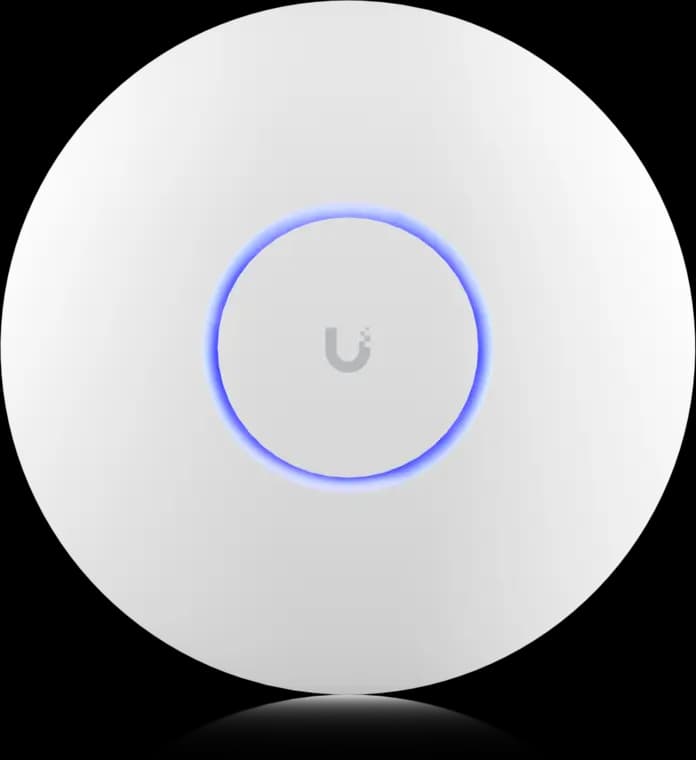
The practical UniFi Wi-Fi 7 baseline for planned ceiling locations: tri-band radios, a 2.5GbE uplink, and controller-based tuning without paying for a 10G AP edge.
- Tri-band Wi-Fi 7
- 2.5GbE uplink
- PoE+ powered
Before you buy: This Amazon link selects Adorama's US-model offer. Confirm Sold by Adorama, New condition, and that the PoE+ adapter is not included.
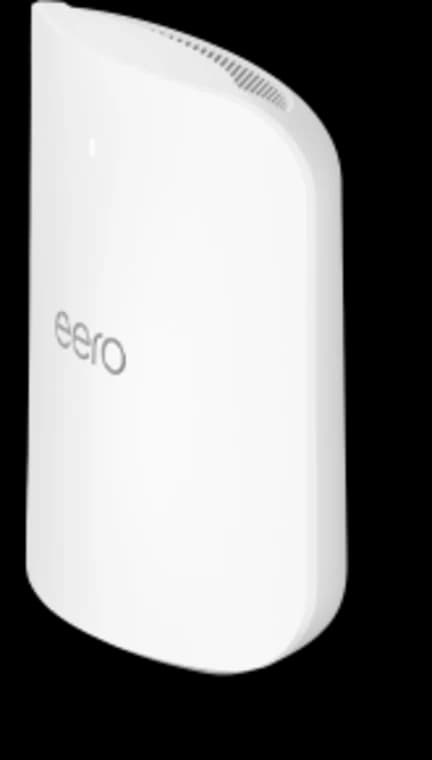
Choose Max 7 only when its four Ethernet ports, 10GbE capability, larger coverage target, or higher device capacity solve a real requirement.
- Tri-band Wi-Fi 7
- 2 × 10GbE ports
- 2 × 2.5GbE ports
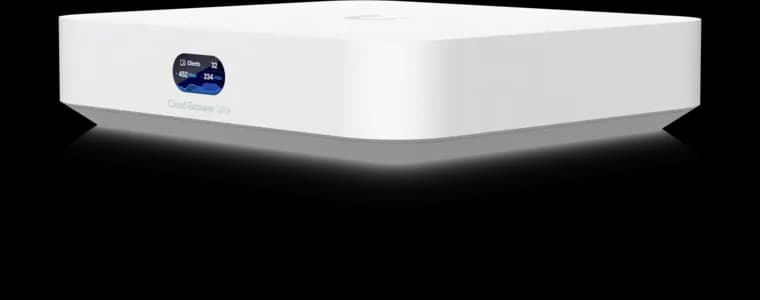
UniFi controller built-in
- 1 Gbps IDS/IPS
- 2.5GbE WAN
- No Protect recording
Before you buy: This Amazon link selects Adorama's offer. Confirm Sold by Adorama, New condition, the final price, and return terms at checkout; the offer can change.
FAQs
Can I use the UniFi U7 Pro without buying a Cloud Gateway Ultra?
Yes. Ubiquiti documents standalone AP setup with an existing router, but standalone mode limits features including remote management and coordinated fast roaming across multiple APs. For more than a simple single-AP addition, a UniFi Cloud Gateway or other suitable UniFi control plane is the cleaner comparison.
Does the eero Max 7 require eero Plus?
No. Basic network operation and several device/profile controls are included. eero Plus is optional and is currently listed at $9.99 per month or $99.99 per year for added services such as Active Threat Protection, ad blocking, content filters, and network insights.
Why is the cheapest UniFi starter total $333 instead of $318?
The U7 Pro costs $189 and Cloud Gateway Ultra costs $129, but the AP also needs PoE+ power. Adding Ubiquiti's $15 PoE+ adapter makes a powered single-AP minimum $333. That adapter has a gigabit data port; select multi-gig PoE equipment separately if you need to use the AP's 2.5 GbE uplink.
Is eero Max 7 better when I cannot run Ethernet between nodes?
It is usually the more natural product for that constraint because it is built as a consumer mesh system with moveable powered nodes and automatic path selection. Results still depend on placement and walls. Wired backhaul improves either system when it is feasible.
Should a new UniFi buyer pick U7 Pro XG instead?
Price it before deciding if the design includes fast multi-gig or 10 GbE PoE switching. Ubiquiti lists U7 Pro XG at $199 with a 10 GbE-capable uplink, compared with $189 and a 2.5 GbE uplink for U7 Pro. For a simpler gigabit or 2.5 GbE build, the standard U7 Pro remains a sensible comparison point.
References
- Ubiquiti U7 Pro product and technical specifications - checked May 27, 2026
- Ubiquiti PoE+ Adapter specifications - checked May 27, 2026
- eero Max 7 product page - checked May 27, 2026
- eero warranty documentation - checked May 27, 2026
- Ubiquiti warranty documentation - checked May 27, 2026
Plan the wiring and Wi-Fi with a site visit
Walk the space with us to settle cable routes, rack location and access point placement before anything is installed.
Running UniFi gear? See our UniFi network and Wi-Fi installation in Westchester.