


- Why we're comparing UniFi vs TP-Link Omada
- Our evaluation criteria
- UniFi: what you're getting
- TP-Link Omada: what you're getting
- Head-to-head: Setup and daily management
- Head-to-head: Hardware and performance
- Head-to-head: Price and total cost
- Recommended gear
- Our recommendation by use case
- FAQs
- References
- Disclosure
Why we're comparing UniFi vs TP-Link Omada
You've outgrown your ISP's router. Maybe you've added a few wired drops, or you need reliable Wi-Fi in every corner of a larger home. You've done your research and landed on two names: Ubiquiti UniFi and TP-Link Omada.
Both are what the industry calls "prosumer SDN" systems — Software Defined Networking platforms where access points, switches, and routers are all managed from a single dashboard. Both are used by small businesses and serious home networkers. Both skip the consumer-grade limitations of a single all-in-one router.
We've deployed both systems across dozens of residential and small commercial installations. This is our direct comparison — no hedging, no both-are-great-in-different-ways filler.
Our evaluation criteria
We measured both systems across five areas:
- Setup and management — how long does a first-time setup take, and how usable is the daily interface?
- Hardware specs — actual Wi-Fi throughput, PoE budget, port configuration
- Reliability — firmware quality, uptime, community-reported failure rates
- Price — entry cost, full-system cost, and whether scaling gets expensive fast
- Ecosystem depth — what other products integrate natively (cameras, door access, VoIP)
UniFi: what you're getting
Ubiquiti launched the UniFi product line in 2011. It's now a full ecosystem: Wi-Fi 6 and 6E access points, managed switches, cloud gateways, IP cameras (UniFi Protect), door access controllers (UniFi Access), and VoIP (UniFi Talk).
The flagship starting point for most homes is the UniFi Dream Machine Special Edition (UDM-SE). It bundles a router, 8-port PoE switch with a 180W budget, a built-in UniFi OS console (controller), and a 3.5" hard drive bay for the Protect NVR — all in one 1U rackmount unit at $499. You can add U6 Pro access points at $159 each, managed switches, and cameras, all managed from the same interface.
The experience is polished. The mobile app is genuinely usable. The hardware build quality is solid — injection-molded plastic, clean mounting, no visible branding on the APs.
- Deep ecosystem: Wi-Fi, cameras, door access, VoIP in one dashboard
- Excellent hardware build quality and RF performance
- Active development — major feature updates several times per year
- No mandatory subscriptions (local controller is free forever)
- UDM-SE bundles controller + switch + router in one unit
- Steeper learning curve — VLANs, firewall rules, and profiles take time
- Higher upfront cost, especially for the UDM-SE at $499
- UniFi Protect cameras require Ubiquiti hardware (no third-party ONVIF)
- Ubiquiti's cloud account is optional but nudged heavily in setup
TP-Link Omada: what you're getting
TP-Link's Omada line launched around 2018 and has grown quickly. It covers access points, managed switches, and VPN routers — all managed through the Omada SDN controller. What it lacks is the additional product categories: there's no Omada-native camera system, no door access hardware, no VoIP.
A typical starter Omada build: ER7206 router ($109–$129) + EAP670 access point ($99–$119) + a TP-Link JetStream managed switch. The Omada controller software is free to run on any PC or a cheap Raspberry Pi. A dedicated hardware controller (the OC200) runs about $70 and is worth it for always-on remote management.
The EAP670 V2 has one spec advantage over the U6 Pro: its ethernet port is 2.5 GbE vs. the U6 Pro's standard GbE. If you're running a multi-gigabit backbone, that matters.
If you are evaluating TP-Link's newer Wi-Fi 7 ceiling-mount lineup rather than the older Wi-Fi 6 gear in this comparison, start with our Omada Wi-Fi 7 for SMBs and large homes guide.
If the decision has already narrowed to current Omada APs for a small office, use our best Omada access point for a small office guide for the narrower model-by-model breakdown.
- Lower entry cost — full starter kit ~$300 vs $650+ for UniFi equivalent
- EAP670 V2 has 2.5 GbE uplink (U6 Pro only has GbE)
- Controller software is free — no dedicated hardware required to start
- Omada app and controller UI are more straightforward for newcomers
- ER7206 supports WireGuard, IPSec, OpenVPN, and L2TP VPN out of the box
- No native camera or door access ecosystem — you're on your own for those
- Community reports of PoE switch hardware failures (particularly larger 24-port models)
- Firmware updates are slower to ship than UniFi
- ER7206 is Gigabit-only — no 2.5G WAN even as multi-gig internet becomes common
- Less active development velocity on advanced features
Head-to-head: Setup and daily management
UniFi requires a console to run the controller locally. The UDM-SE has one built in. If you buy standalone access points and a switch, you need a Cloud Key Gen2 Plus ($179) or a UniFi Express ($149) to run the controller on-prem. Setup involves adopting devices, creating networks, and configuring Wi-Fi profiles — it's about 45–90 minutes for a typical home setup. The interface is dense. There are a lot of settings, some hidden under "Advanced."
Omada can run its controller software on any always-on PC or NAS, which has zero added hardware cost. The OC200 hardware controller ($70) makes it cleaner. Setup is generally faster — the wizard-driven flow handles most cases in 30–45 minutes. The interface is simpler, which is a trade-off: you have fewer advanced options, but you're less likely to misconfigure something.
For ongoing use, both have solid mobile apps. UniFi's app has more real-time statistics and topology visualization. Omada's app is cleaner and faster to navigate for basic tasks.
If you just want solid Wi-Fi with VLANs for a guest network and IoT devices, both systems handle it fine. If you want deep firewall rules, traffic shaping, and IDS/IPS, UniFi's interface gives you more control — with more room to make mistakes.
Head-to-head: Hardware and performance
Both systems use Wi-Fi 6 (802.11ax) across their current access point lineup. The flagship models are close in specs but differ in a few important ways:
| Spec | UniFi U6 Pro | TP-Link EAP670 V2 |
| Wi-Fi Standard | Wi-Fi 6 (802.11ax) | Wi-Fi 6 (802.11ax) |
| 5 GHz max rate | 4,800 Mbps | 4,804 Mbps |
| 2.4 GHz max rate | 573 Mbps | 574 Mbps |
| Spatial streams | 6 (4×4 + 2×2) | 6 (4×4 + 2×2) |
| Ethernet uplink | 1× GbE (1,000 Mbps) | 1× 2.5 GbE (2,500 Mbps) |
| PoE standard | 802.3at (PoE+) | 802.3at (PoE+) |
| Max power draw | ~22W | 22.3W |
| Standalone mode | No — controller required | Yes — basic config only |
| Price (MSRP) | $159 | $99–$119 |
The 2.5 GbE uplink on the EAP670 V2 is meaningful if you're running a 2.5G switch backbone. For most homes with a Gigabit internet connection, it won't make a practical difference today — but it's a better-spec'd port for future-proofing.
For the routing hardware, the gap is wider. The UDM-SE ($499) is a proper 10G cloud gateway with 3.5 Gbps IDS/IPS throughput. The ER7206 ($109–$129) tops out at 945 Mbps NAT and has no 2.5G WAN port — a limitation as multi-gig internet plans (1.2G, 2G, 5G) become more common from major ISPs. For a fuller UniFi shortlist, see our Cloud Gateway buying guide.
Head-to-head: Price and total cost
A fair entry-level comparison:
| Build | Components | Approx. Cost |
|---|---|---|
| Omada starter | ER7206 + EAP670 + OC200 | ~$300 |
| UniFi starter | UDM-SE + U6 Pro | ~$660 |
That's a real gap. However, the UDM-SE includes a built-in 8-port PoE switch, which the Omada build doesn't. Add a comparable Omada JetStream 8-port PoE switch (~$90) and the gap narrows to about $270.
Neither system charges mandatory monthly fees. Both controller platforms are free to run locally. UniFi offers optional paid services (UniFi CyberSecure at $99/year for threat intelligence), but they're not required for basic operation.
Where Omada saves money: access points and switches at every tier. Where UniFi earns it back: the UDM-SE is a better router with real IDS/IPS throughput and a future-proof 10G port, and you're buying into a deeper ecosystem that won't require a platform change later.
Recommended gear
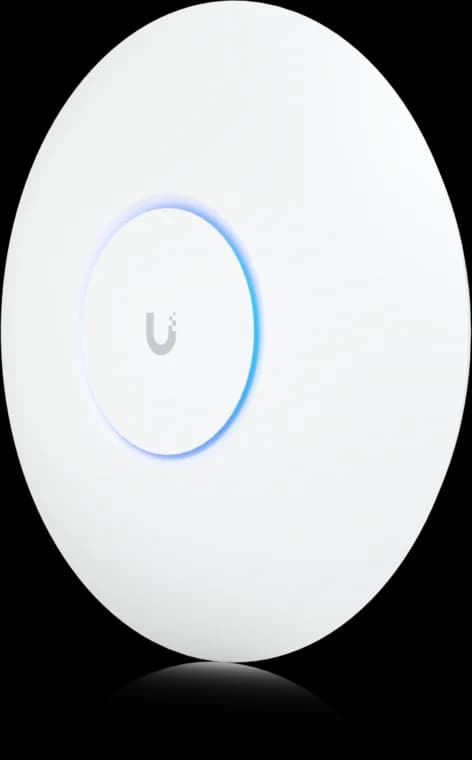
Wi-Fi 6 (802.11ax), 6 spatial streams total
- Dual-band Wi-Fi 6
- 1GbE uplink
- PoE powered
Before you buy: No seller-specific Amazon offer has been verified for this comparison model; the button opens the manufacturer page.
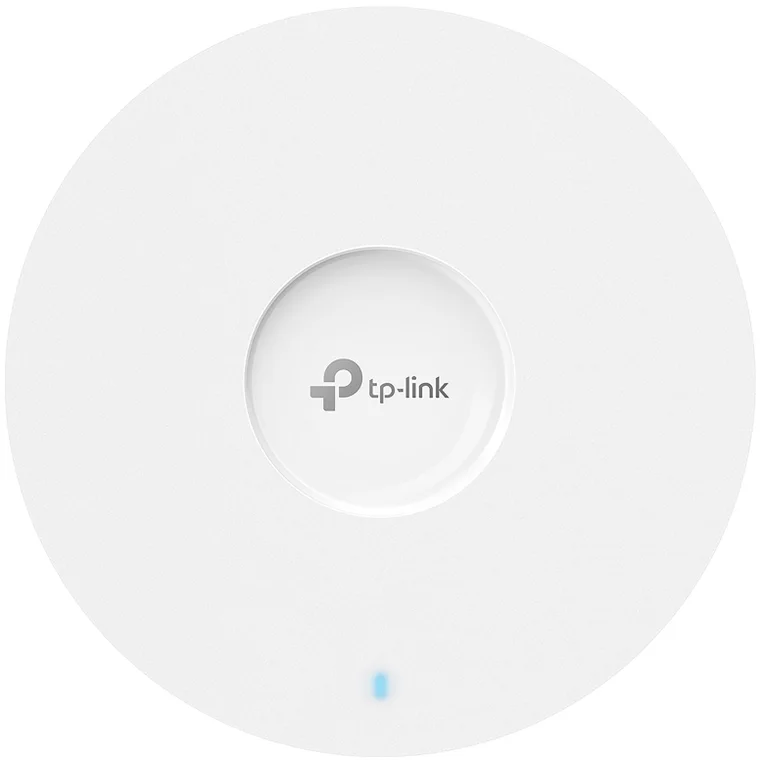
Wi-Fi 6 (802.11ax) AX5400
- AX5400 Wi-Fi 6
- 2.5GbE uplink
- PoE+ powered
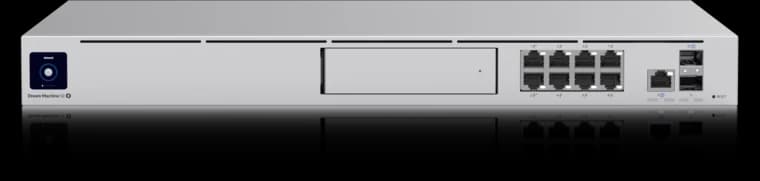
10G SFP+ + 2.5G WAN ports
- 3.5 Gbps IDS/IPS
- 8 × 1GbE PoE
- 1 HDD bay
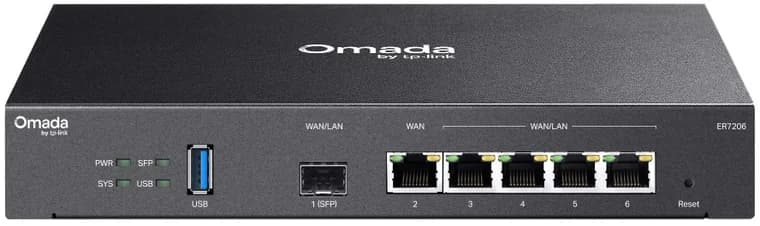
6× Gigabit ports (1 SFP + 5 RJ45)
- 6 Gigabit ports
- SFP WAN/LAN
- Omada managed
Our recommendation by use case
Choose UniFi if:
- You want cameras, door access, or VoIP to integrate natively
- You're building a network that will grow (more APs, a rack, PON or 10G backbone)
- You have a multi-gig internet plan now or soon
- You're comfortable spending time in a more complex dashboard
Choose TP-Link Omada if:
- Budget is the primary constraint — $300 vs $660 is real money
- You need a capable network for a single home with no plans to add cameras or door access
- You want a simpler setup experience
- You already have a camera system on a separate platform (Synology, Reolink, etc.)
For most of the installs we do, we reach for UniFi. The ecosystem depth, firmware velocity, and routing headroom are worth the premium for anyone planning to stay on the platform for five or more years. But Omada is not a consolation prize — it's a legitimate, capable system that delivers excellent results at a lower price point.
If this decision is for a real office rather than a hardware experiment, pair it with our small business network design guide so the AP choice stays aligned with PoE, rack, and VLAN planning.
If Omada is the better platform fit, the current TP-Link Omada Wi-Fi 7 and 2.5G deal guide compares indoor APs, outdoor APs, non-PoE multi-gig switches, and a point-to-point bridge by use case.
FAQs
Can I mix UniFi and Omada hardware on the same network?
You can, but you lose centralized management for the mixed devices. A UniFi AP connected to an Omada switch works electrically — it just won't appear in the Omada controller (or vice versa). Most users pick one ecosystem and stick with it.
Does TP-Link Omada require a cloud account?
No. The Omada controller runs completely on-premises with no cloud account required. You can optionally connect it to TP-Link's cloud for remote management, but it's not mandatory. UniFi is the same — local-only operation is fully supported.
Is the TP-Link Omada controller really free?
Yes. The Omada Software Controller is free to download and run on any PC, Linux server, or NAS. The OC200 hardware controller (~$70) is optional — it's just a dedicated, always-on device to host the controller. There is also a cloud-hosted option from TP-Link if you prefer not to self-host.
How do UniFi and Omada handle guest Wi-Fi?
Both support a dedicated guest SSID with client isolation, captive portal options, and rate limiting. UniFi's guest portal customization is more flexible. Omada supports SMS and voucher-based captive portals, which makes it popular for small businesses with public Wi-Fi. For a home guest network, both work fine with a few clicks.
What about TP-Link's Chinese ownership — is that a security concern?
It's a legitimate question. TP-Link is a Chinese-owned company, and the US government has scrutinized Chinese networking hardware. Ubiquiti is a US-founded company (though it manufactures in China). If you're managing a network with sensitive data or government compliance requirements, check your organization's policy. For a typical home or small business, both platforms are widely used without documented security incidents. Run the Omada controller locally if remote cloud access concerns you.
References
- Ubiquiti UniFi U6 Pro product page — store.ui.com
- Ubiquiti UniFi Dream Machine SE product page — store.ui.com
- TP-Link EAP670 specifications — tp-link.com
- TP-Link ER7206 specifications — tp-link.com
- Omada SDN controller overview — tp-link.com
Disclosure
This article contains affiliate links. If you purchase through our Amazon links, we may earn a small commission at no extra cost to you. We only recommend hardware we've worked with directly. See our full affiliate disclosure policy.
Plan the wiring and Wi-Fi with a site visit
Walk the space with us to settle cable routes, rack location and access point placement before anything is installed.
Running UniFi gear? See our UniFi network and Wi-Fi installation in Westchester.