


- Quick summary
- What is the difference between Cat6 and Cat6A?
- When should you choose Cat6 for a home network?
- When is Cat6A worth the extra cost?
- Why do Wi-Fi 7 and PoE++ change the recommendation?
- How should you plan a hybrid Cat6 and Cat6A network?
- What does Cat6 vs Cat6A cost in 2026?
- Why are Cat6A terminations and bends harder in DIY installs?
- What installation mistakes matter more than cable class?
- FAQs
- Checklist
- Recommended hardware
- References
Quick summary
Cat6 is still the right default for most room drops, but Cat6A is the better choice when you need 10 GbE to full length, dense PoE++ bundles, or ceiling runs meant for higher-end Wi-Fi 7 access points.
The practical split is simple: use Cat6 for ordinary endpoints, use Cat6A where the run is expensive to revisit or where heat, distance, and uplink speed actually matter.
| Feature | Cat6 | Cat6A |
|---|---|---|
| 10 GbE distance | Commonly specified up to 55 m (180 ft) | Designed for 10 GbE to 100 m (328 ft) |
| Frequency | 250 MHz | 500 MHz |
| Typical use | Room drops, desks, TVs, printers, many 2.5/5 GbE links | Backbones, long runs, dense bundles, high-value AP drops |
| PoE / bundle heat | Fine for many normal runs, but less forgiving with heavy 802.3bt bundles | Better heat margin for larger bundles and higher-power PoE++ loads |
| Pull difficulty | Smaller, easier to route in retrofit walls | Thicker, stiffer, larger bend radius |
| Current 1000 ft CMR benchmark | About $195-$200 | About $290-$300 |
- Cat6 installation guide (homes & small offices)
- Cat6 cable installation (step-by-step)
- Network cabling cost
- Structured cabling services
What is the difference between Cat6 and Cat6A?
Cat6 supports 10 Gbps up to 55 meters. Cat6A supports 10 Gbps to 100 meters and gives more margin in dense bundles.
That distinction matters because the bottleneck is rarely just raw speed on paper. It is usually the combination of run length, bundle density, cable temperature, and how hard that cable will be to replace later. Cat6A achieves its extra margin with tighter electrical performance and a physically thicker cable, which is why it costs more and takes more care to route cleanly.
- Cat6: Best for ordinary room drops, desks, printers, and many normal access point runs.
- Cat6A: Best for backbones, long office runs, denser bundles, and harder-to-replace ceiling drops.
- Install quality: Poor bend radius, sloppy terminations, or crushed bundles can ruin either category.
Use this as an installer’s comparison card: Cat6 is easier to route, while Cat6A trades size and bend flexibility for more 10 GbE and bundle margin.
Cat6
Easier PullCat6A
More MarginWhen should you choose Cat6 for a home network?
Choose Cat6 for standard room drops, everyday endpoints, and runs shorter than 55 meters where sustained 10 GbE is not required.
This is still the most common answer in finished homes. In Westchester retrofits, the harder part is usually getting cable through plaster walls, stone foundations, tight soffits, and crowded mechanical spaces without turning a simple job into patchwork. Cat6 is easier to fish, easier to terminate, and easier to service later.
Use Cat6 when:
- Internet tier: Your plan is 1 Gb/s or below and your main goal is stability, not lab-grade local throughput.
- Endpoints: The cable feeds TVs, desks, printers, streaming boxes, or many 2.5 GbE-class access points.
- Retrofit paths: You are fishing cable through older walls, tight soffits, or crowded mechanical spaces.
- Budget use: You would rather spend on placement, labeling, conduit, or a cleaner rack build than on thicker cable everywhere.
If the thicker cable makes the route messy, Cat6A can become a downgrade in practice. A clean Cat6 run beats a compromised Cat6A run.
- Pre-wire vs retrofit (Westchester)
- Wired vs wireless: the right mix
- Gigabit and multi-gig: what actually helps
When is Cat6A worth the extra cost?
Choose Cat6A for runs that need 10 GbE headroom, carry heavier PoE++ loads, or disappear behind finishes that are expensive to reopen.
Use Cat6A when:
- Backbones: You want 10 GbE to full distance between floors, closets, or rack locations.
- Heavy endpoints: You are wiring a NAS, editing workstation, or another endpoint that may genuinely use sustained multi-gig traffic.
- Open walls: The walls are already open and the cable only has to be pulled once.
- Dense pathways: The route carries larger bundles, heavier PoE loads, or long mechanical-room runs.
Why do Wi-Fi 7 and PoE++ change the recommendation?
Some higher-end Wi-Fi 7 access points now use 10 GbE uplinks, and PoE++ adds cable heat that matters in bundled pathways.
Entry and midrange Wi-Fi 7 access points still commonly use 2.5 GbE uplinks, including Ubiquiti's U7 Pro. Higher-end models increasingly move to 10 GbE or heavier power classes, including Ubiquiti's U7 Pro XG, Cisco's CW9176I, and Juniper's AP47.
PoE++ matters for the same reason. IEEE 802.3bt can supply up to 90 watts at the source, and that extra power increases cable-heating effects in bundles. You do not need Cat6A just because a single device uses PoE, but once you are planning multiple heavier-draw cameras, smart-building lighting, door hardware, or premium access points in shared pathways, Cat6A gives you more thermal and performance margin.
- 2.5 GbE APs: Cat6 is often still fine on short, clean runs.
- 10 GbE APs: Cat6A is the safer default when the access point or uplink path is meant to avoid an early bottleneck.
- 802.3bt bundles: Heat and pathway design become part of the cable decision, not just the speed number on the switch.
For Wi-Fi 7 and PoE++, check the access point uplink speed, the power standard, the pathway length, and how many powered cables share that path. The cable choice follows those facts.
How should you plan a hybrid Cat6 and Cat6A network?
A hybrid plan uses Cat6 for ordinary endpoints and Cat6A for the few runs that carry the most bandwidth, heat, or replacement cost.
This is the layout we recommend most often for homes and small offices:
- Cat6: Bedrooms, media cabinets, TV locations, ordinary desks, printers, and low-drama endpoints.
- Cat6A: Rack-to-floor backbones, main office drops, NAS or server locations, and premium access point ceilings.
- Conduit: Add it where the finish is expensive, the route is ugly, or the room use may change.
- Documentation: Label both ends and keep a drop map so the next upgrade is a patch-panel job, not a tracing exercise.
Blanket applications of a single cable type often waste budget or restrict bandwidth where it actually matters.
What does Cat6 vs Cat6A cost in 2026?
Cat6A costs more per box, but the total project premium is usually smaller than the labor cost of reopening a bad backbone decision later.
For current installer-grade solid bare copper CMR cable, expect roughly:
- About $195 to $200 for a 1000-foot Cat6 box
- About $290 to $300 for a 1000-foot Cat6A box
That spread matters, but it usually does not justify downgrading a backbone, riser, or hard-to-replace AP drop. On the other hand, using Cat6A for every bedroom drop in a retrofit can waste money and make installation harder without creating a real benefit.
For a straightforward residential Cat6 pull, the TRUE CABLE Cat6 riser 1000 ft box is the kind of solid-copper CMR cable we look for. For Cat6A backbones and premium AP runs, the TRUE CABLE Cat6A riser 1000 ft box is a better benchmark.
Do not compare pure bare copper cable to cheap CCA listings and assume the cheaper box is the same thing. It is not, especially for PoE.
Why are Cat6A terminations and bends harder in DIY installs?
Cat6A terminations fail when the plug or jack does not match the cable’s larger conductor size and outside diameter.
Cat6A is not hard because the standard is mysterious. It is hard because the cable is physically bigger and less forgiving. Many DIY terminations fail when someone tries to force 23 AWG Cat6A conductors into a generic Cat6 plug or uses a keystone that is not sized for the insulation diameter of the cable actually in hand.
Two practical numbers help:
- Cat6 example: Belden 1872A lists a 1.75-inch minimum installation bend radius.
- Cat6A example: Belden 2148A lists a 3.0-inch minimum installation bend radius.
- Connector rule: Match the plug or keystone to conductor gauge and insulation diameter, not just to the word "Ethernet."
If the pathway cannot support the bend radius cleanly or the connector set is not matched to the cable, Cat6 is often the better installation choice.
What installation mistakes matter more than cable class?
Bad installation work causes more trouble than choosing Cat6 instead of Cat6A on a normal run.
The mistakes we see most often are avoidable:
- Conductor choice: Buying copper-clad aluminum instead of solid copper
- Cable rating: Using the wrong jacket rating for the space
- Bundling: Crushing cables with tight zip ties
- Termination: Untwisting pairs too far at jacks or patch panels
- Documentation: Skipping labels and not testing runs before the wall is closed
If you want one simple tool recommendation here, use a continuity tester instead of guessing. The Klein Tools VDV526-100 is a reasonable homeowner-grade pick for basic RJ45 mapping before you close things up.
Why CCA cable is a code and PoE problem
CCA cable is not a compliant substitute for solid copper in in-wall Ethernet runs, and it performs poorly with PoE.
Fluke Networks notes that CCA conductors cannot legally be installed anywhere that requires an NEC fire-safety rating and that their higher resistance causes more heating and lower voltage at the powered device. For PoE, that is the wrong tradeoff in every direction: worse voltage delivery, more heat, and more risk of failed endpoints.
FAQs
Is Cat6 enough for Wi-Fi 7 access points?
Often yes, but not always. Many mainstream Wi-Fi 7 APs still use 2.5 GbE uplinks, so Cat6 is usually fine on short, clean home runs. If you are prewiring for a higher-end 10 GbE AP or a ceiling run that will be painful to replace later, Cat6A is the safer choice.
Do I need Cat6A everywhere to future-proof?
No. The better future-proofing move is usually Cat6 for ordinary drops, Cat6A for backbone and high-value runs, plus conduit to the locations that are hardest to revisit.
Can Cat6 do 10-gig?
Yes, on shorter channels. The cleaner way to say it is that Cat6 is commonly specified for 10 GbE up to 55 meters, while Cat6A is the category designed for 10 GbE to the full 100 meters.
Should I buy shielded cable or unshielded cable?
Shielding is useful in genuinely noisy environments, but it adds grounding and installation requirements. In most homes, solid-copper unshielded Cat6 or Cat6A installed cleanly is the better answer.
Checklist
- Map run lengths and choose routes before buying cable
- Pick Cat6 for ordinary endpoints and Cat6A for backbone, long, bundled, or hard-to-replace runs
- Check AP uplink speed and PoE standard before deciding that Cat6 is enough
- Buy solid-copper, in-wall-rated cable and avoid CCA
- Plan labels, service loops, and a simple drop map before the first pull
- Test every run before walls close
Recommended hardware
Use specific, solid-copper cable and a basic tester. Generic marketplace listings are where the worst CCA and mis-labeled cable problems show up.
The TRUE CABLE Cat6 riser box and TRUE CABLE Cat6A riser box are reasonable benchmarks for pure bare-copper in-wall cable. For basic continuity checks before closing a wall, the Klein Tools VDV526-100 covers the essentials.
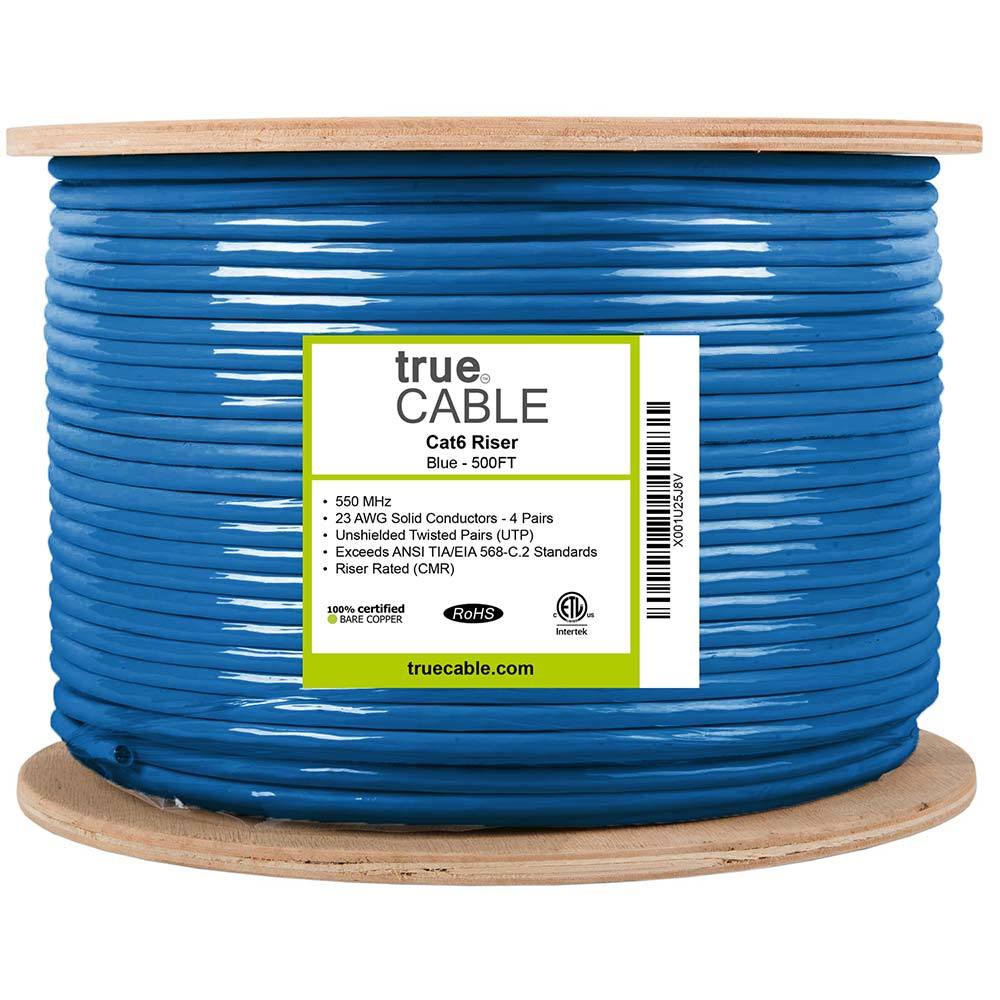
This card highlights the product details most relevant to this section.
- 1000 ft riser-rated Cat6 bulk cable for in-wall structured cabling
- 23AWG solid bare copper conductors suitable for PoE and data runs
- CMR jacket and ETL listing for residential and commercial riser use
This card highlights the product details most relevant to this section.
- 10G‑rated Cat6A with larger bend radius
- Solid copper conductors for higher PoE loads
- Riser-rated bulk cable suitable for structured cabling backbones

This card highlights the product details most relevant to this section.
- Verifies pinout and continuity on Ethernet runs
- Remote terminator for one‑person testing
- Useful when validating new backhaul runs
References
- CommScope: Cat 6A - the Fact File
- CommScope: Power over Ethernet (PoE) for Enterprise Networks
- Cisco CW9176I Wi-Fi 7 hardware guide
- Ubiquiti U7 Pro tech specs
- Ubiquiti U7 Pro XG tech specs
- Juniper AP47 Wi-Fi 7 deployment guide
- Belden 1872A Category 6 cable specs
- Belden 2148A Category 6A cable specs
- Fluke Networks: Copper Clad Aluminum cables application note
- trueCABLE Cat6 riser cable, 1000 ft - price checked March 13, 2026
- trueCABLE Cat6A riser cable, 1000 ft - price checked March 13, 2026
Plan the project with a site visit
Confirm wiring, equipment, placement, and installation scope before hardware is locked in.