

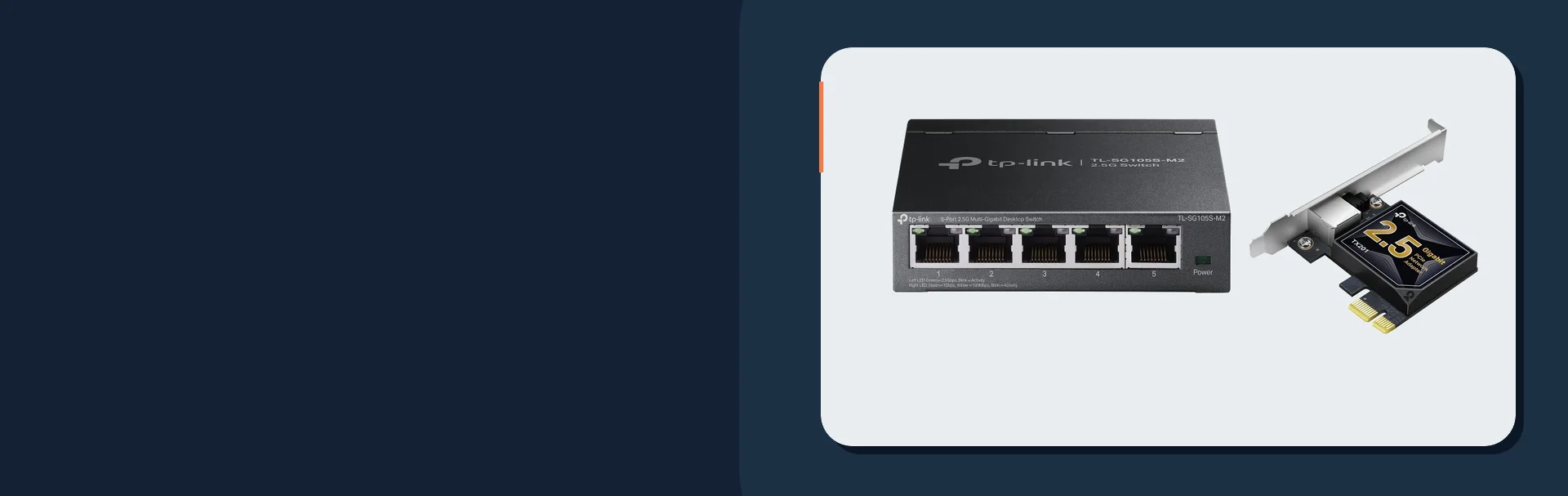
Quick Answer
You can often upgrade parts of a home network to 2.5GbE without rewiring, especially when the existing wall cable is Cat5e or Cat6, the terminations are clean, and the runs are not damaged. The important word is "often." Do not assume every existing cable will negotiate at 2.5G just because the switch port can.
The best no-rewire upgrade is usually incremental:
- Confirm the ISP handoff and router can actually use more than 1G.
- Add a small 2.5GbE switch where fast devices already live.
- Upgrade one desktop, NAS, or Wi-Fi 7 access point path.
- Replace weak patch cables and test negotiated link speed.
- Leave ordinary devices on 1G where it is already enough.
2.5GbE is not the same as 2.5 gigabit internet. Internet speed is the WAN pipe from the provider. Local network speed is the path between your router, switches, access points, NAS, desktops, and media devices. A home can benefit from 2.5GbE local transfers even with 1G internet, and a 2G internet plan can still feel capped if one router, switch, wall jack, or patch cable is stuck at 1G.
- Wi-Fi 7 upgrade guide
- Best low-cost PoE switches
- 2.5GbE PoE switches for Wi-Fi 7 APs and cameras
- Cat6 vs Cat6A: when it matters
- Home network rack setup
- Network cabling cost guide
- TP-Link Omada Wi-Fi 7 and 2.5G deal guide
Why 2.5GbE Is the Practical Middle Step
2.5GBASE-T exists because there was a large gap between 1G Ethernet and 10G Ethernet. Going straight to 10G can mean hotter switches, pricier adapters, more careful cabling, and more power draw than many homes need. 2.5GbE gives modern APs, desktops, NAS devices, and multi-gig internet handoffs a useful lift without turning every room into a 10G project.
Fluke Networks explains the basic premise clearly: 2.5G/5GBASE-T was introduced to support faster devices over the installed base of Category 5e and Category 6 cabling. That does not eliminate testing. Cable category, distance, terminations, kinks, wall plates, patch cables, and old punchdowns can still decide whether the link negotiates cleanly.
Cat5e or Cat6 on the jacket is a starting point, not a guarantee. Check the link speed at both ends after the upgrade and test suspect runs before blaming the switch.
Bottleneck Worksheet
Use this worksheet before buying hardware. The slowest link in the path sets the ceiling.
| Link in the path | What to check | Common bottleneck | Upgrade only if |
|---|---|---|---|
| ISP handoff | ONT, modem, or gateway Ethernet port speed | Provider gives 2G service but the handoff is 1G | Your plan is above 1G or you want local 2.5G anyway |
| Router WAN | WAN port and routed throughput with security features enabled | A 2.5G port exists but filtering/VPN/IDS lowers real throughput | The router can route the target speed in the configuration you use |
| Router LAN | LAN port speed or switch uplink | One 1G LAN port feeds every downstream switch | You need more than 1G from router to the core or desk switch |
| Core or desk switch | 2.5G ports, uplink speed, fan noise, power budget | A new desktop adapter still plugs into a 1G switch | At least two devices on that switch can use faster links |
| Wall cable | Category, condition, termination, run length, and link negotiation | Old keystone or patch panel negotiates down to 1G | The run links at 2.5G after cleanup or testing |
| Patch cables | Short cables at rack, desk, NAS, AP, and router | Cheap or damaged patch cable causes flaps or 1G fallback | Replacing them is cheaper than chasing false hardware problems |
| Access point | AP uplink speed and PoE class | Wi-Fi 7 AP has 2.5G uplink but is fed by gigabit PoE | The AP and client mix can actually benefit |
| Desktop or laptop | Built-in NIC, USB adapter, or PCIe card | Computer only has 1G Ethernet or slow USB | The workload includes transfers, backups, editing, or testing above 1G |
| NAS | NAS Ethernet ports and storage speed | NAS disks or port bonding do not deliver one fast client path | The NAS can read/write fast enough to justify 2.5G |
Three Practical Upgrade Configurations
These are planning budgets, not fixed quotes. Prices move quickly, and installation labor depends on the home. The point is to choose the smallest upgrade that removes the actual bottleneck.
| Configuration | Typical parts | Planning budget | Best fit |
|---|---|---|---|
| One-room upgrade | 5-port 2.5G switch, USB or PCIe adapter, short patch cables | $80-$180 | A desk, gaming PC, NAS shelf, or media room with devices already in one spot |
| Wi-Fi 7 backhaul upgrade | 2.5G PoE or non-PoE switch, AP or mesh node with 2.5G port, tested wall run | $200-$500+ | One or two APs are bottlenecked by gigabit uplinks |
| Whole-network core upgrade | Multi-gig router, 2.5G core switch, faster NAS/desktop paths, rack cleanup | $400-$1,200+ | 2G internet, fast NAS work, multiple Wi-Fi 7 APs, or several wired power users |
The one-room path is the safest first move. Put a small 2.5G switch where the fast devices are, connect the NAS and desktop to it, and uplink back to the router. If the router uplink is still 1G, local transfers inside that switch can still run above 1G.
The Wi-Fi 7 path matters when an AP has a 2.5GbE uplink and enough clients to use it. Many homes should upgrade the AP backhaul before buying a more expensive internet plan.
The whole-network path is for homes where several things line up at once: multi-gig ISP service, a capable router, wired APs, NAS traffic, desktop workstations, and a rack or structured panel that can be cleaned up properly.
Recommended 2.5GbE Upgrade Gear
These picks match the common no-rewire paths: a compact switch, laptop adapter, desktop PCIe card, reliable patch cable, and a gateway class that can handle multi-gig service.
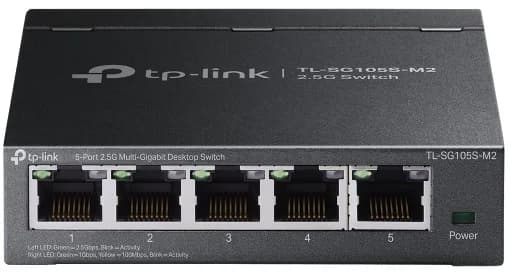
Five 2.5GbE RJ45 ports
- 5 × 2.5GbE
- Fanless
- Unmanaged

Adds a temporary wired Ethernet connection to a laptop without a built-in port so you can compare the same device on Wi-Fi and cable.
Before you buy: Skip it if your computer already has Ethernet or you can borrow an adapter. It does not improve Wi-Fi; check host and operating-system compatibility.
Key details
- 2.5GbE RJ45 adapter for USB-C or USB-A hosts
- Useful for laptop testing, workstations, and temporary high-speed transfers
- Works best when connected to a 2.5GbE switch or multi-gig router port
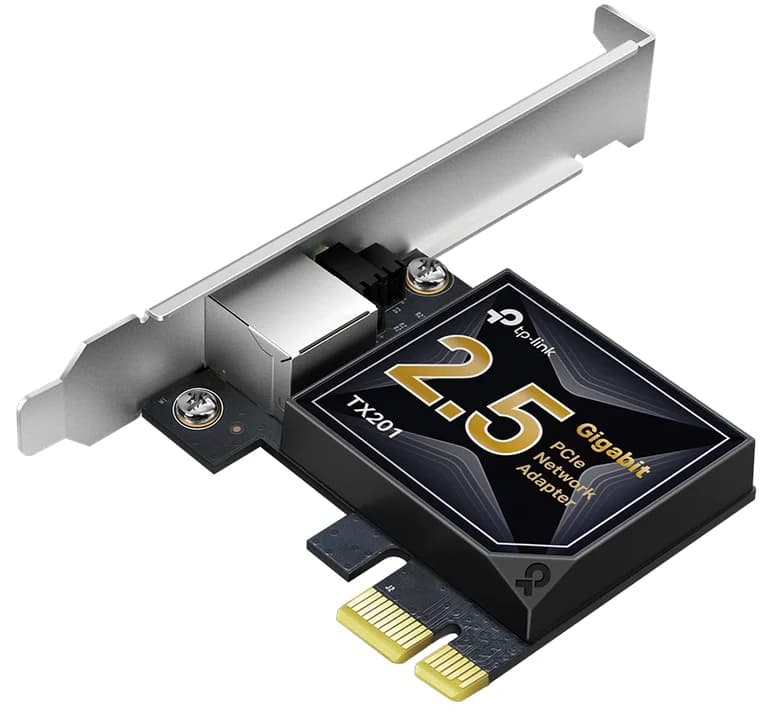
2.5GbE PCIe network adapter
- 2.5GbE PCIe
- 1GbE compatible
- Low-profile bracket

Dual 2.5G RJ45 + 1× GbE SFP + 4× GbE RJ45
Key details
- 2,364 Mbps NAT throughput — handles 2.5G internet plans
- 500,000 concurrent sessions
- WireGuard, IPSec, OpenVPN, L2TP, SSL VPN built in
Where 1GbE Is Still Enough
Do not upgrade ports just because they exist. Many devices still do fine on 1G.
TVs, printers, smart-home hubs, most streaming boxes, light office desktops, VoIP phones, and many cameras do not need a 2.5G port. A stable 1G wired connection is already much better than weak Wi-Fi for these devices. Spend the 2.5G ports on access points, NAS devices, workstations, and the router-to-switch path.
For PoE cameras and APs, power budget can matter more than link speed. A 2.5G switch that cannot power the AP is not a complete solution. If the project includes cameras or APs, read the PoE switch sizing guide before ordering.
Where 10GbE Is Usually Unnecessary
10GbE is useful for fast NAS editing, lab work, rack uplinks, and workstation-heavy homes. It is usually overkill for ordinary internet browsing, streaming, light backups, and most Wi-Fi 7 clients.
The practical issue is cost and heat. 10G copper switches and adapters can run hotter and cost more than 2.5G gear. Cat6A also becomes more attractive for long 10G runs, while many existing Cat5e or Cat6 links may already handle a 2.5G upgrade if the installation is healthy.
Use 10G where it has a job: NAS to core, core to workstation, or switch-to-switch uplink. Use 2.5G for the edge devices that need more than 1G but do not justify the 10G stack.
When Existing Cable Needs Attention
If a wall run negotiates at 1G after the upgrade, inspect the simple pieces first.
- Replace both patch cables with known-good Cat6 or Cat6A patch cables.
- Check the keystone and patch panel termination.
- Look for tight bends, compressed cable, corrosion, or old couplers.
- Test the run with a cable tester or have it qualified if the run matters.
- Try the device directly on the switch to separate device issues from in-wall cable issues.
The most useful test is the negotiated link speed. After each change, check the switch port, router interface, or operating-system network details and write down whether the link came up at 100M, 1G, or 2.5G. If a device links at 2.5G only when it is plugged directly into the switch, the endpoint is probably fine and the wall path deserves attention. If it links at 1G even with a short known-good patch cable, check the adapter, driver, switch setting, or device capability before opening a wall plate.
If the cable is old, unlabeled, or routed through a difficult finished wall, the right answer may be selective repair rather than a whole-home rewire. Use the network cabling cost guide to decide when pulling new cable is worth it.
We can trace the bottleneck from ISP handoff to router, switch, APs, desktops, NAS, patch cabling, and the wall runs that may or may not support 2.5GbE cleanly.
FAQs
Will 2.5GbE work over Cat5e?
Often, but not automatically. 2.5GBASE-T was built around using existing Cat5e-class cabling, but real runs depend on distance, condition, terminations, patch cables, and installed quality.
Do I need a 2.5GbE router?
For local transfers inside one switch, no. For internet above 1G or a faster core uplink from router to switch, yes, the router path needs ports and routed throughput that match the goal.
Can a USB adapter really do 2.5GbE?
Yes, when the adapter, USB port, cable, switch, and driver all cooperate. It is a good laptop or testing upgrade, but a PCIe card is usually cleaner for a permanent desktop.
Is 2.5GbE worth it for Wi-Fi 7?
Often yes for wired AP backhaul. A Wi-Fi 7 AP with a 2.5G uplink can exceed what a gigabit uplink allows in the right client mix. Placement and RF design still matter more than the port label.
Should I replace all patch cables?
Replace the short critical ones first: router to switch, switch to NAS, switch to AP, switch to desktop, and patch-panel jumpers. Bad patch cables are cheap problems that imitate expensive ones.
References and check dates
- Fluke Networks: 2.5G/5GBASE-T support to existing cable plant - checked June 22, 2026
- Ethernet Alliance: Introduction to 2.5G/5G BASE-T Ethernet - checked June 22, 2026
- Ubiquiti Switch Flex 2.5G - checked June 22, 2026
- Ubiquiti Switch Flex 2.5G PoE - checked June 22, 2026
- TP-Link TL-SG105S-M2 5-Port 2.5G Switch - checked June 22, 2026
Plan the project with a site visit
Confirm wiring, equipment, placement, and installation scope before hardware is locked in.