

- Quick summary
- What should a complete smart front door stack include?
- Should you buy separate devices or an all-in-one video smart lock?
- Ecosystem workflows: Apple Home, Ring, and Google Home
- Hardware and wiring requirements to check before installation
- What happens during an internet outage?
- How are AI alerts changing smart front doors in 2026?
- Battery life and cost reality check
- How should you handle access profiles, notifications, and video storage?
- Recommended smart doorbell and lock configurations
- Recommended gear
- FAQs
- References
Quick summary
This smart doorbell lock integration guide is for homeowners who want the front door to feel like one system instead of three separate apps and a pile of notifications.
For most homes, the best answer is still a separate smart lock and doorbell in the same ecosystem, not an all-in-one lock with a built-in camera. Separate devices are easier to place correctly, easier to service, and easier to upgrade when one part ages faster than the other. All-in-one video locks make sense when you want a fast retrofit with one app and you accept the camera-angle and battery tradeoffs.
If the front-door plan is specifically a local-first Reolink setup, the cleaner product-level comparison is Reolink Video Doorbell PoE vs WiFi. If the question is standards and future platform support, use the Matter cameras and doorbells guide.
If this entry stack is part of a broader automation or renovation project, view our smart home automation services before you buy hardware around the wrong hub or wiring assumptions.
What should a complete smart front door stack include?
A complete smart front door stack includes a compatible smart lock, a correctly positioned video doorbell, and a unified app workflow.
A reliable entry system also needs stable power, usable Wi-Fi at the door, and a clear access plan for residents, guests, and recurring service providers. The lock should match the household's preferred credential style, the camera should sit high enough for face framing, and the app layer should not force the household to juggle three separate notification systems for one front door.
For most homes, the stack looks like this:
- A lock that supports keypad codes, app control, and the ecosystem the household already uses
- A doorbell or entry camera mounted at the right height for facial identification
- A chime, display, or phone-notification path the household will actually notice
- Stable power and a verified 2.4 GHz or dual-band signal at the entry
- A clear plan for permanent users, temporary users, and fallback access
If the rest of the house is still early in planning, pair this with the broader smart home planning guide and the smart home prewire rough-in guide before buying hardware.
Should you buy separate devices or an all-in-one video smart lock?
Separate devices offer better camera placement and easier upgrades, while all-in-one video locks reduce install scope and app sprawl.
Separate devices remain the default recommendation because the best camera height and the best lock height are not the same. A lock-mounted camera usually sits too low to match a properly placed doorbell for face framing, porch coverage, and natural two-way conversations. Separate hardware also ages more gracefully. Camera expectations, app policies, and storage preferences change faster than deadbolt hardware.
All-in-one products still have a real use case. Eufy's Video Smart Lock E330 combines the lock, camera, and doorbell into one product and one app. That is useful when the owner wants the smallest-possible retrofit and is willing to accept the lower camera position and a shorter service path if one part of the unit fails or becomes outdated.
Use this rule:
- Choose separate devices when you care most about camera angle, long-term serviceability, and ecosystem flexibility.
- Choose an all-in-one video lock when minimizing installation scope and keeping everything in one app matter more than ideal camera placement.
- Avoid all-in-one hardware on doors that already have alignment issues, heavy seasonal movement, or a likely hardware change ahead.
Ecosystem workflows: Apple Home, Ring, and Google Home
The right workflow depends on whether you care most about Apple Wallet home keys, Ring-centered video security, or Google Home integration.
| Setup | Best for | Lock path | Doorbell path | Main dependency | Main tradeoff |
|---|---|---|---|---|---|
| Apple Home | iPhone households that want home key access | Schlage Encode Plus | Home-compatible or Home-bridged doorbell | Apple devices for primary users | Often not a single-app workflow |
| Ring | Video-first households that want live-view unlock workflows | Compatible lock through Ring ecosystem | Ring Wired Doorbell Pro or another Ring doorbell | Ring Alarm Base Station for deeper lock integration | More hub and cloud dependence |
| Google Home | Nest households that want Google Home management | Yale Smart Lock with Matter | Nest Doorbell | Google Matter hub + Thread border router | Less flexibility than Apple for credential-led entry |
| Eufy all-in-one | Owners who want one app and one hardware install | Eufy Video Smart Lock E330 | Built into the same device | Eufy app | Lower camera position and all-in-one replacement risk |
Apple Home integration
Apple Home is strongest when the smartphone or watch is the main credential. Schlage says Encode Plus supports Apple Home, Apple home keys, and the Schlage Home app. That makes it the cleanest lock-led workflow for households where the daily users are all on iPhone and Apple Watch.
Apple hub choice still matters here. If you are deciding between Apple's current hub hardware, our HomePod vs Apple TV for Matter and Thread guide explains which current models make the best Thread and home-hub anchors.
The tradeoff is that Apple is usually a better lock experience than a better doorbell experience. The owner often ends up with an excellent credential workflow and a separate camera workflow unless the rest of the front-door stack has been chosen carefully.
Ring ecosystem integration
Ring is strongest when the owner wants to verify a visitor on live video and unlock from the same security workflow.
Schlage's current integration page says Encode Plus can lock and unlock from Ring Live View when integrated. Ring's own support still makes the hub requirement clear: deeper smart-lock integration depends on Ring Alarm because the supported lock path uses the Alarm Base Station as the Z-Wave bridge. That makes Ring a strong video-first stack, but it is not a doorbell-only story.
Google Home integration
Google Home is now centered on Yale's Matter lock, the current Nest Doorbell, and Google Home app workflows that are increasingly shaped by Gemini for Home features.
Google's own Google Home editorial positions the Yale Smart Lock with Matter as the designed-for-Google-home path. Google describes it as a Google Home Preferred Product that works hand-in-hand with Nest Doorbell and the Google Home app. That makes it the clearest current replacement for the older Nest x Yale story.
On the camera side, Google's October 1, 2025 hardware launch positions Nest Doorbell (3rd gen) as the current doorbell path, with 2K HDR video, wider views, and better low-light performance at a $179.99 launch price. Google's newer camera roadmap also matters here because Gemini for Home features now include AI event descriptions and searchable video history for supported devices through Google Home Premium Advanced, not just raw clip review.
If you choose this path, spell out the hub requirement before buying the lock. Yale and Google both call for a Google device with a built-in Matter hub and Thread border router, such as Google TV Streamer (4K), Nest Hub Max, Nest Hub (2nd gen), or Nest Wifi Pro.
If you want the broader platform tradeoffs beyond the front door, the more complete ecosystem comparison is in Home Assistant vs Apple HomeKit vs Google Home and Matter & Thread Explained.
Hardware and wiring requirements to check before installation
Inspect deadbolt alignment, verify transformer power, test Wi-Fi at the door, and confirm whether the entry is really a consumer lock project or an intercom project.
Use this checklist before ordering hardware:
- Check deadbolt alignment. The deadbolt should extend and retract smoothly with one finger while the door is open. If it binds, drags, or requires pressure on the door, fix that first. Smart locks lose battery life quickly when they are fighting mechanical friction.
- Verify wired doorbell power. Ring's current Wired Doorbell Pro (3rd Gen) spec says it runs on
16 to 24 VAC, 10 to 40VA, with30 to 40VA recommended for optimal performance. That recommendation matters more now because Ring's current Retinal 4K doorbell is less forgiving of weak transformer setups than older entry-level doorbells. - Confirm chime compatibility. Check whether the home has a mechanical chime, digital chime, or no usable chime path at all. Some installs are easier with an app-and-plug-in-chime workflow than with a forced retrofit onto older wiring.
- Measure Wi-Fi at the exterior door. Masonry, metal doors, sidelights, stone veneer, and porch framing all hurt signal strength. If the front door lives on a weak 2.4 GHz edge, fix coverage before blaming the lock or doorbell.
- Identify multifamily or strike logic early. If the entry includes a shared vestibule, electric strike, gate release, or apartment buzzer logic, the project may need an intercom or access-control design rather than a retail lock-and-doorbell swap.
What happens during an internet outage?
Local entry usually survives an internet outage, but remote unlock, cloud video history, and app-driven convenience do not all fail the same way.
This is one of the biggest buyer questions and one of the least clearly explained parts of front-door planning.
- Physical key backup still works if the lock includes one.
- Keypad codes usually still work because the lock can validate them locally.
- Apple home keys and local smart-home control can continue locally when the lock, the Apple device, and the local hub path are all healthy, even if the public internet is down.
- Remote unlock from outside the home usually depends on the cloud or on your remote-control path, so that is what disappears first during an outage.
- Cloud video history and remote event viewing are usually the first camera features to degrade when the internet path is lost.
That is why local-entry reliability and remote-control reliability should be treated as different design goals. If the owner's top concern is "will we still get inside the house," choose the lock first. If the owner's top concern is "will I still see visitors and manage access from somewhere else," the cloud and network design matter more.
How are AI alerts changing smart front doors in 2026?
AI is improving camera summaries and search, but it does not fix bad camera placement, weak wiring, or noisy notification settings.
This matters because front-door search intent now includes "AI doorbell," "search video history," and "better notifications," not just resolution and field of view.
- Ring now highlights Video Descriptions, which turn motion events into short plain-language summaries inside the Ring app.
- Google's newer Nest camera platform is built around Gemini for Home workflows, with Google Home Premium Advanced adding AI event descriptions, Home Brief summaries, and searchable video history through Ask Home.
- These tools are most useful when the camera already has a clean view of faces, packages, and the walkway. If the camera is mounted too low or aimed too wide, AI adds convenience but not real clarity.
The practical takeaway is simple: treat AI as a workflow upgrade, not as a substitute for correct placement, power, and notification tuning.
Battery life and cost reality check
Battery life and install cost vary more by feature set and mechanical fit than by marketing tier.
Current manufacturer guidance gives a useful baseline:
| Product path | Power approach | Current published battery / power guidance | Practical takeaway |
|---|---|---|---|
| Schlage Encode Plus | 4 AA batteries | Schlage says up to six months with typical use | Strong lock-led Apple choice, but Wi-Fi locks are not the longest-life option |
| Eufy Video Smart Lock E330 | 10,000 mAh rechargeable battery | Eufy support says approximately four months in a common-use scenario; product page highlights the 10,000 mAh pack | All-in-one convenience costs battery runtime |
| Ring Wired Doorbell Pro (3rd Gen) | Hardwired | Ring says 16 to 24 VAC, 10 to 40VA, with 30 to 40VA recommended for optimal performance | Transformer quality matters more than most retrofits assume |
Cost is easier to estimate honestly when hardware and labor are separated.
- DIY hardware typically lands around
$280 to $350for an all-in-one Eufy path,$350 to $500for a Google-centered Yale plus Nest doorbell path, and$400 to $650for an Apple or Ring stack using separate lock and doorbell hardware. - Professional installation usually adds about
$150 to $300for a straightforward swap on a well-prepped door, and more if the project needs transformer replacement, strike adjustment, Wi-Fi remediation, or multifamily entry work.
Those install numbers are an inference from current hardware pricing and common residential scope, not a flat national rate card. The key planning point is that door prep, transformer fixes, and signal problems move the budget more than the app choice does.
How should you handle access profiles, notifications, and video storage?
Assign permanent or temporary access based on user type, limit notifications to useful events, and choose storage with the owner's privacy and retention needs in mind.
Organize the front door around four access profiles:
- Permanent residents who need fast, low-friction daily entry
- Recurring staff or family members who need durable but revocable codes
- Visitors who need temporary access only
- Owners or managers who need event history without constant alert fatigue
For notifications, keep the signal high:
- Doorbell presses should notify immediately
- Person detection should focus on the porch and walkway, not the whole street
- Lock alerts should usually be limited to unlocks, failed attempts, low battery, and manual overrides
For storage, decide early whether the owner wants:
- Cloud retention for convenience and off-site access
- Local-first storage to avoid subscriptions
- A short convenience history rather than a full security archive
If the front-door project needs to connect to a broader camera and incident workflow, tie it into a larger plan such as the security cameras and access checklist instead of treating the doorbell as the entire security design.
Recommended smart doorbell and lock configurations
Choose Schlage for Apple-first homes, Ring for live-video unlock workflows, Yale Matter for Google homes, or Eufy all-in-one locks for the simplest single-app installation.
Choose Apple Home plus Schlage Encode Plus if daily owner access matters most
This is the cleanest route for iPhone households that want home key access, shared family control, and a premium everyday unlock experience.
Use it when:
- The home is already Apple-first
- The primary users all have Apple devices
- The lock credential matters more than a single-app camera workflow
Choose Ring-centered hardware if video verification and remote granting matter most
This is the stronger route when the owner wants to see the visitor, confirm identity, and unlock from the same front-door security flow.
Use it when:
- The home already uses Ring cameras or Ring Alarm
- Alexa is already part of the house
- The owner values live-video workflows, Retinal 4K image quality, and AI event summaries more than home key
Choose Yale Smart Lock with Matter plus Nest Doorbell for Google homes
This is the cleanest current Google-centered path because Yale and Google now position it as the preferred modern replacement for the older Nest x Yale era.
Use it when:
- The house already uses Google Home and Nest displays
- The owner wants the lock and doorbell controlled from the Google Home app
- Matter and Thread support matter more than preserving older Nest app behavior
- The owner wants the current Google camera roadmap, including 2K HDR video and Gemini for Home search features
Choose an all-in-one Eufy-style video lock if install simplicity matters most
This is the faster route when one device and one app are worth more than ideal camera geometry.
Use it when:
- The owner wants the smallest footprint and the simplest buying decision
- The entry is a normal single-family door without unusual intercom or strike requirements
- Subscription avoidance matters more than ecosystem mixing
Recommended gear
These are the clearest product picks for the four front-door paths covered in this guide. The goal is not to buy every device below. It is to choose the one stack that best matches the household.
| Product | Best fit | Typical price | Ecosystem | Video / credential highlight | Power |
|---|---|---|---|---|---|
| Schlage Encode Plus | Apple-first homes | $329 | Apple Home | Apple home key support, keypad, Wi-Fi lock | 4 AA batteries |
| Ring Wired Doorbell Pro (3rd Gen) | Ring and Alexa homes | $249.99 MSRP | Ring | Retinal 4K, up to 10x Enhanced Zoom, Video Descriptions | 16 to 24 VAC, 10 to 40VA, 30 to 40VA recommended |
| Yale Smart Lock with Matter | Google Home homes | Varies by finish and trim | Google Home + Matter | Google Home Preferred Product, Thread-based lock path | 4 AA batteries with Thread / Matter hub required |
| Google Nest Doorbell (3rd Gen) | Google camera-first homes | $179.99 MSRP | Google Home | 2K HDR, wider view, low-light improvements, Gemini-ready search workflows | Existing wired install, 16 to 24 VAC, 10VA minimum |
| eufy Video Smart Lock E330 | Fast one-app retrofits | $299 MSRP | eufy | 2K camera, fingerprint entry, no monthly fee model | 10,000 mAh rechargeable battery |
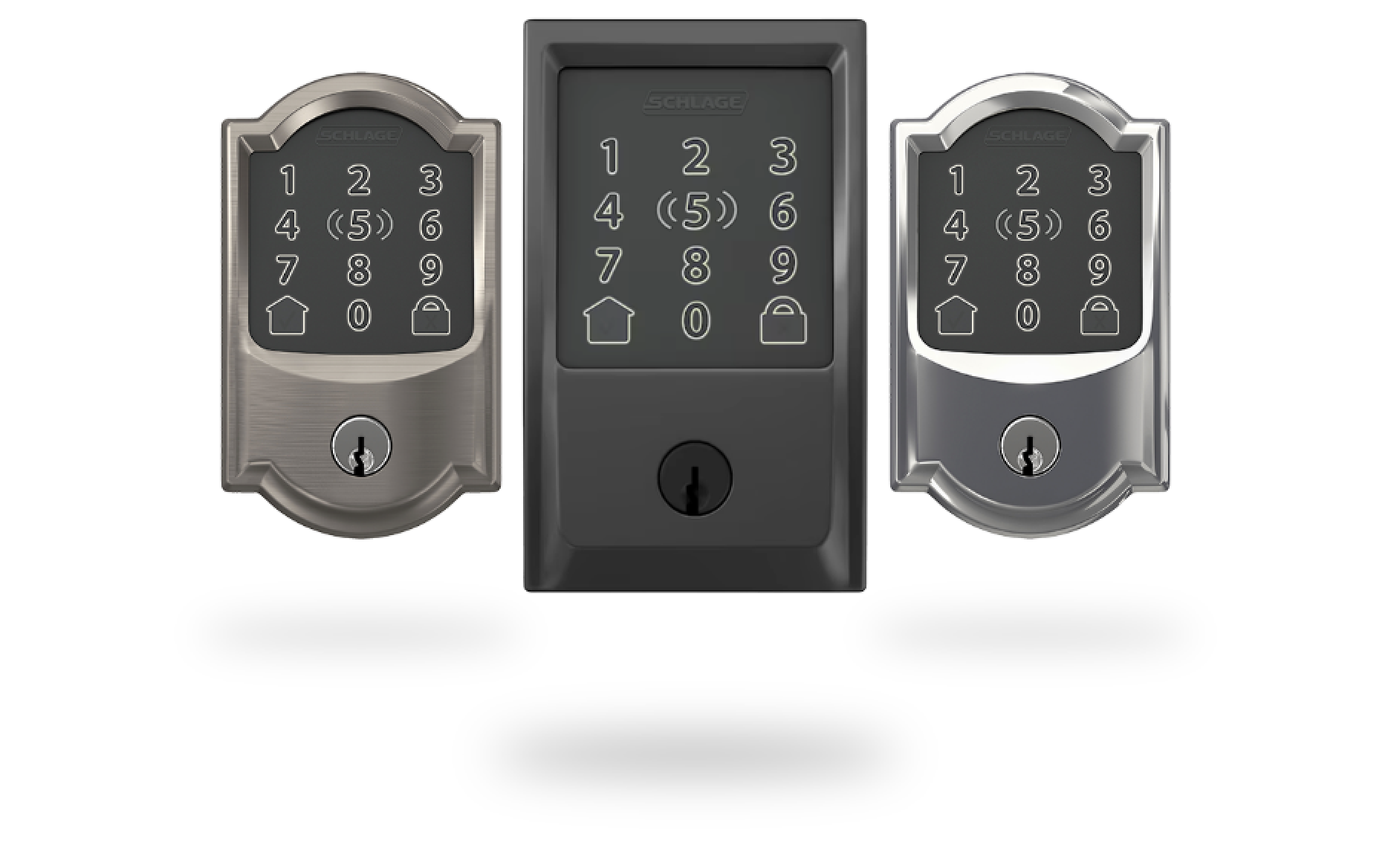
Built-in Wi-Fi with app management and guest codes
Opens search results. Match the model and bundle before ordering.
Find options on AmazonOfficial specificationsKey details
- Supports Apple Home and Apple home keys
- Cleaner fit than bridge-based locks for straightforward front-door upgrades
- Strong lock-led choice when camera and credential workflows do not need to be the same app
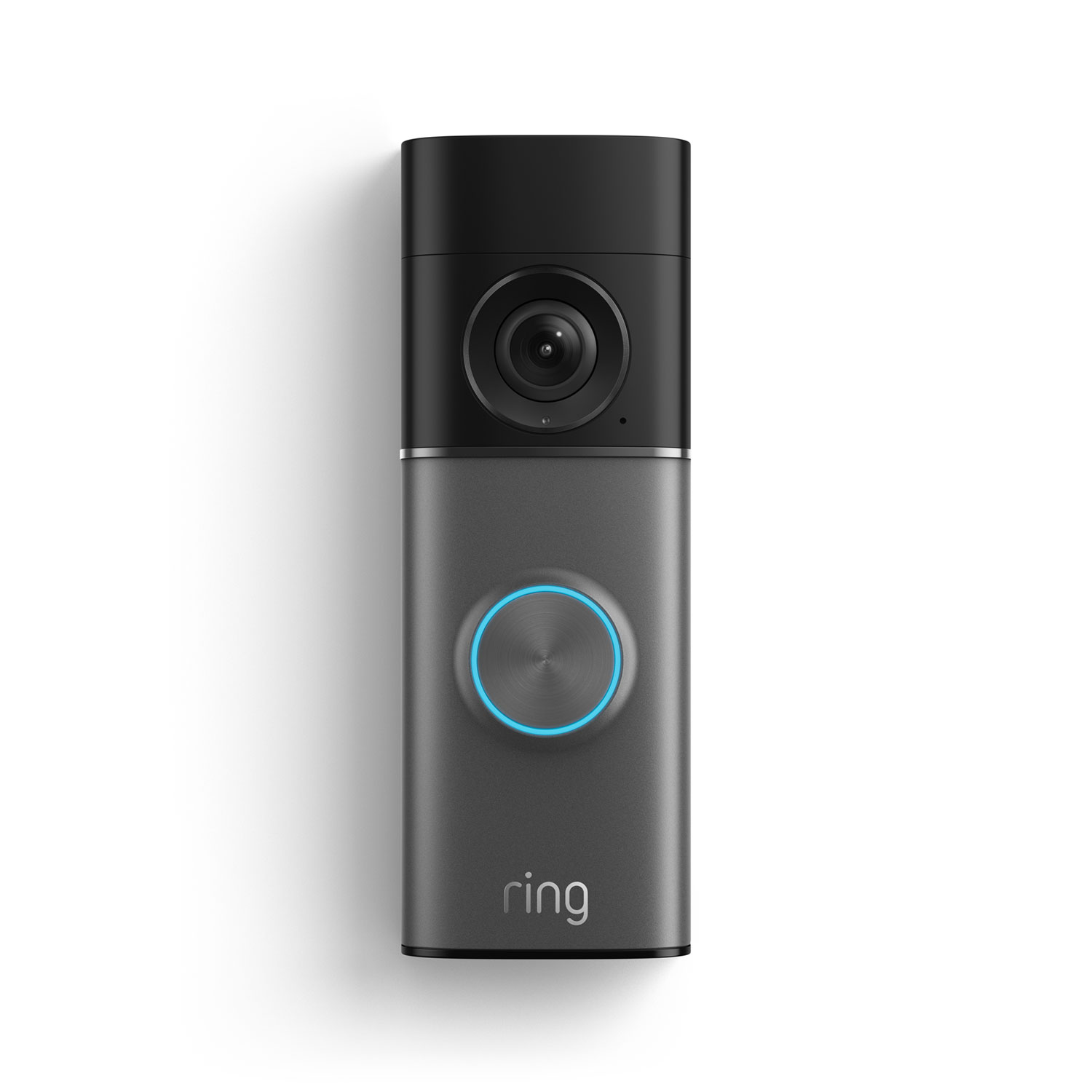
Retinal 4K video with up to 10x Enhanced Zoom
Opens search results. Match the model and bundle before ordering.
Find options on AmazonOfficial specificationsKey details
- Works on 16 to 24 VAC, 10 to 40VA with 30 to 40VA recommended for optimal performance
- Video Descriptions summarize motion events in the Ring app
- Best fit when the owner wants live-view workflows, Ring app alerts, and a hardwired doorbell

Designed for Google Home positioning with Matter support
Opens search results. Match the model and bundle before ordering.
Find options on AmazonOfficial specificationsKey details
- Strong fit for Nest Doorbell plus Google Home app workflows
- Better current Google-first recommendation than anchoring a new project to older Nest x Yale assumptions
- Works best when a Matter hub and Thread border router are already part of the home

Google Nest
Google Nest Doorbell (3rd Gen)
2K HDR video with wider views and better low-light performance
Opens search results. Match the model and bundle before ordering.
Find options on AmazonOfficial specificationsKey details
- Works with existing wires and needs 16 to 24 VAC, 10VA minimum
- Google Home Premium adds AI event descriptions and searchable video history through Gemini for Home
- Best fit alongside Yale Smart Lock with Matter in a Google-centered front-door stack

3-in-1 lock, camera, and doorbell design
Opens search results. Match the model and bundle before ordering.
Find options on AmazonOfficial specificationsKey details
- 2K video with keypad, app, key, and biometric entry paths
- 10,000 mAh rechargeable battery platform
- Good fit for simpler retrofits where minimizing installation scope is the main goal
FAQs
Can a smart doorbell unlock a smart lock directly?
Sometimes, but not always. Some ecosystems offer direct in-app or routine-based workflows, while others keep the doorbell and lock as separate devices under one household app. Verify the exact workflow you want before you buy.
Is an all-in-one video smart lock better than a separate doorbell and lock?
Not usually. It is usually simpler, not better. Separate devices give you better camera placement and better long-term serviceability. All-in-one models are strongest when you want one app and a faster retrofit.
Do I need existing doorbell wiring for a smart front door setup?
Not always. Battery doorbells avoid transformer problems, but wired doorbells are often better for busy entries. If you want a wired model, verify voltage and VA before buying.
What is the best smart lock for Apple Home?
For most Apple-first homes, Schlage Encode Plus is the strongest fit because it supports Apple home keys and still gives you keypad-based guest access.
Does Ring lock integration require Ring Alarm?
For Ring's deeper smart-lock integration path, yes. Ring's support documentation says supported Z-Wave locks need the Ring Alarm Base Station to communicate with the Ring app and Alexa workflow.
What if my front entry is part of a multifamily buzzer or gate system?
That is usually an intercom or access-control project, not just a smart doorbell purchase. Consumer lock-and-doorbell hardware may not solve release control, tenant routing, or shared-entry requirements cleanly.
Is Google Home the best platform for smart locks and doorbells right now?
It is now a much clearer choice than it was during the Nest x Yale era because Google and Yale are both positioning Yale Smart Lock with Matter as the preferred Google Home path. It is strongest for Nest and Google Home households, while Apple remains stronger for owner credentials and Ring remains stronger for video-first workflows.
References
Plan the project with a site visit
Confirm wiring, equipment, placement, and installation scope before hardware is locked in.