

- Quick summary
- The core concept: what Matter actually is
- What is Thread, and how does it relate to Matter?
- How does Matter compare to Zigbee and Z-Wave?
- What devices support Matter in 2026?
- What changed in Matter 1.5 and 1.5.1?
- What changed in Matter 1.6?
- What changed in Matter 1.6.1?
- Thread border routers: the piece most guides miss
- How does Matter multi-admin work?
- Which platforms actually support Matter well?
- Common mistakes when setting up a Matter network
- Practical takeaways: who should upgrade now
- FAQs
- References
- Related reading
Quick summary
Matter is the smart-home language. Thread is one of the networks that can carry that language.
Matter lets certified devices describe themselves, pair securely, and work across platforms such as Apple Home, Google Home, Amazon Alexa, Samsung SmartThings, and Home Assistant. Thread is a separate low-power IPv6 mesh network used by many battery devices such as sensors, locks, buttons, and some bulbs. Matter can also run over Wi-Fi or Ethernet, so a Matter device does not automatically mean a Thread device.
As of October 19, 2026, the newest Matter specification is 1.6.1, a September 2026 maintenance release. Matter 1.6, released June 17, 2026, is the latest feature release. Matter 1.5 and 1.5.1 are still the most important updates for cameras, doorbells, closures, intercoms, and energy-management planning. The practical rule is simple: a feature can be in the Matter specification before it is broadly available in retail devices or fully exposed in every ecosystem app.
- Smart home automation services
- HomePod vs Apple TV for Matter and Thread
- Home Assistant vs Apple HomeKit vs Google Home
The core concept: what Matter actually is
Matter is an application-layer standard, not a radio protocol. It defines how smart home devices describe themselves, receive commands, report state, and authenticate with controllers. A Matter-certified light switch and a Matter-certified thermostat can use the same base language even if one is controlled from Apple Home and the other is also visible in SmartThings.
The Connectivity Standards Alliance (CSA) published Matter 1.0 in October 2022. Since then, the standard has expanded from the early lights, plugs, locks, sensors, thermostats, and shades story into appliances, energy devices, cameras, closures, and setup improvements.
The key design decision is that Matter is built on IP networking. It can travel over Wi-Fi, Ethernet, or Thread. The transport choice depends on the device:
- Wi-Fi: better for powered devices that need more bandwidth, such as plugs, appliances, displays, and many cameras.
- Ethernet: best for fixed devices where reliability matters, such as hubs, bridges, some controllers, and future wired camera designs.
- Thread: best for low-power devices that need local mesh behavior without a Wi-Fi radio.
Matter version timeline:
| Version | Release | Key additions |
|---|---|---|
| 1.0 | Oct 2022 | Lights, plugs, locks, thermostats, blinds, sensors, TVs |
| 1.1 | May 2023 | Bug fixes, no new device types |
| 1.2 | Oct 2023 | Fridges, dishwashers, washers, robot vacuums, smoke alarms, air quality sensors |
| 1.3 | May 2024 | Energy reporting, EV chargers, water management, cooking appliances and dryers, improved casting |
| 1.4 | Nov 2024 | Home routers and access points, Enhanced Multi-Admin, solar, batteries, heat pumps, water heaters |
| 1.4.1 | May 2025 | NFC onboarding tags, multi-device setup QR codes, enhanced setup flow |
| 1.4.2 | Aug 2025 | Security enhancements (vendor ID verification, certificate revocation lists); Thread border routers inside routers and access points must be Thread 1.4 certified |
| 1.5 | Nov 2025 | Cameras, video doorbells, closures (shades, gates, awnings), soil sensors |
| 1.5.1 | Mar 2026 | Camera streaming improvements, HEIC snapshots, HLS/DASH upload support, chime/intercom refinements |
| 1.6 | Jun 2026 | NFC-based commissioning, Joint Fabric, Thermostat Suggestions, status/security refinements |
| 1.6.1 | Sep 2026 | Maintenance release: Groupcast becomes certifiable, optional chime volume and mute controls |
Matter is an application standard. Thread is a radio protocol. They are different layers. A device can use Matter over Wi-Fi, Matter over Thread, or Matter over Ethernet — all three are valid.
What is Thread, and how does it relate to Matter?
Thread is a low-power mesh networking protocol designed for battery-powered and low-energy devices. It runs on the IEEE 802.15.4 radio standard at 2.4 GHz — the same underlying radio technology as Zigbee — but with a key difference: Thread is IP-addressable via IPv6.
That IP addressability is why Thread pairs so well with Matter. Rather than needing a proprietary gateway to translate between a hub and a sensor, a Thread device is a native citizen of your IP network. The Matter application layer sits directly on top.
Thread vs Wi-Fi for Matter devices:
| Factor | Matter over Thread | Matter over Wi-Fi |
|---|---|---|
| Power draw | Very low — ideal for batteries | Higher — needs constant radio |
| Range | Mesh extends range automatically | Single-hop to router |
| Latency | Low | Low-to-medium |
| Best for | Sensors, locks, buttons, bulbs | Plugged-in devices, displays |
| Requires | Thread border router | Wi-Fi router |
For a door lock that needs two years of battery life, Thread is the right transport. For a smart plug that's always powered, Wi-Fi works fine.
Thread creates a self-healing mesh. When one node goes offline, traffic routes around it automatically. Add more Thread devices and the mesh gets stronger — each mains-powered Thread device also acts as a relay node.
Thread still needs a border router for normal smart-home use. A border router is the bridge between the Thread mesh and the rest of the IP network. Many modern smart speakers, displays, streaming boxes, and mesh routers include this role, but not every hub does.
How does Matter compare to Zigbee and Z-Wave?
Matter reduces the need for separate Zigbee and Z-Wave hubs, but it does not mean Zigbee and Z-Wave devices stop working.
Key differences:
| Matter | Zigbee | Z-Wave | |
|---|---|---|---|
| Protocol type | Application standard (IP-based) | Mesh standard from the CSA | Mesh standard from the Z-Wave Alliance |
| Hub required | Matter controller (often built into speakers/routers) | Zigbee hub or coordinator | Z-Wave hub |
| Ecosystem lock-in | Designed to work across platforms | Partial (hub-dependent) | Partial (hub-dependent) |
| Battery life (sensors) | Depends on the device; compare the maker's stated figure | Depends on the device; mature low-power design | Depends on the device |
| Range | Thread mesh, extended by powered devices | Mesh, extended by powered devices | Specified at 100 m per hop |
| Radio band | 2.4 GHz for Thread (shared with Wi-Fi) | 2.4 GHz (shared with Wi-Fi) | Below 1 GHz (908 and 916 MHz in the US), avoids Wi-Fi |
Battery life depends on the specific sensor, its chipset and its reporting settings, so compare the manufacturer's stated figure for the exact model rather than the protocol name. Zigbee's low-power design is mature. Matter 1.4 added a Long Idle Time protocol and a Check-In protocol for low-power devices, and Matter 1.4.2 extended quieter reporting, both aimed at battery life. Zigbee 4.0, announced in November 2025, adds its own low-power device improvements.
Z-Wave's sub-1 GHz band is a genuine advantage in dense Wi-Fi environments, because it avoids the crowded 2.4 GHz band. That advantage may narrow: the CSA opened product certification for Suzi, a sub-GHz extension to Zigbee, on September 2, 2026. If you have Z-Wave hardware you're happy with, a Matter bridge can bring it into your Matter network — you don't have to replace it.
If you're starting from scratch or adding new devices, Matter is the better long-term bet. If you have an existing Zigbee or Z-Wave investment, a bridge is almost always cheaper than replacement.
What devices support Matter in 2026?
The right answer is split into three buckets: what works now, what is emerging, and what still depends heavily on vendor apps or platform-specific support.
| Category | Status in 2026 | Practical guidance |
|---|---|---|
| Lights, plugs, outlets, basic switches, sensors, thermostats, and many locks | Works now | Good first Matter purchases when the exact model is certified and supported by your preferred app |
| Robot vacuums, appliances, energy reporting, EV charging, water management, heat pumps | Emerging | Useful where the manufacturer and platform both expose the features you need |
| Cameras, video doorbells, intercoms, chimes, gates, awnings, advanced shades | New in Matter 1.5/1.5.1 | Plan wiring and platform support carefully; retail support will lag the spec |
| Cloud recording, advanced camera analytics, person/package detection, branded alarm workflows, rich notification rules | Still vendor-specific | Expect the manufacturer app or ecosystem app to matter as much as Matter certification |
Works now: Matter is strongest for lights, plugs, outlets, basic sensors, many locks, thermostats, and straightforward controls. These are the categories where the Matter promise is easiest to realize today.
Emerging: Energy management, large appliances, EV charging, water valves, irrigation, and some HVAC categories are improving, but the practical experience depends on utility integrations, manufacturer firmware, and ecosystem dashboards.
Still vendor-specific: Cameras, doorbells, alarms, recording plans, notifications, AI detection, and deep automations remain uneven. Matter 1.5 and 1.5.1 define important camera and doorbell building blocks, but they do not force Apple, Google, Amazon, Samsung, or a manufacturer to ship every possible workflow immediately.
Before buying any device marketed as Matter-compatible, check its certification status in the CSA's public Distributed Compliance Ledger (DCL), which you can search from the CSA website. Marketing claims and actual certification are not always the same thing.
If your first Matter project is the front door, our smart doorbell and lock integration guide translates those device categories into a practical entry stack.
What changed in Matter 1.5 and 1.5.1?
Matter 1.5, released November 20, 2025, added the first standard Matter model for cameras and video doorbells. It also expanded closures, soil sensors, energy tariffs, smart metering, and EV charging behavior. For smart homes, this matters because the standard finally moved into device categories that used to require custom integrations.
For cameras, Matter 1.5 defines live video and audio streaming over WebRTC, two-way communication, pan-tilt-zoom controls, detection and privacy zones, and flexible local or cloud recording models. It also keeps room for manufacturer features, which is important: a camera can support Matter and still reserve some recording, AI, or subscription behavior for its own app.
Matter 1.5.1, released March 31, 2026, is a camera-focused maintenance update. It improves multi-stream video and audio delivery, adds support for HEIC snapshots, supports HLS and DASH upload for recorded video through CMAF, improves PTZ behavior, and refines doorbell, chime, and intercom behavior.
The buyer takeaway is not "buy any Matter camera now." The better takeaway is "wire cameras as if local, standard interoperability is coming, but verify certified products and platform support before relying on a Matter camera workflow." For the dedicated camera and wiring view, see Matter cameras and doorbells.
What changed in Matter 1.6?
Matter 1.6, released June 17, 2026, is the latest Matter feature release. It does not add new device categories. It focuses on setup, multi-ecosystem management, thermostat behavior, status reporting, and security infrastructure.
The biggest practical changes are:
- NFC-based commissioning: devices can be commissioned through bidirectional NFC, even before they are fully powered. This is useful for in-wall switches, ceiling fixtures, and larger pre-staged installs.
- Joint Fabric: multiple authorized controllers can co-administer one shared Matter network instead of only sharing devices across separate fabrics. This is promising for mixed-platform homes and professional handoffs, but ecosystem adoption will determine how useful it is in the field.
- Thermostat Suggestions: ecosystems can send time-bound recommendations instead of hard commands, letting the thermostat evaluate user preferences, demand-response commitments, and recent manual changes.
- Core refinements: better device limits/status communication, security-sensor event history, unmounted state for smoke/CO alarms, and partitioned certificate revocation lists.
For homeowners, Matter 1.6 is a reason to watch platform updates. It is not a reason to assume every controller app already behaves differently today.
What changed in Matter 1.6.1?
Matter 1.6.1, published in September 2026, is a maintenance release for Matter 1.6. The Connectivity Standards Alliance lists its specification documents alongside 1.6, and the open-source Matter SDK followed with a v1.6.1 release on September 25, 2026.
Its headline change is Groupcast, a single mechanism for controlling a group of devices, such as every light in a room, with one message instead of addressing each device in turn. Groupcast first appeared in Matter 1.6 as a provisional feature and becomes certifiable in 1.6.1. The release also revises the Chime device type so a chime can optionally expose separate volume and mute controls.
The practical rule is the same as for every Matter release: a specification change does not update the devices already in your home. Groupcast needs support in the controller, the device and the device firmware, and the chime controls are optional for device makers. Check the support page for the exact model and platform before buying for either feature.
Thread border routers: the piece most guides miss
A Thread border router is a device that bridges your Thread mesh to your IP network (Wi-Fi or Ethernet). Without one, Thread devices can form a mesh among themselves but cannot reach the internet or your Matter controllers.
Most explanations of Matter skip this entirely. In practice, it's the most common reason a Matter over Thread setup fails.
If you are choosing specifically between Apple's current hub hardware, our HomePod vs Apple TV for Matter and Thread guide covers the Apple model differences in more detail.
Common Thread border router categories (check exact model before buying):
| Device category | Examples | Best use |
|---|---|---|
| Apple home hubs | HomePod mini, HomePod (2nd gen), Thread-capable Apple TV 4K models | Apple Home households that want a simple first Thread path |
| Google displays and streamers | Nest Hub-class devices and Google TV Streamer models with Thread support | Google Home households already using Nest displays or Google TV |
| Amazon/Eero hubs and routers | Echo Hub, Echo (4th gen), Eero models with Thread support | Alexa households or homes already using Eero mesh routing |
| SmartThings and multi-protocol hubs | SmartThings Station, Home Assistant builds with compatible Thread hardware | Mixed-platform homes and more technical installs |
The Thread fragmentation problem — and its fix:
Prior to Thread 1.4, each brand's border routers created their own separate Thread mesh. An Amazon Echo and an Apple HomePod mini in the same home would each run a different Thread network. Devices had to choose one or the other. This caused connection failures, latency spikes, and general confusion.
Thread 1.4 (released September 4, 2024) standardizes credential sharing. When a Thread 1.4 border router joins your home, it joins the existing Thread network instead of creating a new one. The result: one unified mesh across brands.
The practical implication is straightforward: if you have a mixed-brand setup with older border routers, your Thread network may be fragmented into separate islands. Before replacing devices, confirm current firmware and use the ecosystem's Thread network tools where available. Thread 1.4 improves the path toward unified networks, but rollout still depends on hardware and firmware. As of October 2026, several vendor support pages still list their current border routers as Thread 1.3, so confirm the Thread version on the maker's page instead of assuming it.
How does Matter multi-admin work?
Multi-admin is Matter's answer to ecosystem lock-in. It lets a single device be added to multiple platforms simultaneously — so your Matter lock can be controlled by Apple Home, Google Home, and Alexa at the same time without any of them conflicting.
Each ecosystem gets its own cryptographic binding called a "fabric." Most Matter devices support up to five fabrics, meaning up to five ecosystems can control the same device concurrently.
The pairing process works like this:
- Commission the device into your first ecosystem (scan the QR code in the Apple Home app, for example).
- In that same app, generate a "share" or "add to another platform" code — a one-time pairing code.
- Use that code in your second ecosystem's app (Google Home, Alexa, etc.).
- Repeat for additional ecosystems.
The device reports its state to all bound ecosystems in real time. Automations in any one ecosystem can trigger it.
You don't have to pair a device to multiple ecosystems. If you're fully in Apple Home, commission to Apple Home only. Multi-admin is for mixed households or anyone who wants redundancy.
Which platforms actually support Matter well?
The specification is one thing; implementation is another. In 2026, Matter support varies significantly across ecosystems.
Apple Home: Strong Matter controller for Apple households. It is usually polished for everyday lighting, locks, sensors, shades, and thermostat workflows, but exact Thread support depends on the specific Apple TV or HomePod model.
Google Home: Natural fit when the house already uses Nest displays, Google TV, Nest thermostats, and Google Assistant. Check the current Google support page for the exact hub model and device category you plan to use.
Amazon Alexa: Good fit when voice routines, Echo devices, and Eero routing are already central to the home. As with every ecosystem, Matter support is strongest in common categories and less predictable in newly added device types.
Samsung SmartThings: Often a strong mixed-brand hub choice, especially for users who want broader device dashboards and do not live entirely inside Apple, Google, or Amazon.
Home Assistant: Open-source platform with Matter and Thread integration. Matter over Wi-Fi works through its Matter integration. For Matter over Thread, Home Assistant needs a Thread border router, either another one already in your home or its own Thread radio such as the Home Assistant Connect ZBT-1 (formerly SkyConnect) or ZBT-2, which must be dedicated to Thread. Best for privacy-first, local-control users willing to invest in setup time.
The honest summary: no single platform implements every new Matter feature the day a specification is released. SmartThings has tended to move quickly on new device categories. Apple is usually the most polished consumer experience. Google and Amazon work well for many common categories but can lag or expose different feature sets. Home Assistant gives the most control, but it expects more maintenance.
Matter 1.5 and 1.5.1 define camera and doorbell behavior. Matter 1.6 defines Joint Fabric and NFC commissioning. Your actual experience still depends on the certified product, firmware version, controller app, ecosystem cloud/local behavior, and what the manufacturer exposes outside its own app.
Common mistakes when setting up a Matter network
Assuming any hub is a Thread border router. Many older smart speakers, older Echo devices, and many Wi-Fi routers are not Thread border routers. Check the specific model before purchasing.
Buying Thread devices without a border router. Thread devices will not commission without one. If your ecosystem hub lacks a built-in border router, you need a dedicated one.
Mixing older and newer Thread border routers without checking the actual network. You may have separate Thread meshes running. The fix is not always to replace hardware immediately; first confirm firmware, network names, and whether your ecosystem exposes diagnostic tools.
Expecting every feature to work across every ecosystem. A device's Matter certification confirms it meets the base standard. Platform-level features (like specific automation triggers or energy monitoring dashboards) depend on what each ecosystem app implements. Test the specific workflow you care about before committing to a full deployment.
Forgetting firmware updates. Matter devices depend on firmware to stay compatible with newer platform implementations. Devices that ship on Matter 1.0 firmware may not support features added in 1.2 or 1.3 without a manufacturer update — and not all manufacturers provide them. Check the manufacturer's update track record before buying, and use the smart home security checklist to document update ownership.
Overloading a single Thread mesh. Large homes and dense installs need more planning than one smart speaker in a corner. Use multiple well-placed border routers, keep powered Thread devices distributed through the house, and check device limits for the specific platform.
Practical takeaways: who should upgrade now
Upgrade now if:
- You're buying new smart devices and want them to work across platforms without proprietary hubs.
- You already have an Apple, Google, or Amazon ecosystem with a recent hub.
- You want local control — Matter is designed for local operation, though how much works without internet depends on the manufacturer and the platform.
- You're setting up a new home or doing a significant renovation and want future-proof wiring.
Wait if:
- Your existing Zigbee or Z-Wave setup works well and the devices you need aren't yet certified in Matter.
- You rely heavily on a device type Matter doesn't cover yet (some HVAC integrations, legacy intercom systems).
What to buy first: A Thread border router is the foundation. If you're already in the Apple ecosystem, a HomePod mini covers it. For Alexa, the Echo Hub adds a touchscreen and Thread support. For a combined Wi-Fi router and Thread border router, the eero 7 handles both. Check what you already own first: several current speakers, displays, streamers and routers include the role.
Start with one or two Matter-over-Thread sensors or a smart lock to verify your setup works before committing a full deployment budget.
We've deployed Matter in residential installs ranging from single-room pilot tests to whole-home integrations. The most reliable results come from choosing one primary platform and adding multi-admin as a secondary convenience — not as the primary control path.
For help designing a smart home network that supports Matter, Thread, and reliable local control, our smart home automation team can assess your current setup and build a deployment plan.

Apple
Apple HomePod mini
Thread border router built-in
Key details
- Matter controller for Apple Home
- Siri voice control
- Room-filling 360° audio
Amazon
Amazon Echo Hub
8-inch touchscreen control panel
Key details
- Thread border router built-in
- Matter controller
- Controls Zigbee, Matter, Thread, and Wi-Fi devices
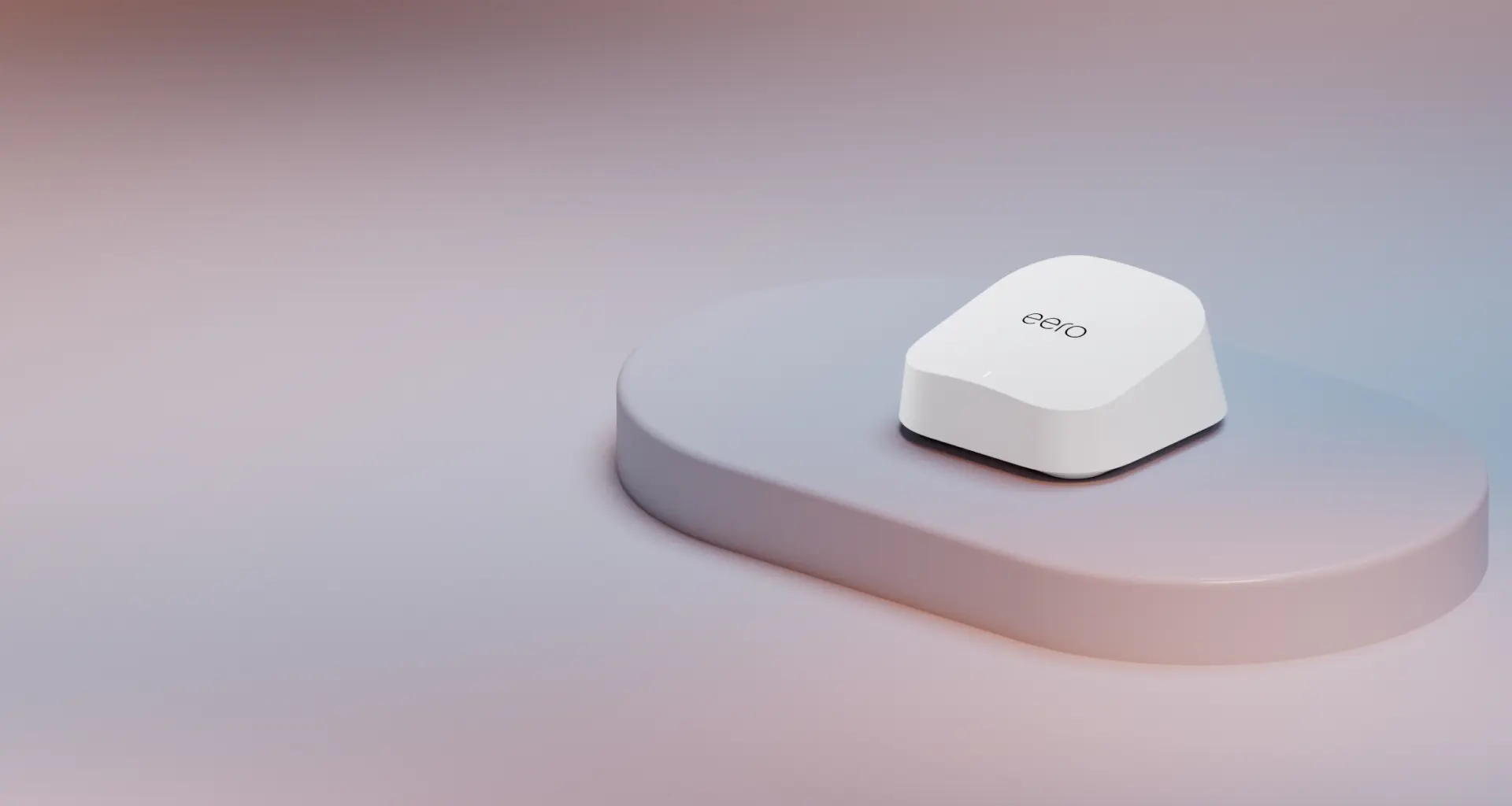
The sensible eero starting point for internet plans up to 2.5 Gbps when dual-band mesh and two 2.5GbE ports are enough.
Key details
- Dual-band Wi-Fi 7 with MLO and wireless speeds up to 1.8 Gbps
- Two auto-sensing 2.5GbE ports for gateway or wired backhaul use
- Up to 2,000 square feet and 120+ connected devices per unit under eero's stated conditions
FAQs
Do I need Thread to use Matter?
No. Matter devices can connect over Wi-Fi, Thread, or Ethernet. Thread is optional — it's the best choice for battery-powered devices like sensors and locks because of its low power draw. Plugged-in devices like smart plugs and displays typically use Matter over Wi-Fi.
Is my existing smart home hub compatible with Matter?
It depends on the model and whether the manufacturer has released a Matter update. Matter over Wi-Fi support is broad: Amazon, for example, lists Matter support back to the Echo (2nd gen) and Echo Dot (2nd gen). Matter over Thread is narrower, because it needs a model that is also a Thread border router, such as the Amazon Echo (4th gen), Apple HomePod mini, Google Nest Hub (2nd gen) or Samsung SmartThings Station. Check the manufacturer's support page for your specific model.
Can one Matter device work with both Apple Home and Google Home at the same time?
Yes. This is called multi-admin. A single Matter device can be added to multiple ecosystems by generating a pairing code in one app and entering it in another. Each ecosystem gets independent control. Most Matter devices support up to five simultaneous ecosystems (fabrics).
What is a Thread border router and do I need one?
A Thread border router connects your Thread mesh network to your IP network (Wi-Fi or Ethernet). You need one if you plan to use any Matter-over-Thread devices. Many ecosystem hubs include one: Apple HomePod mini, Google Nest Hub (2nd gen), Amazon Echo (4th gen), Echo Hub, and eero devices all include built-in Thread border routers. If your hub doesn't have one, you need to add a device that does.
How many Matter devices can a single Thread network support?
Mesh capacity depends on the number of mains-powered Thread nodes, the number of sleepy battery devices, border-router placement, and the platform's own limits. A well-designed home mesh uses several powered nodes through the living space instead of one border router in a rack. For large installs, plan the topology before buying dozens of sensors.
References
- Connectivity Standards Alliance: Matter specification downloads (1.6.1) - checked October 19, 2026
- Connectivity Standards Alliance: Matter 1.6 release - checked October 19, 2026
- Connectivity Standards Alliance: Matter 1.5.1 release - checked October 19, 2026
- Thread Group: Thread 1.4 release - checked October 19, 2026
- Amazon: Alexa Thread border router device list - checked October 19, 2026
Related reading
Plan the scenes, switches and wiring with a site visit
Walk the home with us to settle which scenes you want, where switches and keypads go, and which rooms get shades, before anything is installed.