


- Quick summary
- Why Do Older Homes Require Different Smart Lighting?
- Comparing Lutron Caseta, Leviton Decora, and Philips Hue
- When Is Lutron Caseta the Best Choice?
- When Is Leviton Decora Smart Wi-Fi the Better Fit?
- When Does Philips Hue Make More Sense Than Smart Switches?
- When Should You Use Smart Relays Instead of Smart Switches?
- Which Smart Lighting System Should You Use by Room?
- Pre-Installation Checklist for Smart Lighting Retrofits
- Do Smart Light Switches Require a Neutral Wire?
- How Does Matter Change Smart Lighting in 2026?
- Common Mistakes in Older-Home Smart Lighting
- What We Recommend for Older Westchester Homes
- FAQs
- References
Quick summary
Smart lighting for older homes should usually start with reliable wall controls, not a large set of smart bulbs.
For main rooms, hallways, kitchens, entries, and staircases, Lutron Caseta is usually the most practical retrofit default because several important Caseta dimmers do not need a neutral wire and the system does not add a Wi-Fi device for every switch. Leviton Decora Smart Wi-Fi is a good fit when the switch boxes have neutrals and the homeowner wants Matter-friendly Wi-Fi controls without a separate lighting bridge. Philips Hue is strongest for lamps, accents, color scenes, and spaces where changing the switch wiring is not worth the disruption.
If this is part of a larger project, plan the lighting alongside the broader smart home automation system, the smart home planning guide, the smart home automation lighting and shades guide, and the smart home prewire rough-in guide before buying devices room by room.
Use smart switches or dimmers for built-in ceiling lights. Use Philips Hue for lamps and decorative fixtures. Check for neutral wires before you choose Leviton, and choose Lutron first when the wiring is uncertain.
- Start by checking wiring, box depth, and fixture load type.
- Compare Lutron, Leviton, and Hue by installation fit, not just app support.
- Use the room-by-room table to decide where wall controls, bulbs, or relays make sense.
- Use the checklist before buying hardware or scheduling installation.
Why Do Older Homes Require Different Smart Lighting?
Older homes often lack neutral wires, use shallow boxes, and have plaster walls that complicate smart lighting retrofits.
Many Westchester Colonials, Tudors, capes, and prewar apartments were not wired with modern smart controls in mind. A switch box may be shallow. It may have cloth-insulated conductors, tight conduit, old multi-way switching, or no neutral wire. Finished plaster or masonry can also make wire pulling invasive and expensive.
Before choosing smart lighting hardware, check these physical constraints:
- Whether the switch box has line, load, ground, traveler, and neutral conductors
- Whether the box is deep enough for a larger smart dimmer body
- Whether a 3-way or 4-way circuit is wired in a way the product supports
- Whether the fixture load is LED, incandescent, magnetic low voltage, electronic low voltage, fan, or mixed
- Whether the home has plaster, masonry, or trim details that make wall repair expensive
- Whether the room needs normal physical control for guests, children, cleaners, or renters
Standard smart dimmers commonly need a usable wall-box depth of roughly 2.0 to 2.5 inches once conductors are folded back into the box. Older shallow metal boxes can be closer to 1.5 inches deep, which may force a box replacement, a different device, or a surface/remote-control strategy.
Do not install smart switches on active knob-and-tube wiring without an electrician's assessment. ESFI identifies knob-and-tube wiring as an older, ungrounded system that is more vulnerable to age and renovation damage.
Smart lighting retrofits should preserve normal wall behavior. If the room requires special instructions for which switch must stay on, the control plan is less dependable for a shared household.
Comparing Lutron Caseta, Leviton Decora, and Philips Hue
Lutron and Leviton provide wall-control systems, while Philips Hue is primarily a bulb and fixture ecosystem.
| System | Requires neutral wire | Hub or bridge | Best fit | Main limitation |
|---|---|---|---|---|
| Lutron Caseta | No for key Diva-style dimmers | Smart Hub recommended for full app and platform control | Main rooms, older switch boxes, 3-way retrofits, reliable everyday dimming | Higher per-control cost than basic Wi-Fi switches |
| Leviton Decora Smart Wi-Fi | Yes for D26HD | No separate lighting hub; uses 2.4 GHz Wi-Fi | Renovated rooms with confirmed neutrals and Matter-friendly Wi-Fi control | Less suitable for no-neutral boxes or weak 2.4 GHz networks |
| Philips Hue | Not applicable for lamps and bulbs | Hue Bridge or Bridge Pro for the strongest ecosystem path | Lamps, accent lighting, color scenes, and rooms where rewiring is not worth it | Legacy wall switches can cut power to smart bulbs |
Lutron Caseta is the most resilient choice when the switch wiring is uncertain. Leviton Decora Smart Wi-Fi fits best when neutral wires and Wi-Fi quality are confirmed. Philips Hue is usually the better option when the lighting goal is color, accents, lamps, or scenes rather than hardwired room control.
A smart dimmer keeps the wall as the primary interface. Hue is flexible, but it needs a control plan that prevents people from cutting power to smart bulbs at a legacy switch.
When Is Lutron Caseta the Best Choice?
Lutron Caseta is best when an older home needs reliable dimmers and neutral wires are missing or uncertain.
The current Caseta Diva smart dimmer is a good example of why Lutron is so common in retrofits. Lutron lists the Diva smart dimmer at 150 W for dimmable LED loads or 600 W for incandescent and halogen, and says it does not require a neutral wire. That no-neutral support is important in older switch boxes where a neutral may not be present.
Caseta also avoids a common smart-home support problem: adding dozens of lighting devices to the Wi-Fi network. Caseta uses Lutron's own control layer, and the Smart Hub unlocks the fuller system: app control, schedules, voice assistant integration, and broader smart-home integration.
Choose Lutron Caseta when:
- The room has built-in ceiling lights or recessed lights
- The household wants normal wall dimmers
- The home may not have neutrals in every switch box
- You need reliable multi-location control without opening finished walls
- You want a lighting system that can later connect to shades and larger scene planning
The main tradeoff is cost. Caseta is rarely the lowest-cost way to make one light smart. It is usually chosen because it reduces wiring surprises and keeps day-to-day control straightforward.
Review current Lutron Caseta starter kit pricing and compatibility notes before standardizing on this path.
No neutral wire required — works in pre-1980 homes
Key details
- Clear Connect RF protocol — penetrates plaster walls reliably
- Includes Smart Hub (required), Pico remote, and wall plate
- Works with Alexa, Apple HomeKit, Google Home
When Is Leviton Decora Smart Wi-Fi the Better Fit?
Leviton Decora Smart Wi-Fi is best when neutral wires are confirmed and the home has reliable 2.4 GHz Wi-Fi.
The Leviton D26HD Decora Smart Wi-Fi 2nd Gen dimmer requires a neutral wire and a 2.4 GHz Wi-Fi network. Leviton also positions the 2nd Gen Decora Smart line around Matter support, which matters for homes that want Apple Home, Google Home, Amazon Alexa, SmartThings, or another Matter controller to see the device through a more standard path.
That makes Leviton a strong option in newer additions, renovated rooms, and homes where the switch boxes are already known to have neutrals. It is also appealing when the owner wants to avoid a separate lighting hub and does not mind each control joining the Wi-Fi network.
Choose Leviton Decora Smart Wi-Fi when:
- You have confirmed neutral wires in the relevant switch boxes
- The Wi-Fi network is stable and well designed
- You prefer a no-lighting-bridge approach
- You want Matter support from a familiar switch brand
- You are doing a smaller number of smart controls rather than a whole-home lighting system
The tradeoff is that Wi-Fi lighting scales differently than hub-based lighting. A few Wi-Fi controls are fine on a healthy network. A full house of them can expose weak access point placement, old routers, and poor 2.4 GHz coverage. For larger homes, pair lighting decisions with a real networking and infrastructure plan.
Review current Leviton Decora Smart Wi-Fi specifications before purchase, especially neutral-wire, load, and Matter firmware requirements.
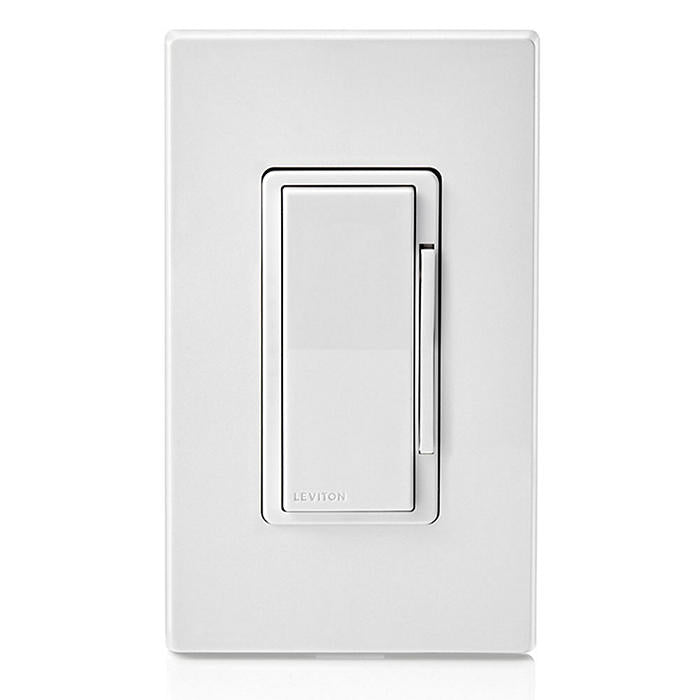
Matter support on compatible 2nd Gen firmware
Opens search results. Match the model and bundle before ordering.
Find options on AmazonOfficial specificationsKey details
- 2.4 GHz Wi-Fi control without a separate lighting hub
- Neutral wire required
- Works with optional wired or wire-free companion controls
When Does Philips Hue Make More Sense Than Smart Switches?
Philips Hue is best for lamps, accent lighting, color scenes, and rooms where rewiring is not practical.
Hue is often the best answer for table lamps, floor lamps, bookshelves, LED strips, art lighting, kids' rooms, and accent scenes. It is also useful in rentals or finished rooms where changing switch wiring is not desirable.
Hue's Matter story depends on the setup. Philips Hue says the Hue Bridge and Bridge Pro support Matter, and that products connected through the bridge can work through Matter. Hue also notes that Bluetooth-only Hue products do not use Matter through the bridge path. The updated Bridge Pro is most relevant for larger Hue systems and premium starter kits because it is designed for higher-capacity Hue installations. If you are comparing Hue with other wireless ecosystems, the broader protocol context is in Zigbee vs Z-Wave vs Wi-Fi vs Thread.
Choose Philips Hue when:
- The room needs color, tunable white, or decorative scenes
- The light is a lamp or plug-in fixture
- The fixture cannot be dimmed well from the wall
- The room is temporary, rented, or not worth opening
- You want sensors, buttons, and scene accessories without rewiring
The main caution is physical switching. Hue bulbs need constant power. If the old wall switch cuts power to the smart bulbs, the app and automations lose connectivity. In rooms where people instinctively use the wall switch, use a smart dimmer instead or add a Hue-compatible control strategy that keeps power available.
Review Hue starter kit options, then confirm whether the kit uses the standard Hue Bridge or Bridge Pro.
No switch wiring needed — bulb replacement only
Key details
- 16 million colors + tunable white (2200K–6500K)
- Hue Bridge supports up to 50 bulbs
- Matter compatible for future-proof ecosystem integration
When Should You Use Smart Relays Instead of Smart Switches?
Smart relays preserve existing switches while adding app or automation control behind the wall.
In-wall relays and micro-modules are useful when the homeowner wants to keep antique toggles, push-button switches, specialty wall plates, or a historic trim style. Instead of replacing the visible switch with a smart dimmer, a relay mounts inside the electrical box or an approved nearby enclosure and lets the original switch continue to act as the visible control.
This approach can be helpful in historic homes, but it is not automatically easier. A relay still needs an approved electrical box, enough conductor space, a compatible load, and a wiring layout that matches the module. Many relay installs also require neutral conductors, and dimming support varies by device.
As a sizing reference, Shelly lists the Shelly 1PM Gen3 relay at about 37 x 42 x 16 mm (1.46 x 1.65 x 0.63 in). That footprint is compact, but it still competes for space with wire nuts, conductors, and the original switch body in an older box.
Use smart relays when:
- The original switch style must be preserved
- The box has enough depth and conductor space
- The circuit wiring is modern enough for the selected module
- The homeowner wants Home Assistant or advanced local automation flexibility
- The visible switch should remain non-smart for aesthetic reasons
Avoid relays when the box is crowded, the wiring is brittle, the circuit is knob-and-tube, or the homeowner expects a simple app-led DIY install.
Relay installs in older homes are usually best handled by a licensed electrician. Box fill, conductor condition, grounding, and code-compliant enclosure choices matter more than the relay setup itself.
Which Smart Lighting System Should You Use by Room?
Built-in lights usually need smart dimmers, while lamps and accents are better candidates for smart bulbs.
| Room or use | Best starting point | Why |
|---|---|---|
| Kitchen recessed lights | Lutron Caseta or Leviton Decora | Ceiling lights need normal wall control, clean dimming, and guest-friendly behavior |
| Dining room chandelier | Lutron Caseta first | A familiar dimmer is easier than smart bulbs when one fixture is controlled from the wall |
| Living room lamps | Philips Hue or smart plug plus lamps | Portable lamps are easy to automate without opening walls |
| Entry and hallway lights | Lutron Caseta | Fast physical control matters more than color scenes |
| Bedroom lamps | Philips Hue | Bedside scenes, warm dimming, and voice or button control are useful |
| Stair lights | Lutron Caseta with multi-location control | 3-way behavior must stay intuitive and dependable |
| Home office overhead lights | Leviton or Lutron | Wall control plus predictable dimming is more important than effects |
| Accent shelves and media walls | Philips Hue | Color, strips, and scene lighting are the point |
Mixed systems are normal. A strong smart-lighting plan might use Lutron for ceiling loads, Hue for lamps and media-wall accents, and Apple Home, Google Home, or Home Assistant as the shared control layer. This approach stays serviceable when the controls are documented and the wall behavior is obvious.
If the platform decision is still open, read Home Assistant vs Apple HomeKit vs Google Home, Matter and Thread explained, and the local-first smart home reliability guide before committing to a single ecosystem.
Pre-Installation Checklist for Smart Lighting Retrofits
Verify neutral wires, switch depth, multi-way wiring, and fixture load type before purchasing smart lighting hardware.
- Open each target switch box and confirm whether a neutral wire is present before choosing Leviton-style Wi-Fi dimmers.
- Identify every 3-way and 4-way circuit so the companion switch or remote plan is chosen before installation day.
- Confirm the fixture load type: LED, incandescent, halogen, magnetic low voltage, electronic low voltage, fan, or mixed.
- Check box depth and wire count. Plan for roughly 2.0 to 2.5 inches of usable depth for many smart controls.
- Avoid smart bulbs on circuits where people will keep using a wall switch unless the control plan preserves constant power.
- Plan bridge and hub placement near reliable Ethernet or strong Wi-Fi, especially for larger homes.
- Document the room name, switch location, load type, and final platform before buying bulk hardware.
If this checklist raises wiring, box-depth, or plaster-repair questions, request a smart lighting and automation consultation before ordering hardware.
Older-home lighting retrofits are rarely a good first electrical DIY project. If you are opening switch boxes, confirming neutrals, or changing devices on legacy wiring, work with a licensed electrician.
Do Smart Light Switches Require a Neutral Wire?
Many Wi-Fi switches require a neutral wire, but select Lutron Caseta dimmers are designed for no-neutral retrofits.
Smart switches and dimmers need a constant power path so the control electronics can stay online when the light is off. The Leviton D26HD Decora Smart Wi-Fi 2nd Gen dimmer requires a neutral wire. Lutron's current Caseta Diva smart dimmer does not require a neutral wire, which is why it is often a better retrofit fit in older homes.
Do not assume all no-neutral products behave the same way. Confirm the exact model, load type, fixture compatibility, minimum load requirements, and any required accessory before installation.
How Does Matter Change Smart Lighting in 2026?
Matter improves platform compatibility, but it does not remove wiring, load, or Wi-Fi constraints.
Matter can improve onboarding and basic control across platforms. It does not make a no-neutral switch box support a neutral-required dimmer. It does not improve Wi-Fi coverage. It also does not guarantee that every advanced scene, fade setting, sensor behavior, or accessory feature will appear identically in every app.
Use Matter as a compatibility layer, not as the whole plan.
- With Leviton, Matter is attractive because compatible Decora Smart Wi-Fi 2nd Gen devices can show up in Matter-enabled platforms without a lighting bridge.
- With Philips Hue, Matter is most useful when the Hue Bridge or Bridge Pro is part of the system, or when using Matter-enabled Hue bulbs with the right controller path.
- With Lutron Caseta, the practical value is still the lighting control system itself: reliable wall controls, a dedicated hub path, and broad integrations.
If the goal is long-term reliability, the wiring, load type, wall-control behavior, and network design still come first.
Common Mistakes in Older-Home Smart Lighting
The most common smart lighting mistake in older homes is buying devices before inspecting the wiring.
The second most common mistake is treating every light the same. A kitchen recessed-light load, a bedroom lamp, a stairway 3-way circuit, and a media-wall LED strip do not need the same product. They need the same control philosophy: predictable, labeled, and easy for the household to understand.
Avoid these traps:
- Buying neutral-required Wi-Fi dimmers for boxes without neutrals
- Using smart bulbs in ceiling fixtures controlled by frequently used wall switches
- Replacing a 3-way circuit before understanding where line and load actually enter
- Choosing color bulbs for rooms that only need warm white dimming
- Letting every brand app become its own control island
- Ignoring Wi-Fi coverage at the edge of the home
- Forgetting that plaster repair can cost more than the device
The target outcome is predictable control: wall switches work normally, scenes run from the app, automations are documented, and no switch needs special instructions.
What We Recommend for Older Westchester Homes
Older Westchester homes usually need Lutron for wall loads, Hue for lamps, and Leviton only where neutrals are confirmed.
That recommendation is not about brand loyalty. It is about serviceability. Older homes reward controls that tolerate imperfect wiring, minimize wall damage, and still make sense to guests. In a finished plaster home, the best smart-home decision is often the one that avoids opening walls unnecessarily.
A typical plan might look like this:
- Lutron Caseta dimmers for kitchen, entry, hallway, dining, and stair loads
- Philips Hue for lamps, media-wall accents, kids' room color, and decorative scenes
- Leviton Decora Smart Wi-Fi for renovated areas with known neutrals and strong Wi-Fi
- Apple Home, Google Home, or Home Assistant as the shared platform layer, chosen after the hardware realities are clear
- A written room-by-room map so future service does not depend on memory
If the home is being renovated and walls are open, the decision changes. That is the moment to consider deeper lighting design, shade wiring, keypad locations, low-voltage pathways, and a network rack that can support hubs and bridges cleanly. For that path, start with the smart home prewire rough-in guide.
FAQs
Do smart light switches need a neutral wire?
Some smart light switches need a neutral wire, and some do not. Many Wi-Fi switches require neutral. Several Lutron Caseta dimmers are designed for no-neutral retrofit use, while the Leviton D26HD Decora Smart Wi-Fi 2nd Gen dimmer requires neutral. Always check the exact model and open the box before ordering.
Are smart bulbs or smart switches better for older homes?
Smart switches are usually better for built-in room lighting because the wall control stays intuitive. Smart bulbs are better for lamps, color scenes, accent lighting, and places where changing the switch wiring is not worth it. Many older homes use both.
Is Lutron Caseta better than Leviton Decora Smart Wi-Fi?
Lutron Caseta is usually better when neutral wires are missing, multi-location control needs to be simple, or the project may grow into a larger lighting system. Leviton Decora Smart Wi-Fi is a good fit when neutrals are present, Wi-Fi is solid, and the owner wants Matter-friendly controls without a separate lighting hub.
Does Philips Hue work with Matter?
Yes, but the path matters. Philips Hue says Hue Bridge and Bridge Pro support Matter, and that Hue products connected through the bridge can work with Matter. Bluetooth-only Hue products do not use Matter through the bridge path.
Should smart lighting be installed before or after a smart-home platform is chosen?
Choose the platform direction early, but inspect the wiring before buying devices. The best platform plan still has to respect the switch boxes, fixture loads, network coverage, and how the household uses the room.
References
Plan the project with a site visit
Confirm wiring, equipment, placement, and installation scope before hardware is locked in.