Quick answer
For a household or tiny office that needs its first local backup target, shortlist the 2-bay UGREEN DXP2800 and Synology DS225+. For growing shared files, compare the 4-bay Synology DS925+, UGREEN DXP4800 Plus, and QNAP TS-464-8G. Choose the DXP4800 Plus when a 10GbE path is already planned; otherwise its faster port may add cost without improving the backup routine. The UGREEN DXP4800 Pro is a separate, higher-CPU option for concurrent apps and virtual machines, not a required upgrade for backup alone.
If your only goal is to protect one laptop and you do not need local shared storage, an established cloud backup service plus a periodic external-drive copy may be simpler and cheaper to operate. A NAS becomes useful when several devices need a common local destination, fast restores, file sharing, or control over where the main copy lives. A mirrored or redundant NAS is still one copy in one location; it is not a complete backup.
Our practical default is two compatible NAS HDDs in a mirrored 2-bay system, a UPS, and a separate versioned off-site copy. A 4-bay system earns its higher total cost when capacity growth, shared work, or restore-time needs justify it. These are specification-based setup recommendations, not comparative performance tests. Model details, supplied UGREEN destinations, and Amazon offers were checked September 29, 2026. We may earn a commission from purchase links; that does not turn the highest-commission model into the best fit for every reader.
- Buy the enclosure, compatible drives, UPS, and off-site backup as one system; diskless NAS prices omit the drives.
- Two 8TB drives mirrored provide about 8TB of nominal protected capacity before formatting and system overhead, not 16TB.
- Use automated client backups, versioned off-site NAS backups, alerts, and actual restore tests.
- UGREEN's Sync & Backup, snapshots, and cloud-drive features serve different recovery roles; a live mirror alone can copy deletions to the destination.
- DSM 7.3 permits nonvalidated third-party HDDs in 2025 Plus models, but Synology support for drive-caused issues is limited; M.2 cache and pools still require listed drives.
The shortlist: match the NAS to the recovery job
| Model | Bays and network | Best fit | Watch before buying |
|---|---|---|---|
| UGREEN DXP2800 | 2 SATA bays; one 2.5GbE port | Value-minded first NAS with a defined off-site plan | Limited internal growth; verify backup destination and restore workflow |
| Synology DS225+ | 2 bays; one 2.5GbE and one 1GbE port | First NAS when Synology's backup workflow is a priority | A mirrored pair consumes one drive's nominal capacity |
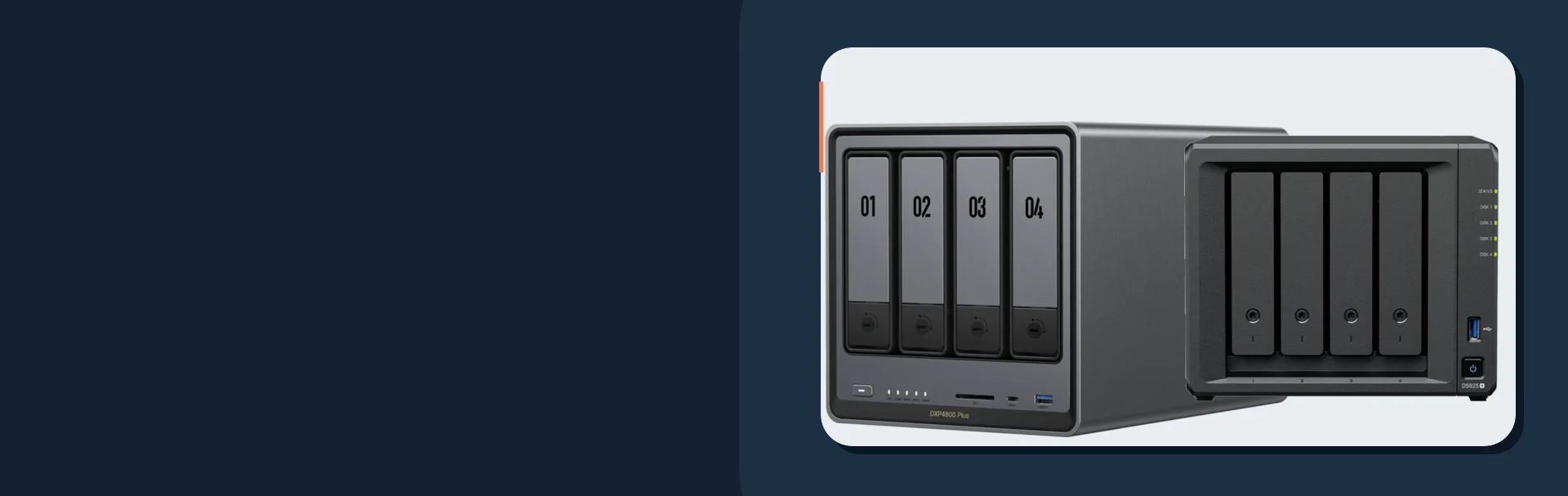
| UGREEN DXP4800 Plus | 4 SATA bays; 10GbE plus 2.5GbE | Large shared files on a planned 10GbE network | 10GbE adds network cost and is unnecessary for many backup jobs |
| Synology DS925+ | 4 bays; two 2.5GbE ports; two M.2 slots | Growing office with several backup clients | Check DSM, drive, and M.2 compatibility |
| QNAP TS-464-8G-US | 4 bays; two 2.5GbE ports; M.2 and PCIe expansion | Hands-on owner needing hardware and app flexibility | Confirm the 8GB US diskless variant and software requirements |
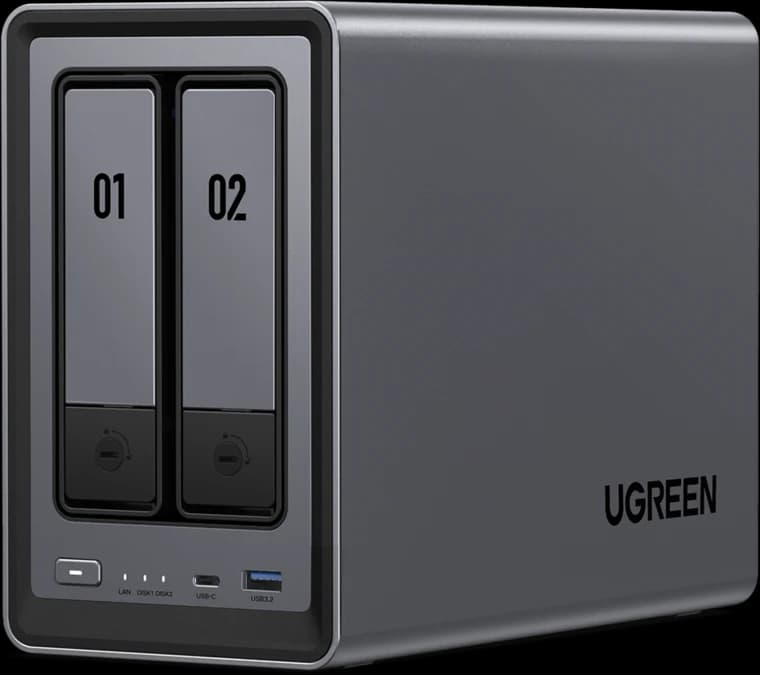
Two-bay UGREEN pick for a first household NAS with a 2.5GbE network port.
- 2 drive bays
- 2.5GbE
- 8GB RAM
Before you buy: Two bays limit internal growth; add a separate off-site backup. Drives are sold separately.
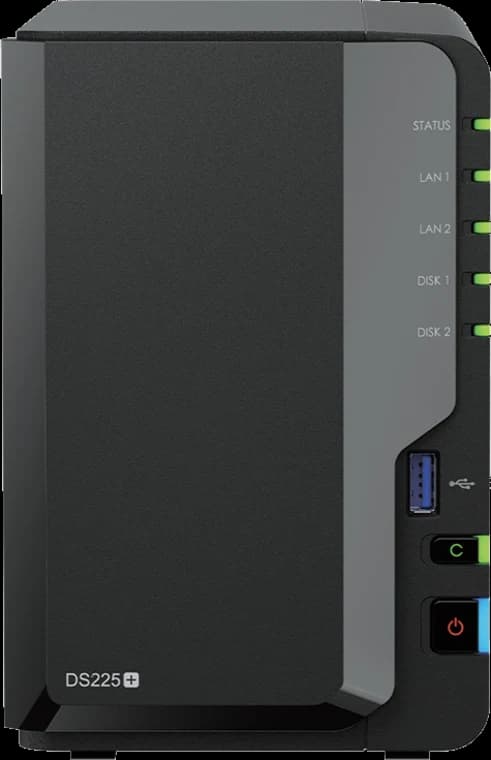
A compact DSM option for household and very small-office backups.
- 2 drive bays
- 2.5GbE + 1GbE
- Diskless
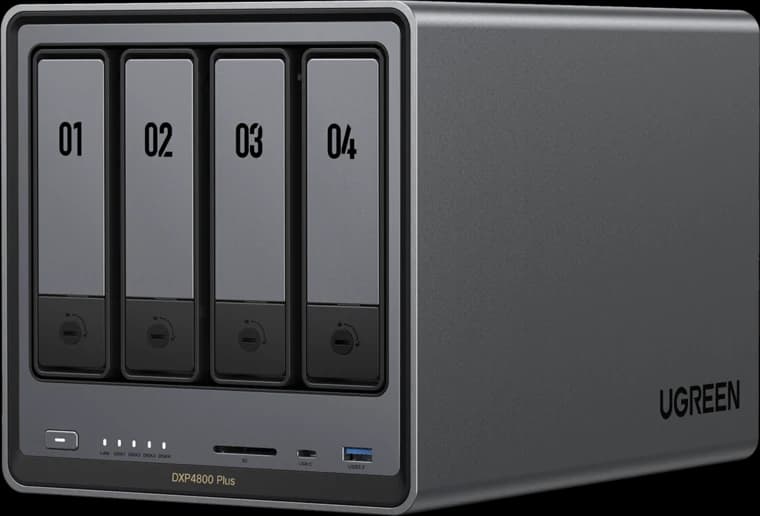
Four-bay UGREEN pick when a real 10GbE network and large shared files justify the faster uplink.
- 4 drive bays
- 10GbE + 2.5GbE
- 8GB RAM
Before you buy: Budget the 10GbE switch or adapter path and an independent backup. Drives are sold separately.
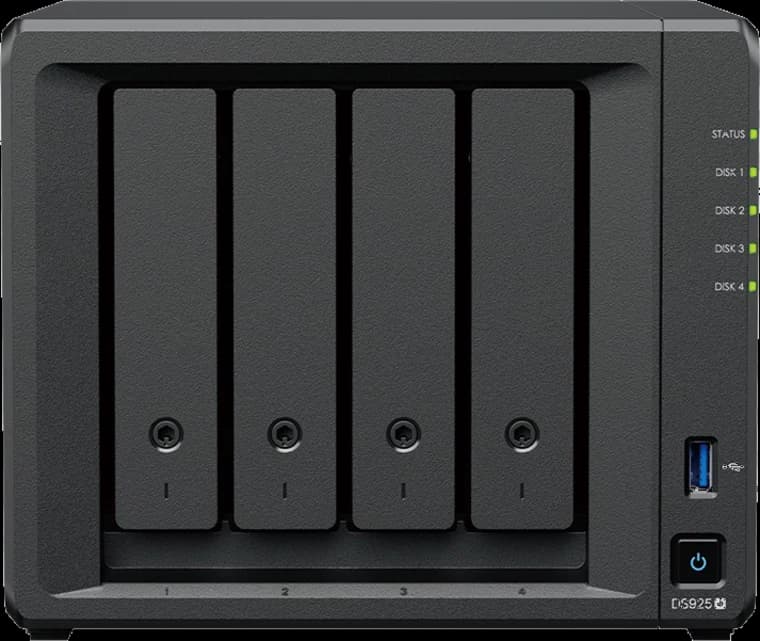
Synology
Synology DiskStation DS925+
A four-bay DSM system for growing shared files and multi-client backup.
- 4 drive bays
- 2 × 2.5GbE
- 2 M.2 slots
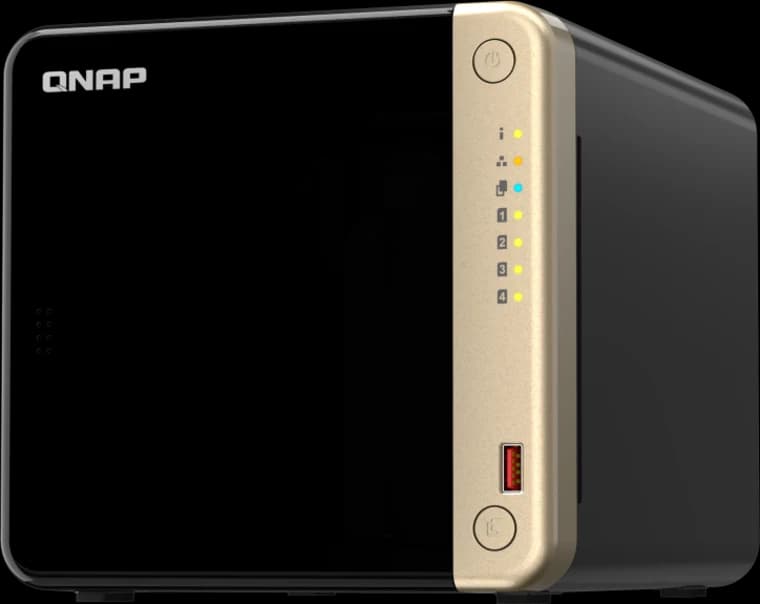
Four bays and expansion options for a hands-on backup setup.
- 4 drive bays
- 2 × 2.5GbE
- 8GB RAM
For a first two-bay NAS
The UGREEN DXP2800 pairs an Intel N100, 8GB RAM, two SATA bays, and a 2.5GbE port. Its hardware is attractive for a small local file and backup server. UGOS Pro provides Sync & Backup, snapshots, and cloud-drive features, but you still need to configure and test the particular off-site destination you plan to use. UGREEN's own backup guide warns that a mirror propagates source deletions and that its native .ubk external-drive package needs a working UGOS Pro NAS to restore. If you want recovery directly from a computer after losing the NAS, keep an additional portable plain-file copy.
The Synology DS225+ is the two-bay alternative when Synology's client and NAS backup tools fit your devices and restore process. Its single 2.5GbE port can connect to a suitable multi-gig switch, while its second port is 1GbE. With either two-bay model, increasing capacity later may mean replacing drives one at a time and completing rebuilds or migrating to a larger enclosure. Check supported drive models and backup packages before purchase.
For a growing office or large file library
The UGREEN DXP4800 Plus has four SATA bays, two M.2 slots, an Intel Pentium Gold 8505, and separate 10GbE and 2.5GbE ports. It is compelling when fast local transfers of large files are part of the actual workflow and the client, switch, and cabling can use 10GbE. A 10GbE socket will not speed up an internet cloud backup beyond the upload connection or make one hard drive deliver 10Gbps. Check UGREEN's drive compatibility information and the exact current backup features before choosing a pool.
The DS925+ is the better starting point when shared work folders, many client backups, and growth are already foreseeable. Four bays let you start with a protected pool and leave physical room to expand, subject to the selected RAID or Synology Hybrid RAID layout and its rules. Dual 2.5GbE ports do not automatically make one computer's transfer 5Gbps. The M.2 slots are optional and should not distract from buying enough protected HDD capacity and off-site backup first.
The QNAP TS-464-8G offers four SATA bays, two 2.5GbE ports, two M.2 slots, and PCIe expansion. It suits an owner with a specific app or expansion need and someone assigned to patching and backup checks. Its Amazon card links to the exact diskless TS-464-8G-US listing sold and shipped by Amazon.com when checked, not to a mixed-model search page.
When to pay for more CPU
The DXP4800 Pro has an Intel Core i3-1315U and 10GbE plus 2.5GbE. Consider it if multiple users will run apps, indexing, Docker, or virtual machines alongside file service. For backup jobs alone, spend the premium first on compatible drives, UPS coverage, and an independent recovery copy.
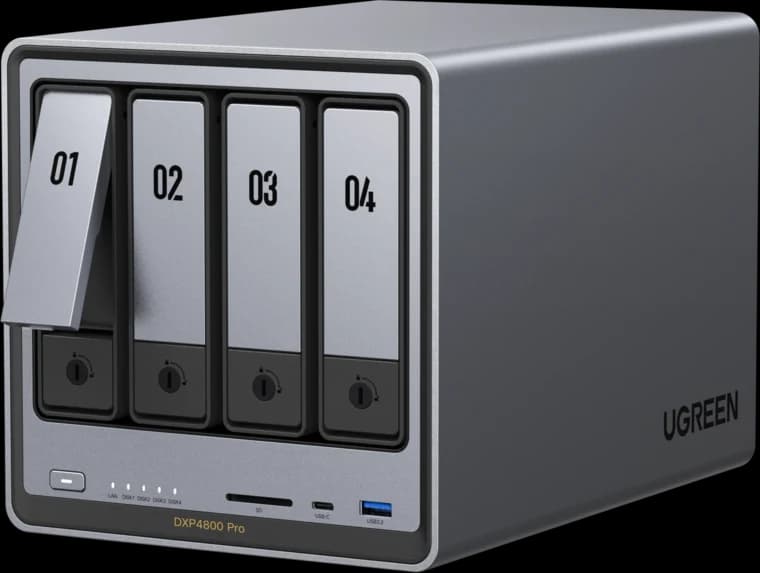
Higher-CPU four-bay UGREEN option for concurrent apps, VMs, and multi-user work.
- 4 drive bays
- 10GbE + 2.5GbE
- Core i3 CPU
Before you buy: Buy for CPU-intensive workloads, not backup alone; drives and a separate backup destination are extra.
Three complete setups to price
| Starting point | Local storage | Independent recovery copy | Network and power |
|---|---|---|---|
| First household NAS | DXP2800 or DS225+ with two compatible NAS HDDs mirrored | Versioned off-site backup plus a periodic file restore | UPS for NAS and essential network gear; 2.5GbE only if the rest of the path supports it |
| Growing small office | DS925+, DXP4800 Plus, or TS-464-8G with a protected four-drive layout | Scheduled versioned backup to a second location; test an entire critical share | UPS sized from measured load; assign an owner for alerts and drive replacement |
| Large local media projects | DXP4800 Plus or Pro with compatible HDD pool | Separate off-site versioned copy; keep a plain-file export if recovery without the NAS is required | 10GbE client and switch path for local files; UPS and upload plan still needed |
Work out the real capacity and cost
First measure the data to protect: computers, shared folders, photos, and any large project files. Add expected growth and room for file versions; do not size the pool to 100% of today's data. Then choose the failure tolerance and confirm the layout in the vendor's RAID calculator.
For example, two 8TB drives mirrored yield about 8TB nominal usable before filesystem and system overhead. Four 8TB drives with one-drive redundancy yield about 24TB nominal usable before overhead, depending on the chosen layout. Operating systems often display capacities in tebibytes (TiB), so a displayed number will be smaller than the decimal TB figure on the box. Redundancy lets a pool survive a specified drive failure; it does not undo deletion, ransomware, theft, fire, or a failed backup job.
Make a purchase worksheet with these lines:
- Diskless enclosure and drives: check model, drive capacity, quantity, and whether the seller bundled drives you did not choose. Use drives intended for NAS operation and check the exact model and firmware against the vendor's current compatibility list.
- One spare or replacement plan: decide how quickly a failed drive can be replaced and who will handle the rebuild. A spare in a drawer is optional for a home and more valuable when downtime is costly.
- UPS and network path: protect the NAS, switch, router, and internet handoff as needed. Size runtime from actual wattage; a 1500VA label is not a runtime promise. Connect the UPS to the NAS for supported graceful shutdown behavior.
- Off-site copy: price a second location, external drive rotation, or cloud object-storage plan. Include monthly storage, retrieval, and internet upload costs where relevant.
- Time and subscriptions: allow for setup, monitoring, restore exercises, and any destination or application fees. Confirm current package and service terms before committing to a workflow.
For a straightforward Synology pair, the HAT3320-8T appears in the DS225+ product page's compatible accessories and on the DS925+ compatibility page. Reconfirm the exact model and firmware on the current compatibility list immediately before ordering. Under DSM 7.3's policy, 2025 DiskStation Plus systems can create pools using nonvalidated third-party HDDs and 2.5-inch SATA SSDs, but Synology limits support for issues caused by the drive or firmware. M.2 storage pools and cache still require listed drives. A third-party HDD may lower acquisition cost; weigh that against troubleshooting responsibility rather than assuming equivalent vendor support.
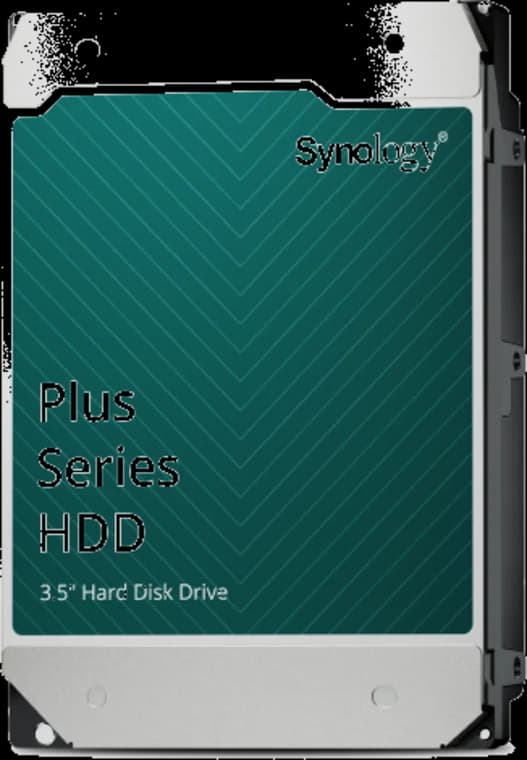
An 8TB NAS drive to check against your chosen Synology model's compatibility list.
- 8TB capacity
- 3.5-inch SATA
- Plus Series
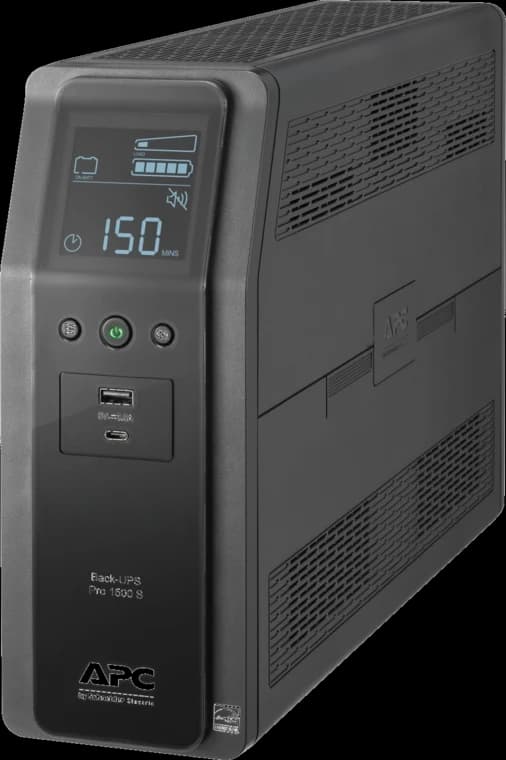
Battery backup for a NAS and essential network equipment; size runtime for your actual load.
- 1500VA / 900W
- 10 outlets
- Tower UPS
Build a backup you can restore
Use the NAS as a local destination, then protect the NAS itself. This is a practical starting workflow, which you should adapt to your devices and retention needs:
- Decide what must return first. List critical folders, computer images where needed, account owners, and acceptable recovery time. Exclude replaceable caches, but include the NAS configuration and any application data needed to rebuild the service.
- Automate client backups. Configure each computer or server to back up to a dedicated NAS share using a supported client tool. Set schedules and version retention. A shared folder that users manually copy into is useful for collaboration but is not a dependable client backup on its own.
- Back up the NAS off-site. On Synology, configure Hyper Backup to a supported second NAS, cloud destination, or rotated external drive. On UGREEN, use Sync & Backup for an incremental external or remote copy; check whether the selected cloud workflow retains older versions rather than simply synchronizing changes and deletions. On QNAP, check the current HBS 3 destination and versioning options. Give every brand's off-site copy separate credentials and test its restore path before relying on it.
- Watch every job. Set email or app alerts for failed backups, degraded storage, capacity, and UPS events. Give one person ownership of the alerts and replacement process. Record the job schedule and where credentials and recovery keys are stored.
- Prove recovery. Each month, restore a recent file and an older version to a separate location and open them. Periodically test a full computer or critical share restore, including the off-site copy, and note the time taken. Synology documents Hyper Backup restores; UGREEN's backup strategy explains the different recovery behavior of snapshots, incremental copies, and mirrors. A successful job notification alone does not prove usable recovery.
This follows the 3-2-1 principle described by CISA: three copies, two media or storage types, and one off-site. For a small office, consider an offline or immutable copy as extra protection against account compromise. Set retention and access rules from the actual business need, not a generic preset.
Remote access and maintenance
Keep the NAS management interface off the open internet. Use a maintained VPN or the vendor's supported secure remote-access method, enable multi-factor authentication where available, remove unused accounts, and keep NAS packages and clients updated. Give staff only the shares they need. For confidential files, check encryption at rest and in transit, and document where recovery keys live. These choices matter as much as the brand of enclosure.
Review capacity and backup alerts weekly, apply security updates on a planned schedule, and replace a failed drive promptly. After any drive replacement, let the pool finish its rebuild and verify backup jobs again. If camera recording is the main workload, use our separate NVR vs NAS vs cloud camera-storage guide; camera retention and surveillance licensing need their own sizing exercise.
Buying links and seller check
The UGREEN cards use tracked links to the matching model pages on UGREEN's US store. Their offers are sold by UGREEN; check the selected variant, included drives, current return terms, and final checkout details before ordering. Each enclosure discussed here is priced and described as diskless unless a particular store offer explicitly says otherwise.
On September 29, 2026, the exact diskless DS225+, DS925+, and TS-464-8G-US Amazon pages and the APC UPS page showed Amazon.com as shipper and seller with new stock. The HAT3320-8T offer showed Adorama as shipper and seller; its card selects that merchant's offer. Adorama's seller profile showed 4.5/5 stars, 88% positive feedback over the previous 12 months, and 2,559 recent ratings when checked for the related UniFi buying guide. That is a known electronics retailer, but its recent feedback calls for a careful review of the actual offer. Amazon offers can change. Before checkout, confirm the model and capacity, new condition, shipper, seller, current feedback, returns, and warranty. Product star ratings alone do not establish seller reliability.
We can map your devices, shared files, drive capacity, UPS, off-site copy, and restore tests before you buy.
FAQs
Is RAID a backup?
No. RAID or mirroring can keep the NAS running after a supported drive failure. It cannot recover data deleted or encrypted on the same system if all accessible versions are affected. Keep another versioned copy, preferably off-site, and test restoring it.
Is a 2-bay NAS enough for a small office?
It can be if current data, version retention, and growth fit a mirrored pair and restore time is acceptable. If several users create large files or capacity will grow quickly, price a 4-bay system before buying two larger drives for the smaller box.
Should I use a NAS instead of cloud backup?
They solve different parts of the problem. The NAS gives local storage and quick local restores; off-site cloud or a second location protects against loss of the local site. A single-device household without shared storage may be better served by cloud backup and an external copy.
Sources
- Synology DS225+ specifications, DS925+ specifications, and QNAP TS-464-8G hardware specifications; checked September 29, 2026.
- UGREEN DXP2800 specifications, DXP4800 Plus specifications, DXP4800 Pro specifications, and UGOS Pro backup features; checked September 29, 2026.
- UGREEN backup strategy and QNAP HBS 3; checked September 29, 2026.
- Synology DSM 7.3 drive-policy announcement and DS925+ compatibility list; checked September 29, 2026.
- Synology Hyper Backup destinations and restore instructions; checked September 29, 2026.
- CISA data backup options for the 3-2-1 principle; checked September 29, 2026.
Plan the project with a site visit
Confirm wiring, equipment, placement, and installation scope before hardware is locked in.