

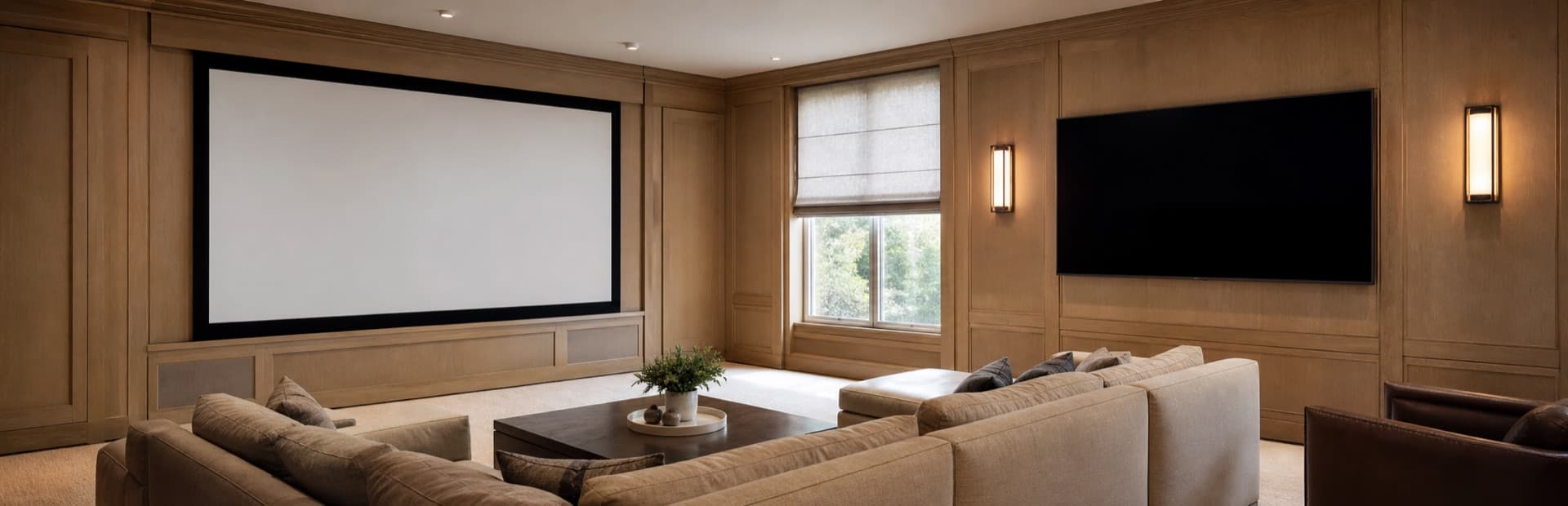
- Quick answer: projector or TV?
- Projector vs TV: the decision table
- Score your room before comparing products
- Light, contrast, and screen choice: where most projector plans succeed or fail
- When does a projector make more sense than a 98-inch TV?
- Standard throw vs ultra-short-throw projectors
- Audio, gaming, and control are part of the display decision
- Three design paths that hold up in real homes
- Projector vs TV installation handoff checklist
- FAQs
- References and check dates
Quick answer: projector or TV?
Choose a TV for a living room that is used in daylight, for sports and gaming, or when you want the least complicated system. Choose a projector when the room can get genuinely dark and the goal is a 100- to 150-inch movie experience. If the house needs both, the strongest answer is often a bright TV in the everyday room and a projector in a separate media room—not one display forced to do two different jobs.
The decision is less about which technology is “better” and more about what the room asks it to do. A TV is a self-contained display that stays bright, sharp, and convenient with the shades open. A projector is a system: projector, screen or treated wall, lighting plan, audio, source path, and room layout all work together. That extra planning can create an experience no ordinary TV can match in a dark room. It can also create an expensive compromise when the room is a sunlit family space.
If you are deciding between a large television and a projector, use this guide in this order: assess the room, settle the target screen size, then plan the wiring and audio. Do not start with a projector specification or a TV sale price.
- A 75- to 98-inch TV is usually the safer everyday choice for bright, shared rooms.
- A projector earns its complexity when you want a 100-inch-plus image and can control the room's light.
- Ultra-short-throw projectors reduce throw-distance problems, but they still need a carefully chosen screen and clean power/cable planning.
- For movie-first rooms, spend as much thought on the screen, seating, speakers, and light control as on the projector itself.
- A hybrid two-room plan is often better value than asking one living room to become a cinema after dark.
Projector vs TV: the decision table
| Question | TV advantage | Projector advantage | Practical call |
|---|---|---|---|
| Does the room have daylight or direct reflections? | High brightness and no separate screen to wash out | Works only with strong light control or a purpose-built UST screen | Choose TV for an everyday sunny room |
| Do you want more than 100 inches? | 98-inch class is increasingly practical, with less setup | Usually creates a larger cinematic image with more size flexibility | Projector is compelling from roughly 110 inches upward |
| Is the room used for sports, news, and casual TV? | Fast startup, strong daytime image, low maintenance | Can work, but room light and screen choice matter every day | Choose TV unless the room is controlled |
| Is the goal movie night in a dark dedicated room? | Excellent contrast and simple operation | More immersive image size and theater feel | Projector deserves serious consideration |
| Do you play competitive games? | Straightforward 4K/120 or higher support and low input lag | Some models are capable, but signal path and latency require more vetting | TV is the easier default |
| Is the house a finished retrofit? | Mount, power, and one HDMI/eARC path are usually manageable | Needs throw geometry, screen wall, ceiling or credenza placement, and often longer signal paths | TV is simpler; survey before choosing projector |
| How much visible equipment can the room tolerate? | One thin display plus a soundbar can stay very clean | A screen can disappear; the projector and audio still need intentional placement | Projector wins only when the room is designed around it |
The table points to a useful default: television for the primary family room, projector for the true media room. There are exceptions—especially ultra-short-throw systems in carefully designed living rooms—but the room needs to prove that exception before the equipment is ordered.
Score your room before comparing products
Give one point for each statement that is true. A higher TV score means convenience and daylight performance should lead the decision. A higher projector score means the room can reward a cinema-first system.
| TV score | Projector score |
|---|---|
| The display will be used most days before sunset | The room can be made dark for primary viewing |
| Windows or lamps sit opposite the screen wall | The target image is 110 inches or larger |
| Sports, news, and casual streaming matter as much as movies | The room is primarily for movies, series, and events |
| You want fast startup and very little maintenance | You can plan a screen, projector position, and service access together |
| Console or PC gaming is a main use | You are willing to manage lighting, presets, and a more involved system |
| The final location is a finished living room with limited cable paths | There is ceiling, attic, soffit, or cabinet access for the signal path |
- TV leads by three or more: buy the best size and panel type for the room. For direct glare and all-day use, start with the bright-room TV guide. For more general product choices, see our best TVs for 2026.
- Projector leads by three or more: design the screen wall, lighting, audio, and signal path as one project before selecting a projector.
- The score is close: compare a 98-inch TV with a 100- or 120-inch ultra-short-throw package, including the screen and installation—not just the display price.
Light, contrast, and screen choice: where most projector plans succeed or fail
Brightness figures do not travel cleanly between televisions and projectors. Televisions are commonly discussed in nits, while projectors are rated in lumens; screen size, screen gain, room light, and projection distance all change what a projector looks like at the seat. There is no honest one-number lumen-to-nit conversion for a real room.
That is why a projector that looks impressive in a dark showroom can disappoint at 2 p.m. in a family room. The projected image is sharing the room with every window, lamp, light-colored wall, and reflective coffee table. The bigger the image becomes, the more surface there is for ambient light to dilute contrast.
Epson's own projector guidance makes the direction clear: it recommends at least 1,500 lumens for light-controlled home theater use and at least 2,500 lumens for rooms with windows. Those are starting points, not a substitute for screen and room planning. Epson also advises comparing color and white brightness rather than treating one white-lumen number as the complete picture.
For a projector room, put light control ahead of a marginal projector upgrade. Blackout shades, dimmable lighting zones, darker finishes around the screen, and a screen selected for the actual projector have more impact than most buyers expect. For a bright shared room, use a TV and solve direct glare with screen placement and shades before chasing a more expensive panel.
Stand at the main seat at the brightest normal viewing time. If you can see a clear reflection of a window or lamp on the planned screen wall, treat it as a room-design problem first. A brighter display can help, but it will not make a mirror-like reflection disappear.
For rooms with difficult daylight, motorized shades and lighting scenes can improve the display decision more than another tier of hardware.
When does a projector make more sense than a 98-inch TV?
The break point is usually image size, not a fixed dollar amount. A 98-inch television is a remarkably simple way to get a large, bright image. Once the desired image is 110 inches or larger, a projector becomes much more compelling because it can scale into a size range that is still awkward, heavy, and expensive for conventional televisions.
But a projector package includes more than the projector. Budget for a real screen or an appropriate ultra-short-throw screen, mounting or furniture, power, a source path, audio, control, and labor to make the system serviceable. A giant image on a painted wall can be fine for a casual setup, but it is not a fair comparison to a well-installed 98-inch TV.
| Target image | Usually the cleaner path | Why |
|---|---|---|
| 75-85 inches | TV | The TV is simpler, brighter, and easy to fit into a shared room |
| 98-100 inches | Compare both | A large TV offers everyday confidence; UST can work if the room and screen are planned |
| 110-120 inches | Projector often wins | This is where the cinema-size benefit begins to justify a controlled room |
| 130 inches and above | Projector | Screen size, logistics, and wall integration generally favor a projection system |
Viewing distance still matters. A massive screen can be immersive without being uncomfortable when the seating and image size are designed together. Start with the seated viewing position and wall width, then evaluate whether the room supports a screen large enough to be worth a projector. The home entertainment planning guide has practical starting distances for 4K displays.
Standard throw vs ultra-short-throw projectors
A standard-throw projector normally lives behind the seating position or on the ceiling and throws its image across the room. It gives an integrator more flexibility in screen size and often fits dedicated theaters well, but it needs a clean ceiling or rear-wall signal path and a projector location that does not interfere with heads, lights, or service access.
An ultra-short-throw (UST) projector sits inches from the screen on a credenza. It can make a 100-inch-plus image possible when ceiling access or throw distance is impractical. That does not make it a drop-in TV replacement. UST optics are sensitive to screen flatness and placement. A normal wall or a standard projector screen can reveal ripples, geometry issues, and washed-out daytime results. The screen, furniture height, power, and cable exit need to be planned as precisely as the projector.
| Type | Best fit | Plan carefully for | Common mistake |
|---|---|---|---|
| Standard throw | Dedicated media room with a real screen wall | Throw distance, ceiling mount, long HDMI or fiber path, ventilation | Choosing the projector before confirming its exact throw range |
| Ultra-short throw | Finished room where a ceiling run is undesirable | UST-compatible screen, furniture level, wall flatness, cable/power exit | Putting it on ordinary furniture below a painted wall and expecting TV-like daytime contrast |
| Large TV | Everyday living room or multipurpose space | Studs, mount height, recessed power, soundbar clearance, cable path | Mounting too high or hiding a power cord in the wall |
Audio, gaming, and control are part of the display decision
Do not choose a huge screen and then leave no place for dialogue. A TV needs room below it for a soundbar or center channel. A projector screen needs space for left, center, and right speakers, or a plan for an acoustically transparent screen if the room and budget justify it. The room audio decision is its own branch: a soundbar vs AVR and speakers comparison helps match the system to the space.
Gaming also favors a TV in most shared rooms. Modern televisions make 4K/120, variable refresh rate, low-latency modes, and eARC audio easier to implement. A projector can be a great game-night display, but verify its actual input lag, supported refresh rates, HDR behavior, and the entire HDMI path before treating it as a competitive-gaming screen. For high-bandwidth gaming paths, use certified Ultra High Speed HDMI cables and confirm every device in the chain supports the intended features.
For either choice, settle where sources live. A streaming box, console, receiver, and network switch all need ventilation and access. If they move to a cabinet or closet, plan cable length and service loops before walls close. The media-wall and cable-management guide covers that handoff in detail.
Three design paths that hold up in real homes
Path 1: the bright family-room TV
Choose a 75- to 98-inch TV, sized from the real seating distance and wall width. Use a panel suited to the daylight, a properly placed soundbar or compact speaker system, recessed power, and a reliable HDMI/eARC path. This is the most durable answer for daily sports, casual streaming, game consoles, and everyone else in the household.
Path 2: the dedicated projector room
Choose a standard-throw projector and a fixed screen after the room has a light-control plan. Keep the screen wall visually quiet, avoid bright reflective finishes near it, and plan the projector mount, power, signal path, and speakers before finish work. This is the path for the person who wants a real movie experience and will use the room that way.
Path 3: the hybrid home
Use a television where life happens during the day and a projector where movie night happens. This is often the most satisfying choice in larger homes: no screen is asked to be both a sun-proof news display and a 120-inch cinema. It also lets the everyday room stay simple while the media room gets the acoustic and lighting treatment it deserves.
We can assess seating, windows, screen wall, throw distance, power, HDMI, audio, and the cleanest path for the way your household will actually use the space.
Projector vs TV installation handoff checklist
- Measure the primary seat to the display wall and record the usable wall width and height.
- Check daylight and direct reflections with the shades open at the time the room is normally used.
- Decide whether the image needs to be 85, 98, 100, 120, or more inches before comparing product classes.
- For projectors, verify throw distance or UST furniture/screen geometry from the manufacturer's installation calculator.
- Plan power, low-voltage, HDMI or fiber HDMI, and network access before drywall, millwork, or the mount location is finalized.
- Leave physical space for a soundbar, center channel, speakers, ventilation, and service access.
- Test the real sources—streamer, console, cable box, receiver—through the final signal path before closing the wall or trimming the room.
FAQs
Is a projector or TV better for a bright living room?
A TV is usually better. It is brighter, simpler to live with, and does not depend on a separate screen and light-control plan. A UST projector can work in a carefully designed bright room, but it should not be assumed to match a TV's daytime contrast.
Is a 100-inch TV better than a projector?
It can be. A 100-inch TV is usually easier for daylight, gaming, and everyday use. A projector becomes more compelling when you want 110 inches or larger and have a room that can support controlled lighting, a real screen, and the installation work.
Can I use a projector on a wall instead of a screen?
You can, especially for a casual setup, but the wall must be flat and the finish matters. For a serious theater or UST system, a suitable screen gives more predictable geometry, contrast, and color than a standard painted wall.
Does an ultra-short-throw projector work in daylight?
It can be usable with the right UST-compatible ambient-light-rejecting screen and controlled windows, but it is still not automatically equal to a bright TV in an uncovered sunny room. Treat screen choice and room light as part of the same purchase.
Do projectors need a sound system?
Yes, for a home theater result. Built-in projector speakers are useful for setup or casual use, but a soundbar or a properly planned speaker system is what gives dialogue, scale, and movie impact to a large image.
References and check dates
- Epson: projector color brightness guide - checked July 9, 2026
- HDMI.org: Ultra High Speed HDMI Cable - checked July 9, 2026
- Dolby speaker setup guides - checked July 9, 2026
Plan the TV, sound and wiring with a site visit
Walk the room with us to settle TV height, speaker placement and where the cables and equipment will go before anything is installed.